Tony Koekelcoren
Members
-
Joined
-
Last visited
Everything posted by Tony Koekelcoren
-
Well, I didn't get any other "issues" with LP on other call-outs. I've been playing in the meanwhile and got some LP call-outs without a problem. Not "that one" though so I cannot say for certainty if the "issue" is gone or not, if it was just temporarily, or this one time. But yeah, if you got exactly the same then I guess it's not a "one-timer" Do you also have CustomBack-Up installed?
-
I know EUP has vests but no high-vis-protective vest. The vest your looking for can for sure be found in Skin Control plug-in/script. At least I use them
-
And now it doesn't detect my prisoners so I cannot call Custom back-up for PT. Hmmm, I could have sworn it did it before. I'll try taking it out of the priority menu again. Thanks in advance for any help.
-
Is there somebody out there who could, pretty please, make some high visibility protective vest skins/textures for standard LSPD, CHP and/or SAHP, BCSO and LSSD. For EUP or for Skin Control. Preferably both but preferably skin control. Thanks in advance for your time and effort. Peace and a Colt .45
-
Okay...thanks in advance. Here it is. LPCModelDef.xml
-
Howdy sir, I think you got an awesome mod there. 5/5 so far. But I got an issue. I modified the xml file you included. Ran it several times through xml validation programs. Had to adjust here and there but I finally got it right. I put a few add-on vehicles to it. Everything works fine for when I need back-up on a traffic stop or code3 back-up (on foot) at a shoot-out...but whenever I get in a car pursuit and call for back-up LSPDFR crashes. Could use some help with that please. This is the custom back-up xml I use right now. CustomBackup.xml And RPH log RagePluginHook.log Also, I just noticed, LSPDFR crashes when I call for an ambulance transport for a ped on foot, from the normal back-up menu. Is it because I choose the option to overwrite the original back-up.xml? But what happens with my back-up if I don't overwrite. I just get the same basic back-up right? Or does it then give me the option to choose which back-up menu I use?
-
Another LP call-out now just worked flawlessly...???
-
Howdy, I just got an "LPCallouts ERROR10" which resulted in me arriving at a very peculiar scene indeed (see screenshot bmp-files included). I also included my RPH-log. I noticed there is something wrong with certain peds not loading and/or not found. I did install Custom Dispatch lately and I think that must be it because LP ran flawless before. I edited my own back-up xml, triple checked it out with xml-validation program. I have all the latest jizz installed. Both programs run okay....excuse me, ran okay, until now. Could you please have a look because I have no idea which ped/peds are missing. It seems a lot but I have no idea how log-files work. I shall also include my Custom backup xml file. GTA5 2017-03-01 15-26-54-69.bmp GTA5 2017-03-01 15-27-32-93.bmp GTA5 2017-03-01 15-27-37-52.bmp GTA5 2017-03-01 15-27-39-29.bmp GTA5 2017-03-01 15-28-11-20.bmp GTA5 2017-03-01 15-28-24-39.bmp RagePluginHook.log CustomBackup.xml
-
Hey PNWParksFan, thanks for sharing this awesome mod. I don't know if anybody has mentioned this already (there are so many comments to read) but is it possible that I found a mistake or 2 in the locations.xlsx you added ? Or maybe I am missing something? 1) The Chilliad Mountains state wilderness (CMSW) area, which is all the way up in Paleto, is in the Los Santos city list? 2) I don't see the area called Chumash in the list. Or is it with some other area together? I do see North-Chumash. Is this me not getting something or are these real? Cheers
-
 Hey PNWParksFan, thanks for sharing this awesome mod. I don't know if anybody has mentioned this already (there are so many comments to read) but is it possible that I found a mistake or 2 in the locations.xlsx ? Or maybe I miss something? 1) The Chilliad Mountains state wilderness (CMSW) area, which is all the way up in Paleto, is in the Los Santos city list? 2) I don't see the area called Chumash in the list. Or is it with some other area together? I do see North-Chumash. Is this me not getting something or are these real? Cheers Hey PNWParksFan, thanks for sharing this awesome mod. I don't know if anybody has mentioned this already (there are so many comments to read) but is it possible that I found a mistake or 2 in the locations.xlsx ? Or maybe I miss something? 1) The Chilliad Mountains state wilderness (CMSW) area, which is all the way up in Paleto, is in the Los Santos city list? 2) I don't see the area called Chumash in the list. Or is it with some other area together? I do see North-Chumash. Is this me not getting something or are these real? Cheers
- 378 comments
- 23 reviews
-
 Awesome vehicle pack. Stunning emergency lights and lighting set-up...I'm really in love with them. Great vehicle detail and quality. Only thing is that the hands are not on the steering wheel with most of the vehicles (also with the sheriff and fbi-pack). Am I the only one having this issue? Any motorcycles coming? All we now need is some more skin-packs for these vehicles Keep up the great work and thanks for sharing this. It is being appreciated... I wanted to rate 4.5 stars but the system didn't let me and since it's not perfect to me (hands not on steering wheel (yes, I am known to be a critic )) 4 out of 5 (but 10 out of 5 for the emergency lights).
- 779 comments
- 187 reviews
-
 What a great idea that adds some cool immersion just driving around. It is indeed quite repetitive. 27 different chatter lines is already quite an accomplishment but still...it can get more and better. On the plus-side; there is the possibility to add your own radio chatter lines and customize the ones included. Cool. The one thing that is a no-go for me though is that the radio chatter interferes with and takes priority over my main call-outs dispatch or other communications with dispatch (plate checks,...). How much I love the immersion this thing offers, I cannot go without my main communication with dispatch. But as I said already, I love the immersion it offers so please keep working on this. It is being appreciated.
- 96 comments
- 33 reviews
-
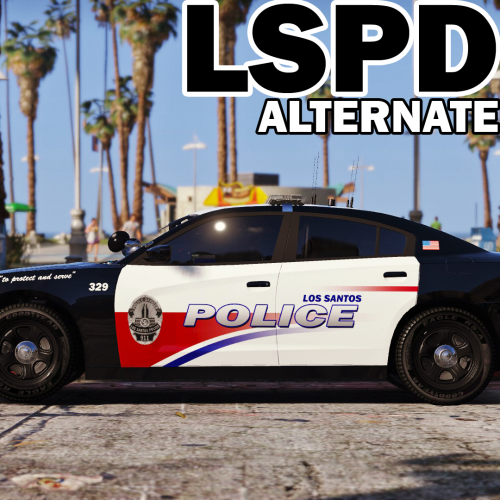 Wow...I was just looking to refresh my fleet when I found this. Clean skins. Superb detail. Great mix of vehicle choices. Absolutely gorgeously wrought. In 1 word...Stunning... Easily 5 stars Any chance of motorcycles coming, like TheHurks BMW 1200 and the Harley Davidson Electraglide? Keep up the good work man, it's being appreciated.
- 31 comments
- 13 reviews
-
Thanks for the answer TickleMyElmo (what's in a name ). No, I don't have RadV installed. I have VisualV. But I sure did just done and gone downloaded myself Make Visuals great again...
-
howdy, I've got 2 issues I might need help with. 1) everything in my game that is white is too bright (i can't wear white clothing, can't drive white cars and all my white light are superoverbright. all that is white becomes a bright spot and is blinding). there is obviously an over-saturation going on but I don't know where to change it. I would guess visualsettings.meta but I'm not sure. 2) most of my carlights of all cars driving around are different (taillights of this car are too bright, of another car too weak, headlights are mostly all too bright (coukd have somlething to do with saturation)). is there something I can do about that or do all modded cars and all cars in-game have different light affects? Thanks in advance for any help... Peace out
-
-
 Hullo, I downloaded the newest version but Computer+ still pauses and shows the background every time I use it although I unmarked the boxes.
- 1,742 comments
- 172 reviews
-
Howdy, I've installed ENB settings for Visual V but to my standards and wishes the coronas are too big. How can I change corona size? I've tried about 10 different visualsetting.dat, then I found files in ENB called intlightsprites and enblightsprite. I don't exactly know what they are but I read somewhere that sprites are coronas. I just don't have the knowledge to mess with this if it's necessary. I've tried changing the vehicle_sirenlight in graphics.ytd in mods/update/udate.rpf/x64/textures but it didn't do anything either (unless the file I put in there has the same corona as the original one). Anyway, I'm at the end of my latin and I would greatly appreciate some help with this. Getting a tiny bit frustrated. Thanks in advance for your time and answer.
-
@ Techengage and Mercuri: thanks for your answers people, your combined efforts made me figure it out and it works like a charm (so far). You saved me a lot of time and frustration @ Everyone: I'm sorry for my teeny weeny bit of sarcasm in my 4th post. I could not play GTAV with my mods and it got me a tad frustrated and my ego got hurt because there's like 30 zillion modding people on this site and nobody answered. I felt ignored...poor me
-
Thanks for the answer....greatly appreciated. I'll see if I understand this
-
So there is only one person who knows how to do this? I'm sorry Techengage, I don't want to push or rush you, but I'm really at the point of starting to install everything anew and awaiting your answer. I really want to play so much but apparently you're the only one that can help me. Peace
-
Well, it's definitely not what I thought. I did what I described above and it says I have an outdated version of update.rpf and that the game may crash if I don't put in the new version. Hmmmmm......sorry man, apparently not so straightforward for me
-
Okay thanks a ton. But let's say I'm a bit slow in the head, which I'm not, but let's pretend. What line exactly....oh no, I think I just got it while writing this. --- So I take out the new dlclist.xml --- then I paste my "old" mods folder in GTA V --- I extract the "old" dlclist.xml and add the new update line to that and put it back in --- Right? Can't I just put in the "new" dlclist.xml then? Anyway, thanks for your answer.
-
Howdy fellow modders and modsters, like the title almost said, how do I quickly and easily (because I don't feel like installing everything again when a new update comes, there has to be some other way) transfer all my mods (vehicles, weapons,...) from my old mods folder to the new (GTA Vupdate) mods folder? I think I know I can't replace or copy paste the update folder because I did that last time and my game refused to start (obviously). But what about all the other folders? Can I just copy paste all the DLC folders (like patchdays, mpvalentines, ...)? Thanks in advance for your answer and time... Peace
-
 Okelidokeli...fixed. Me happy now. It was the re-install from my desktop that did it. I installed the new Police Search - same... Albo's troubleshooter didn't find anything wrong. either. So now I'm starting to think, while I was changing the INI file to my standards, that last time I maybe typed something in the wrong place and that's why he couldn't read it. Is that possible? Anyway, thank you for your help, it is greatly appreciated. Peace
- 3,646 comments
- 306 reviews
-
-

- 1
-