


Sagx
Members
-
Joined
Everything posted by Sagx
-
-
 It doesn't work for me, I have all my vehicles with DLS, they stop and move all the time.
- 115 comments
- 20 reviews
-
-
-
 I really liked the mod, I was thinking and it is a suggestion that you could add in the "ped" section the location where the ped lives and that a route and the spawn of the ped will be marked as in the Gta 4 computer (the meaning of this is that there are cases where you have to look for the criminal or you can generate fines for bad parking or find objects in illegal abandoned vehicles and be able to find the location of the ped) more realism.
- 221 comments
- 22 reviews
-
-
 The mod works fine, I just want to know how to replace the "ModifierMenuKey=Controlkey" key with the left shift key. What is the list of allowed keys?
- 713 comments
- 33 reviews
-
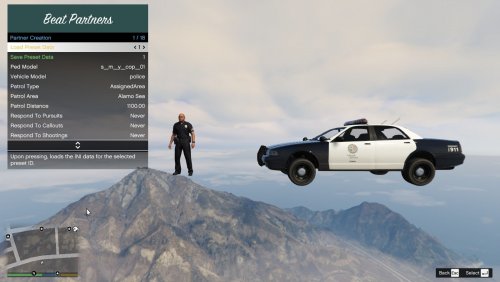 It is a good mod with many functions, it needs love from the owner.
 -
 Works today! ! no problems!!
 -
 the so-called "lost person" in the golf park, the command to guide the helicopter does not work.
- 52 comments
- 5 reviews
-
-

- 1
-
-
 Excellent complement, the NVE version has a varied climate system, would it be compatible? Now imagine that with the hurricane mod in the open field.
- 195 comments
- 23 reviews
-
-
- 1
-
-
 Something curious happened to me, when I added a partner in ultimate backup and left him in a specific position I moved away from him and when he returned he had become a walking drunk a random event had been activated and I took him as a civilian pedestrian, could you check that?
- 297 comments
- 17 reviews
-
it's an immersive plugin, however I would suggest one thing, when using the car's computer and zooming, it would be great to be able to adjust the zoom position in the ini, since sometimes it doesn't adjust precisely when it is increased.
- 713 comments
- 33 reviews
-
 If it has, it works for me when you mark the map with the GPS (normal) and ask for a unit for ultimate backup, it arrives in the mark. On the other hand I love this type of mods, they are very immersive! 👍
 -
If you could adapt the laptop's camera with the MOD "manual-transmission-ikt "https://es.gta5-mods.com/scripts/manual-transmission-ikt" it would be much better since that mod has a detailed first-person camera function, check it out.
- 713 comments
- 33 reviews
-
-
- 1
-
-
I really like this mod, it's very immersive, I hope to see it with more actions in the future, excellent!
- 713 comments
- 33 reviews
-
-

-
- 2
-
-
The last functions of the camera and the vest with the menu do not appear to me.
- 713 comments
- 33 reviews
-
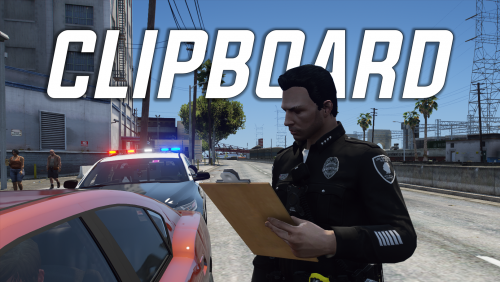 It is a very good option, it gives more realism when it comes to providing information to the ped, but I think that apart from encouraging it you should implement a mini data detection system for the vehicle and the ped and make fines, I don't know how complex it would be but very good mod, gives for many ideas.
 -
-
I like your plugin, however when I request "Requesting Backup" to all units it just crashes and ends the mod.
-
.thumb.png.9d0943161b37f863c291d6d6664edefb.png) I am a follower of many mods, and I have been using your mod for quite some time and let me congratulate you for the great work you do, however since the last update the game blocks me, I don't know if the image I send you works, but when it loads your plugin in a chase blocks the lsdpfr.
I am a follower of many mods, and I have been using your mod for quite some time and let me congratulate you for the great work you do, however since the last update the game blocks me, I don't know if the image I send you works, but when it loads your plugin in a chase blocks the lsdpfr.- 369 comments
- 33 reviews
-
 Update scripthook and scripthook.net since everything related to "scripts" works with those plugins.
- 330 comments
- 24 reviews
-
It works great, driving left and right is a bit difficult for me. Although I would like it to be compatible or at least add the gear of the lever with some button of the xbox control so as not to press "space"
- 330 comments
- 24 reviews
-
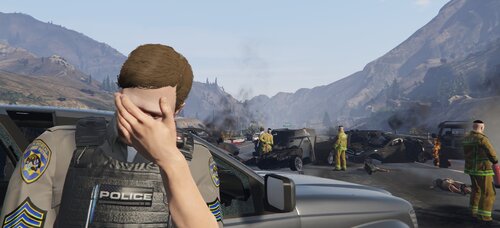 Buen complemento!
 -
 This mod works perfectly for me, you have to follow the instructions to the letter.
- 125 comments
- 11 reviews




.thumb.png.9d0943161b37f863c291d6d6664edefb.png)
