


GunnDawg
Members
-
Joined
-
Last visited
Everything posted by GunnDawg
-
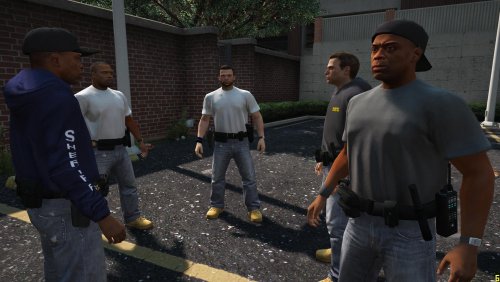 I'm still having some weird issue where all the duty belts have a tan/brown color mask, and sometimes the faces are a bit messed up. It's probably me having some texture file unrelated to yours installed somewhere, but not sure where :(
- 17 comments
- 1 review
-
You're absolutely right. I was panicking instead of thinking when I wrote this. Thank you for the reply :)
-
I most deff. did not make these. Are you insinuating I should link all 3 of them for credit? I can do that, let me go dig up the URL. I apologize if you or anyone else feels like I'm trying to claim this work as my own, it's not :(
-
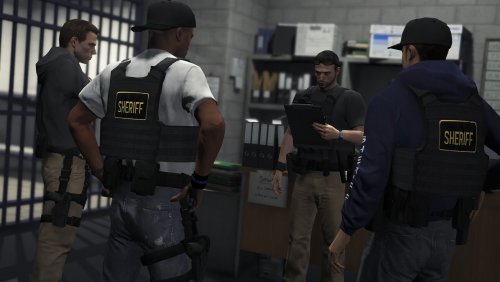 Post back if you find a fix please. I also use CustomBackup and have this issue. Also none of them spawn with vests, I thought they had vests?
- 46 comments
- 7 reviews
-
I've been smart enough to use the /mods directory, however I'm a little lost on it's functionality, and I might be in trouble. Trying to install new character skins, I may have gotten a little confused in the files and deleted a .ytd or a .tft in one of the pedprop.rpf or patchday15ng.rpf files. I don't normally forget to back things up and have been fortunate so far, but I slipped up this time. Because I am using the mods folder and the screw up happened within that directory, is there an easy way to restore those files back somehow? Thanks
-
So how exactly do I get them to show up as my backup? I assume it's an IAA model, but how do you get them to respond as backup? My backup is always the police model.
- 17 comments
- 1 review
-
Testing this and out of about 20 calls for backup, not one of them showed up wearing a vest, and about 50% of the time if it was the asian looking head then the body was completely invisible.
- 46 comments
- 7 reviews
-
I can respect that. Good choice!
-
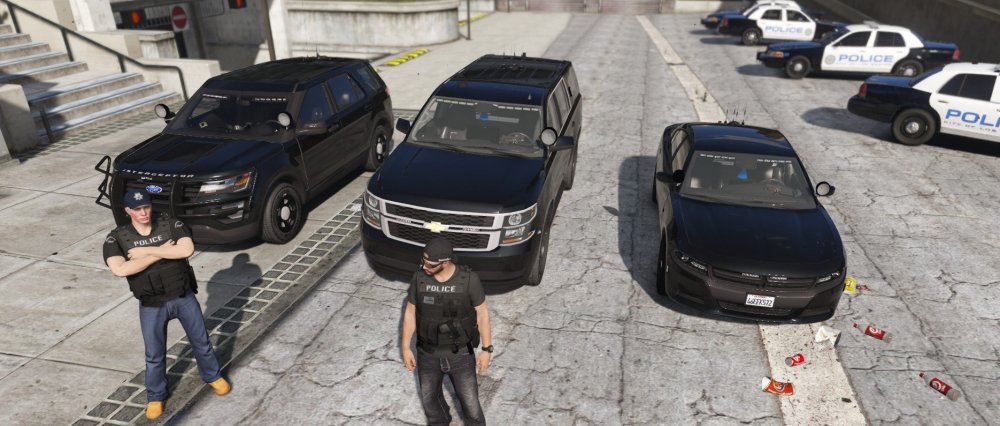
Pictured here is my fleet of undercover units. If you have any recommendations for a 4th or 5th then feel free to suggest it! ELS compatible cars recommended. Enjoy. Left to right. 2016 FPIU, 2015 Chevy Tahoe, 2016 Dodge Charger.
-
 Been looking for an unmarked FPIU and stumbled upon this. Granted it does not come with an unmarked livery choice, I decided to keep it because it's such a great model. Do you by chance know where I can find an unmarked texture that will fit this model?
- 427 comments
- 75 reviews
-
.thumb.png.9d0943161b37f863c291d6d6664edefb.png) Downloaded and don't see an .ini file. I only have a HeliOrbitPlugin.dll in the HeliOrbitPlugin v1.3.8.zip file
Downloaded and don't see an .ini file. I only have a HeliOrbitPlugin.dll in the HeliOrbitPlugin v1.3.8.zip file- 366 comments
- 33 reviews
-
-

- 1
-
-
-
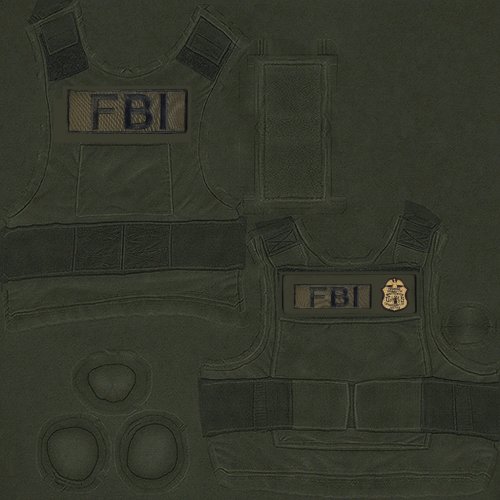 I don't have a EUP folder in /dlcpacks
 -
 I've looked through the options but I don't see a way to put a marker/blip on a speeder or someone with flags (felony, suspended license, etc, etc) when using the speed checker. Kind of hard to keep track of which car you just clocked when like 5 of them fly by at once on the highway.
- 3,646 comments
- 306 reviews
-
 I don't think it's all my cars, but one for sure only gives me two options. Cruise control off or Cruise control is on hold (in purple text). What does that even mean and how do I fix it?
- 126 comments
- 25 reviews
-
 I also can't seem to get the menu to work. I can initiate the felony stop with the radio and get the back up there just fine, but I cannot get the menu to open to issue commands.
- 241 comments
- 18 reviews
-
 Can I use the scroll wheel to scroll up and down the list of options in the radio?
- 1,196 comments
- 127 reviews
-
There is a police3_hi.yft and a police3+hi.ytd. In the police3+hi.ytd all I see are 2 dash gauge textures, nothing to replace, the police3_hi.yft does not give me an option to "Edit" Ah geeze. Disregard. I completely missed the "SAVE" button at the bottom of the texture screen. Everything works fine now and thanks for everyones help!
-
So far I'm not having any luck with replacing the textures though.
-
On second glance it looks like it did install just fine. For whatever reason I thought it looked stock. Now I just need to get this texture replaced and I'll be set!
-
I've been using patchday10ng the latest one. Would that one not work?
-
odd I've never had cars not work properly. I installed the car and replaced the textures and it's still the stock police suv. I'll keep working on it
-
That first one "LSPD FPIU" is pretty great! Thanks for the recommendation. Wished it were a sheriff car considering it's in the sheriff slot but this will do for now. Thanks! How hard is it to install a skin to an existing vehicle? I like those skins and that Tahoe as well. Pretty easy to swap the skins?
-
Hey folks I'm looking for a high quality, SUV to patrol in. I'll take either POLICE or SHERIFF version. I've run across some that didnt get many votes or whatever so I'm looking for a pretty decent quality one. What can you guys suggest?! Thanks in advance
-
Yes but based on my criteria on my origional post. Which of these do you think best suites me? They all seem so over lapped


.thumb.png.9d0943161b37f863c291d6d6664edefb.png)
