
Razontex
Members
-
Joined
-
Last visited
Everything posted by Razontex
-
-
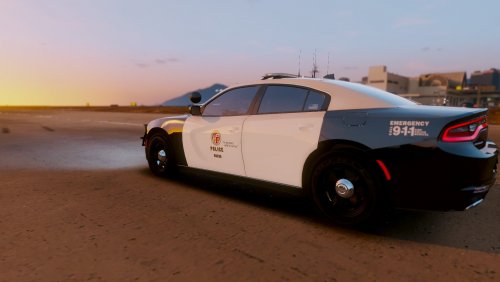 omggg beautiful visuals what visual mod are you using?? wait.. ooooh, I use it myself and I really recommend others to install Make Visuals Great Again! I mean... nice skin
- 5 comments
- 3 reviews
-
-

- 1
-
-
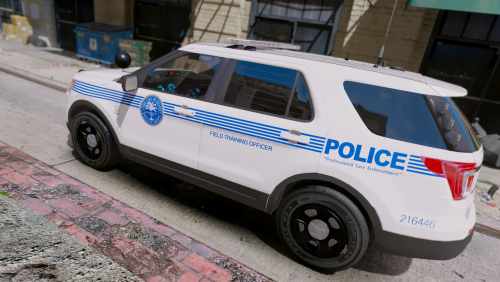 Hey! The visual mod used in the screenshots is Make Visuals Great Again. Definately recommending it.
- 4 comments
- 3 reviews
-
-
- 1
-
-
 Holy macaroni! You gotta give these guys a HUGE THANK YOU for the amazing work! Even though it took a while, it was definitely worth the wait! And, also recommending Make Visuals Great Again for visual enhancements for use with ELS V.
- 2,696 comments
- 239 reviews
-
-
- 1
-
-
Hast Du TeamViewer?
-
Versuche GTA V mal nicht als Administrator zu starten, Ragehook allerdings schon. Außerdem; füge den GTA V folder (Originaler Pfad) zu deinen AntiVirus Ausnahmen hinzu. Davon bitte einen Screenshot, sollte es nicht gehen.
-
I've waited all day for this moment. Congratulations! You deserve all the positive feedback you're getting for your great work! Next stop, 2 million downloads, right?
-
 Simple, but great! It saves time when it comes to ('doing everything') disabling modifications when you want to play the game originally, instead of having to remember what to remove and move it one by one. The log-cleaning feature is also very useful, especially when the logs run up to over 100 MB in total. 10/10 would recommend
- 136 comments
- 30 reviews
-
-
Ok, then there is a problem with GTA V. Try to verify the game files through Steam to install any missing or corrupted files.
-
It seems like you didnt follow Part 2 of the installation. You have to follow that part, to get the plugin to work.
-
Try to launch GTA V normally, without RagePluginHook. We want to find out if it is RPH, or GTA V itself that causes the crash.
-
-
What version of GTA V are you running?
-
I am not quite sure if the Miscellaneous Timescale part of loading is causing the crash. Might be something else. Have you tried the LSPDFR Troubleshooter?
-
This TimeScale thing is not causing the crash. I got the same in my log when its working, so you should not worry about the TimeScale. This might sound strange, but due to some issues with the latest RPH version 0.43, I recommend you to first go back to 0.42.