


Masterschwag
Members
-
Joined
-
Last visited
Everything posted by Masterschwag
-
Seriously, even if I can send someone the file and they can go over the hub axis info and look at it in game I would really appreciate it!
-
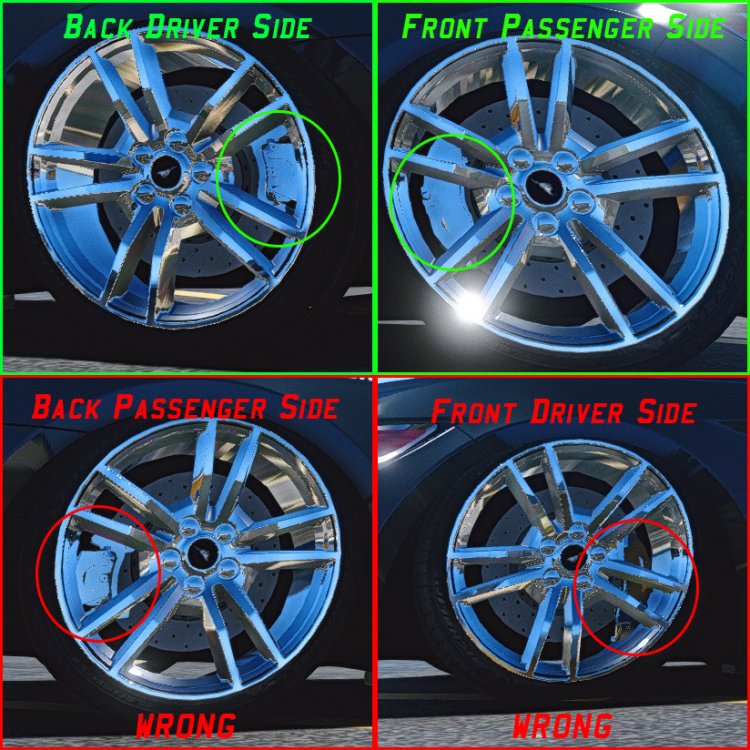
I have added some real high quality calipers to a model in GTA 5 but in game 2 of them look like there falling off the rotors (see pic below). I have copied the axis from the respected wheels to the calipers and still show up wrong in game? To me it seems like the axis is still wrong but I have to use wheel axis for calipers so they move respectively with the tires and the rotors! NOTE: I added buffalo calipers at first and copied axis from respected wheels to calipers and they all worked perfect in game! EDIT: This only happens when im sitting in the vehicle? Somehow they are connected to suspension axis?
-
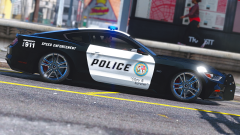
From the album: To relase or not to release?
That is the question! -
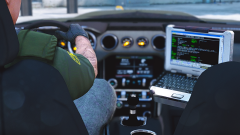
From the album: To relase or not to release?
-
 I had all the vehshare files in place, I think I already made all the textures u included in this pack. This is very helpful for anyone new to Zmodeler3!
- 9 comments
- 3 reviews
-
Not sure what I did wrong but I imported my model along with your file here (as preload pack) and nothing shows up in material browser. The only thing that shows up is env.dds in my texture browser.
- 9 comments
- 3 reviews
-
You can only play the game for 72 hrs without internet/updating game! To continue playing after 72 hrs you need to turn back your clock on your computer! Not sure if this is necessary using RPH backup to play..
-
Awesome! Thank u so much for the quick response!
-
Does anyone know how to attach a wing (as extra) to the boot so that it moves with the boot but doesnt make the boot disappear when you toggle extra_4 off? I have the wing in the proper place in zmodeler and it shows up in the game correctly, but when I open boot it doesnt move up and down with the boot.
-
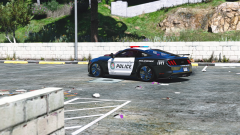
From the album: To relase or not to release?
-
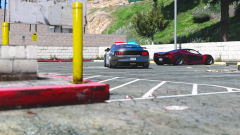
From the album: To relase or not to release?
-
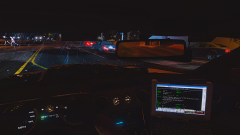
From the album: To relase or not to release?
Interior dials are working! -
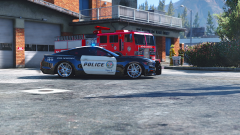
From the album: To relase or not to release?
Calipers are looking awesome! -
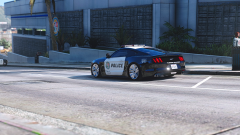
From the album: To relase or not to release?
-
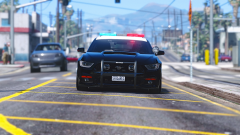
From the album: To relase or not to release?
-
Press 9 when u see evidence and it will put green blips where the items where thrown out!
-
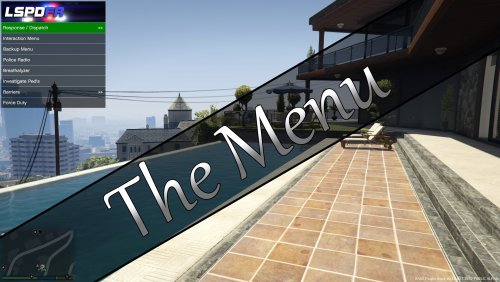 I installed correctly and even tried deleting albo's file and still not working... here is my rage log [6/23/2016 4:47:03 PM.465] Started new log on 6/23/2016 4:47:03 PM.465 [6/23/2016 4:47:03 PM.467] ==================================================================================================== [6/23/2016 4:47:03 PM.462] Log path: C:\Program Files\Rockstar Games\Grand Theft Auto V\RagePluginHook.log [6/23/2016 4:47:03 PM.467] Log verbosity: Verbose [6/23/2016 4:47:03 PM.469] Initializing input system [6/23/2016 4:47:03 PM.472] Initializing game console [6/23/2016 4:47:03 PM.477] Console key has been set to F4 (key code: 115) [6/23/2016 4:47:03 PM.536] Initializing console variable "SkipGameIntro". [6/23/2016 4:47:03 PM.536] Type: System.Boolean, Reading section: "Miscellaneous", key: SkipGameIntro [6/23/2016 4:47:03 PM.538] Read value: <null> [6/23/2016 4:47:03 PM.538] Initializing console variable "DisableRenderVersionText". [6/23/2016 4:47:03 PM.538] Type: System.Boolean, Reading section: "Miscellaneous", key: DisableRenderVersionText [6/23/2016 4:47:03 PM.541] Read value: True [6/23/2016 4:47:03 PM.541] Setting value of console variable "DisableRenderVersionText" to stored value. [6/23/2016 4:47:03 PM.541] Initializing console variable "ConsoleKey". [6/23/2016 4:47:03 PM.541] Type: System.Windows.Forms.Keys, Reading section: "Miscellaneous", key: ConsoleKey [6/23/2016 4:47:03 PM.542] Read value: F5 [6/23/2016 4:47:03 PM.542] Setting value of console variable "ConsoleKey" to stored value. [6/23/2016 4:47:03 PM.542] Console key has been set to F5 (key code: 116) [6/23/2016 4:47:03 PM.542] Initializing console variable "PluginTimeoutThreshold". [6/23/2016 4:47:03 PM.542] Type: System.Int32, Reading section: "Miscellaneous", key: PluginTimeoutThreshold [6/23/2016 4:47:03 PM.543] Read value: 10000 [6/23/2016 4:47:03 PM.543] Setting value of console variable "PluginTimeoutThreshold" to stored value. [6/23/2016 4:47:03 PM.543] Initializing console variable "AlwaysShowConsoleOutput". [6/23/2016 4:47:03 PM.543] Type: System.Boolean, Reading section: "Miscellaneous", key: AlwaysShowConsoleOutput [6/23/2016 4:47:03 PM.543] Read value: <null> [6/23/2016 4:47:03 PM.543] Initializing console variable "ShowConsoleCommandInfoOnPluginLoad". [6/23/2016 4:47:03 PM.543] Type: System.Boolean, Reading section: "Miscellaneous", key: ShowConsoleCommandInfoOnPluginLoad [6/23/2016 4:47:03 PM.543] Read value: <null> [6/23/2016 4:47:03 PM.543] Initializing console variable "ShowOnScreenWarnings". [6/23/2016 4:47:03 PM.544] Type: System.Boolean, Reading section: "Miscellaneous", key: ShowOnScreenWarnings [6/23/2016 4:47:03 PM.544] Read value: <null> [6/23/2016 4:47:03 PM.544] Console initialized [6/23/2016 4:47:03 PM.544] Initializing forms manager [6/23/2016 4:47:03 PM.546] Version: RAGE Plugin Hook v0.40.952.8173 PUBLIC ALPHA for Grand Theft Auto V [6/23/2016 4:47:03 PM.550] ================ RAGE Plugin Hook ================ [6/23/2016 4:47:03 PM.554] Checking game support [6/23/2016 4:47:03 PM.785] Product name: Grand Theft Auto V [6/23/2016 4:47:03 PM.785] Product version: 1.0.757.4 [6/23/2016 4:47:03 PM.785] Is steam version: False [6/23/2016 4:47:03 PM.786] Initializing DirectX [6/23/2016 4:47:03 PM.787] Initializing Direct3D [6/23/2016 4:47:03 PM.788] Loading C:\WINDOWS\system32\d3d11.dll [6/23/2016 4:47:03 PM.788] Loaded at 0x7FFCC52F0000 [6/23/2016 4:47:03 PM.788] D3D11CreateDeviceAndSwapChain at 0x7FFCC5315800 [6/23/2016 4:47:03 PM.788] Creating Direct3D 11 device and swap chain [6/23/2016 4:47:03 PM.824] Swap Chain created: 0x37BA2B33E0 [6/23/2016 4:47:03 PM.825] Swap Chain VTable: 0x37BA2B33E0 [6/23/2016 4:47:03 PM.825] Swap Chain VTable_2: 0x7FFC8EF4B7F8 [6/23/2016 4:47:03 PM.825] 0xEC83485641C48B48;0xFFFFFEB840C74860;0x68894808588948FF [6/23/2016 4:47:03 PM.825] D3D11Present: 0x7FFC8EE2D210 [6/23/2016 4:47:03 PM.825] D3D11ResizeBuffers: 0x7FFC8EE2D5F0 [6/23/2016 4:47:03 PM.826] D3D11ResizeTarget: 0x7FFC8EE2A4E0 [6/23/2016 4:47:03 PM.826] D3D11SetFullscreenState: 0x7FFC8EE2D300 [6/23/2016 4:47:03 PM.832] Direct3D initialized [6/23/2016 4:47:03 PM.832] Initialized DirectX [6/23/2016 4:47:03 PM.833] Direct3D watcher thread spawned [6/23/2016 4:47:03 PM.834] Detected Windows 8.1 Windows 8 (64-bit) (6.3.9600.0)! [6/23/2016 4:47:04 PM.645] Getting device [6/23/2016 4:47:04 PM.646] Retrieved device [6/23/2016 4:47:04 PM.646] Creating wrapper [6/23/2016 4:47:04 PM.702] Wrapper created [6/23/2016 4:47:04 PM.706] Effect created [6/23/2016 4:47:04 PM.706] Creating buffer [6/23/2016 4:47:04 PM.707] Created buffer [6/23/2016 4:47:04 PM.707] Creating blend state [6/23/2016 4:47:04 PM.707] Created blend state [6/23/2016 4:47:04 PM.707] Done with creation [6/23/2016 4:47:04 PM.735] Initializing texture system. [6/23/2016 4:47:04 PM.735] Initializing texture system; phase 1 [6/23/2016 4:47:04 PM.736] Initializing texture system; phase 2 [6/23/2016 4:47:04 PM.741] Initializing texture system; phase 3 [6/23/2016 4:47:04 PM.741] Initializing texture system; phase 4 [6/23/2016 4:47:04 PM.750] Initializing texture system; phase 5 [6/23/2016 4:47:04 PM.751] Initializing texture system; phase 6 [6/23/2016 4:47:04 PM.753] Initializing texture system; phase 7 [6/23/2016 4:47:04 PM.754] Initializing texture system; phase 8 [6/23/2016 4:47:04 PM.756] Initializing texture system; phase 9 [6/23/2016 4:47:04 PM.756] Initializing texture system; phase 10 [6/23/2016 4:47:04 PM.759] Initializing texture system; phase 11 [6/23/2016 4:47:04 PM.759] Initializing texture system; phase 12 [6/23/2016 4:47:04 PM.761] Initializing texture system; phase 13 [6/23/2016 4:47:04 PM.761] Initializing texture system; phase 14 [6/23/2016 4:47:08 PM.833] Direct3D watcher thread ended [6/23/2016 4:47:23 PM.972] LoadingScreenMsg: Initializing game support [6/23/2016 4:47:24 PM.224] Initializing game support [6/23/2016 4:47:24 PM.756] LoadingScreenMsg: Velocity limit removed [6/23/2016 4:47:25 PM.008] Compatibility level: 0 [6/23/2016 4:47:25 PM.008] Supported version detected [6/23/2016 4:47:25 PM.009] ================================================== [6/23/2016 4:47:25 PM.009] LoadingScreenMsg: Patching code [6/23/2016 4:47:25 PM.260] LoadingScreenMsg: Waiting for game initialization [6/23/2016 4:47:25 PM.511] Waiting for game initialization [6/23/2016 4:47:25 PM.612] LoadingScreenMsg: Initializing core [6/23/2016 4:47:25 PM.863] Initializing hook [6/23/2016 4:47:25 PM.863] LoadingScreenMsg: Completing interoperability [6/23/2016 4:47:26 PM.114] Completing interoperability [6/23/2016 4:47:26 PM.114] Initialization code 1. [6/23/2016 4:47:26 PM.114] Initialization code 2. [6/23/2016 4:47:26 PM.115] Initialization code 3. [6/23/2016 4:47:26 PM.122] 1 Address: 0x00007FF61AB067F0 [6/23/2016 4:47:26 PM.122] Calling func 1 [6/23/2016 4:47:26 PM.139] 2 Address: 0x00007FF61B5C1EF2 [6/23/2016 4:47:26 PM.139] 3 Address: 0x00007FF61A135CBA [6/23/2016 4:47:26 PM.165] Address: 0x00007FF61B5C1E90 [6/23/2016 4:47:26 PM.165] Unknown var: 0x00007FF61C4B08B0 [6/23/2016 4:47:26 PM.165] Initialization code 4. [6/23/2016 4:47:26 PM.166] Completing interoperability, phase 1 [6/23/2016 4:47:26 PM.166] Completing interoperability, phase 2 [6/23/2016 4:47:26 PM.166] Completing interoperability, phase 3 [6/23/2016 4:47:26 PM.166] Completing interoperability, phase 4 [6/23/2016 4:47:26 PM.166] Completing interoperability, phase 5 [6/23/2016 4:47:26 PM.167] Completing interoperability, phase 6 [6/23/2016 4:47:26 PM.167] Completing interoperability, phase 7 [6/23/2016 4:47:26 PM.167] LoadingScreenMsg: [6/23/2016 4:47:26 PM.419] LoadingScreenMsg: Loading Story Mode [6/23/2016 4:47:42 PM.071] LoadingScreenMsg: Loading and Populating Game World [6/23/2016 4:47:42 PM.322] LoadingScreenMsg: [6/23/2016 4:47:46 PM.738] Initializing console variable "IsDeveloperModeEnabled". [6/23/2016 4:47:46 PM.738] Type: System.Boolean, Reading section: "Miscellaneous", key: IsDeveloperModeEnabled [6/23/2016 4:47:46 PM.739] Read value: False [6/23/2016 4:47:46 PM.739] Setting value of console variable "IsDeveloperModeEnabled" to stored value. [6/23/2016 4:47:46 PM.740] Initializing console variable "TimeScale". [6/23/2016 4:47:46 PM.740] Type: System.Single, Reading section: "Miscellaneous", key: TimeScale [6/23/2016 4:47:46 PM.740] Read value: <null> [6/23/2016 4:48:25 PM.278] <UNLOADED PLUGIN>: Initializing input system [6/23/2016 4:48:25 PM.279] <UNLOADED PLUGIN>: Initializing game console [6/23/2016 4:48:25 PM.280] <UNLOADED PLUGIN>: Initializing forms manager [6/23/2016 4:48:26 PM.600] <UNLOADED PLUGIN>: Initializing input system [6/23/2016 4:48:26 PM.601] <UNLOADED PLUGIN>: Initializing game console [6/23/2016 4:48:26 PM.602] <UNLOADED PLUGIN>: Initializing forms manager [6/23/2016 4:48:26 PM.879] --------------------------------------------------------------------- [6/23/2016 4:48:26 PM.879] LSPD FIRST RESPONSE [6/23/2016 4:48:26 PM.879] Version 0.3.1 [6/23/2016 4:48:26 PM.879] A G17 Media Modification [6/23/2016 4:48:26 PM.879] - Developed by LMS & Sam [6/23/2016 4:48:26 PM.879] - Special thanks to Cyan, Lt.Caine, Alexander Blade, The OpenIV Team, LukeD & MulleDK19 [6/23/2016 4:48:26 PM.879] © Copyright 2015-2016, G17 Media, www.lspdfr.com [6/23/2016 4:48:26 PM.879] --------------------------------------------------------------------- [6/23/2016 4:48:26 PM.879] [INFO] Running LSPD First Response 0.3.1(0.3.38.5436) [6/23/2016 4:48:26 PM.879] [INFO] Copyright © 2015-2016, G17 Media, www.lspdfr.com [6/23/2016 4:48:26 PM.923] [6/23/2016 4:48:27 PM.016] C:\Program Files\Rockstar Games\Grand Theft Auto V\lspdfr\lspdfr.ini [6/23/2016 4:48:27 PM.016] C:\Program Files\Rockstar Games\Grand Theft Auto V\lspdfr\lspdfr.ini [6/23/2016 4:48:27 PM.018] Callouts: 250 [6/23/2016 4:48:27 PM.154] The Menu: 0.7.7 Launching... [6/23/2016 4:48:27 PM.160] The Menu: Loading XML File: Plugins\The Menu.xml [6/23/2016 4:48:27 PM.381] The Menu: Loading XML File: Plugins\The Menu\Templates\Weather.xml [6/23/2016 4:48:27 PM.407] The Menu: Loading XML File: Plugins\The Menu\Templates\Time.xml [6/23/2016 4:48:27 PM.683] [TRACE] Thread CopManager #1 initialized [6/23/2016 4:48:28 PM.019] The Menu: The remote server returned an error: (401) Unauthorized.



