


Masterschwag
Members
-
Joined
-
Last visited
Everything posted by Masterschwag
-
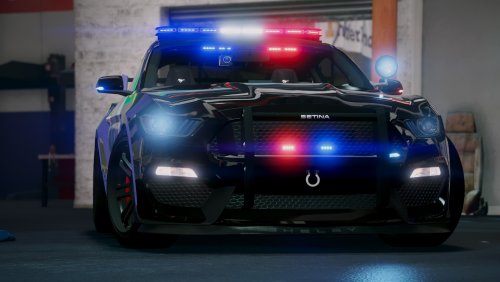 You can remove the cars from the addon version, rename to police3 <or which ever you want to replace!
- 82 comments
- 17 reviews
-
Ive been looking for someone to help fix the bugs I cant figure out. Its like pulling teeth...
- 82 comments
- 17 reviews
-
-
-
I managed to update my Zmod license and I am currently working on a better model! It will be released as a separate model and the civilian version will be released first; then will be the non-els, els then unmarked. I cant find the files to re-work this model anymore so its on to a new model! :)
- 82 comments
- 17 reviews
-
There is no tuning yet, I was working on tuning when my zmod license expired :(
- 82 comments
- 17 reviews
-
-

- 1
-
-
Im trying to get up the cash to renew my zmod license and when I do I will update this one! I have a set of side runners to add on so I just need to get the license back lol! Could take a few more weeks to come up with the cash but keep an eye out! :) Thanks for the compliment as well my friend!
- 82 comments
- 17 reviews
-
Right now my license for zmod is expired so I cannot update the car for a little while. Personal issues came up in my life and I had to stop my zmod license... As soon as I get enough in my paypal to renew my zmod license I will update the car I noticed this a while ago and started working on it before my license expired...
- 82 comments
- 17 reviews
-
-
https://www.gta5-mods.com/misc/gameconfig-for-patch-1-0-877-1-add-on-crash-fix click that link and install then let me know if it keeps crashing!
- 82 comments
- 17 reviews
-
-
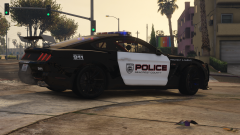
From the album: [WIP] Possible release?
-
A bad ass modder took on a project for me and this is the progress! Its FH3 model with donor motor and underbody from other games... When its finished, (with some help hopefully) I will make this an extremely bad ass (els) police pursuit vehicle!
-
Nice shot
-
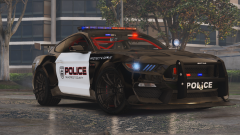 Mods coming soon
-
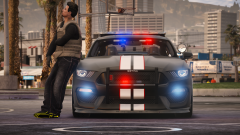 GTA5 2017-06-09 23-08-03.png
-
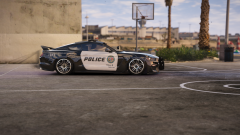 GTA5 2017-06-09 23-54-19.png
-
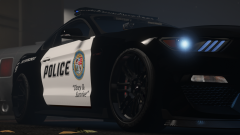 GTA5 2017-06-11 05-16-00.png
-
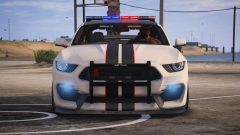 GTA5 2017-06-06 17-17-00.png
-
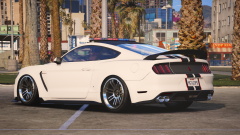 GTA5 2017-06-06 17-14-25.png
-
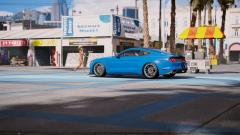 GTA5 2017-05-20 22-00-28.png
-
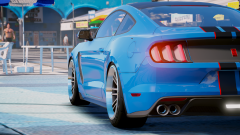 GTA5 2017-05-20 22-01-28.png
-
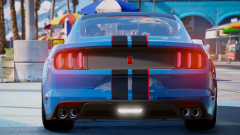 GTA5 2017-05-20 22-01-40.png
-
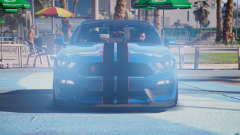 GTA5 2017-05-20 22-02-13.png
-
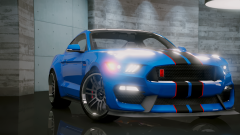 GTA5 2017-05-21 08-41-43.png
-
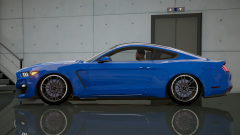 OMG
OMG
-
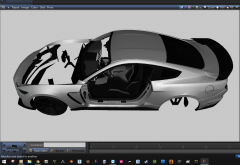 prep-engine-1
-
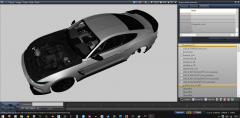 prep-engine
-
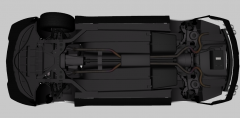 prep-underbody
-
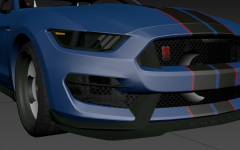 prep-3
-
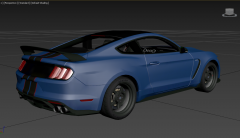 prep-2
-
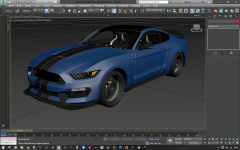 Prep-1
-
-
From the album: [WIP] Possible release?
-
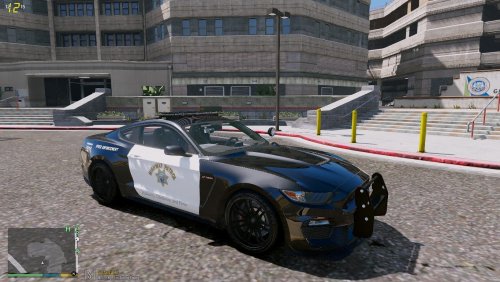 Very nice addition to my car! :) Great job!
 -
Not to be rude at all my friend but none of the cars u mentioned are of Mustang decent or even close lol. If u build cars, and build computers than u know how to change a handling ID to suit your needs.... Seriously u could have spent less time changing the Handling ID and playing on then coming here and complaining about it... I have no reason to be rude I just tell it like it is and most people dont like that.... And Im sorry I wasnt around in the 60's to watch u build all those cars but this is 2017 and a car can handle however u want it to...
- 82 comments
- 17 reviews
-
So I guess u never drove a mustang either lol.... And dont worry handling ID is easy to change even for u. But if u cant manage to change it I will in the next update bud!
- 82 comments
- 17 reviews
-
I believe that would be carbon fiber texture! And yes its supposed to be like that for now.
- 82 comments
- 17 reviews
-
Its so dials work, head clipping in first person view and tuning (when i get that working) But if its working fine then ur good! :)
- 82 comments
- 17 reviews
-
If u are using my car as a replace for police3, you need to know where police3 data is located in the game... I personally dont know so thats why I made this an addon lol... If u can find police3 data then u can paste the info from my DLC in its place... I think I can find where to put the info for the replace if u give me a few hrs lol...
- 82 comments
- 17 reviews
-
Read my instructions carefully . ***[REPLACE] Installation --------------------- Put my replace vehicle files here > \mods\update\x64\dlcpacks\patchday3ng\dlc.rpf\x64\levels\gta5\vehicles.rpf Dont forget to copy and paste my police3 data where it belongs. I dont know where to put it so your on your own!
- 82 comments
- 17 reviews
-
Have you ever installed an addon car? 1 - In OpenIV go to C:\Program Files\Rockstar Games\Grand Theft Auto V\mods\update\x64\dlcpacks and make a folder called policegt350r 2 - put my dlc.rpf in that folder 3 - In OpenIV go to C:\Program Files\Rockstar Games\Grand Theft Auto V\mods\update\update.rpf\common\data and drag dlclist.xml to your desktop 4 - open the dlclist.xml file you just dropped on your desktop and at the bottom add <Item>dlcpacks:\policegt350r\</Item> [picture below] 5 - drag the dlclist.xml file you just edited from your desktop back to C:\Program Files\Rockstar Games\Grand Theft Auto V\mods\update\update.rpf\common\data 6 - Close OpenIV and open GTA 5 then spawn by name using a trainer policegt350r
- 82 comments
- 17 reviews
-
Just put my DLC in your mods folder and extract from there, you dont need to install the whole DLC... It takes 15 seconds :) Next update will include the replace files.
- 82 comments
- 17 reviews
-
They are the same files as the ones in the .DLC I included. Just copy those to desktop and rename them police3.yft etc... and replace :) [will include replace next update!]
- 82 comments
- 17 reviews
-

