


To relase or not to release?
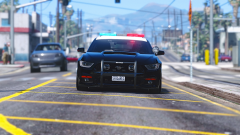
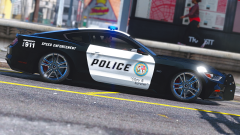
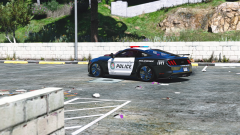
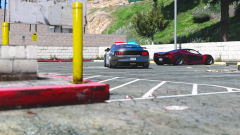
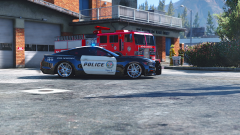
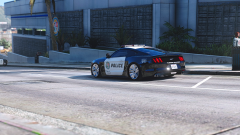
So basically what I've done here is taken zQrba's 2015 mustang, the undercover edition by Ryan
Stough (HorsePlay) and the marked version by GlitchGamer and combined them into one model. After
fixing a bunch of stuff (listed below) I've ended up with a slightly more complete version. I know
there are a couple police versions already but all of them have small bugs I couldnt live with
anymore!
Changes
------------------------------------------------------------------------
Extra 1 - Roof Light Bar
Extra 2 - Spot Light
Extra 3 - Ram Bar
Extra 4 - Wing
Extra 5 - Speed radar
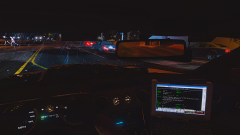
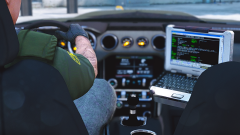
Extra 7 - Laptop
Fixed missing textures
Better reflections on car body
Mirrors reflect environment
Changed interior accent color to gray
Added chrome accents to interior
Changed interior textures a little
Added working fog lights
All police lights flash now
Fixed livery wrapping inside doors
Added high quality brake calipers
Made exhaust, badges and rims chrome
Dials light up and glow again
Laptop monitor glows
Glass breaks again
ToDo list
------------------------------------------------------------------------
Add reverse light
Proper Template
IF INTERESTED IN SEEING THIS RELEASE PLEASE COMMENT BELOW! IF NO ONE COMMENTS I WILL JUST KEEP IT TO MYSELF!
12 images
-
By Masterschwag
-
By Masterschwag
-
By Masterschwag
-
By Masterschwag
-
By Masterschwag
-
By Masterschwag
-
By Masterschwag · 2 comments
-
By Masterschwag
-
By Masterschwag
-
By Masterschwag
-
By Masterschwag
-
By Masterschwag


Recently Browsing 0
- No registered users viewing this page.
0 Album Comments
There are no comments to display.
Join the conversation
You can post now and register later. If you have an account, sign in now to post with your account.