


Masterschwag
Members
-
Joined
-
Last visited
Everything posted by Masterschwag
-
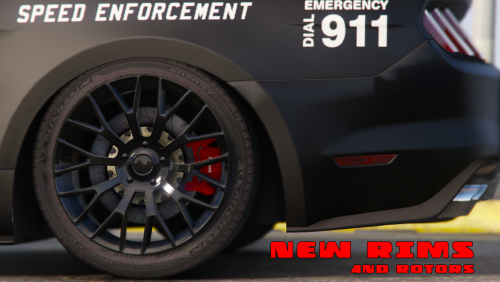 Im not sure what is wrong, do you have most recent version of game? No one has had a problem yet except you 2.
- 106 comments
- 9 reviews
-
@Lolis123 if you go to spawn vehicle by name and then type in 2015polstang it will spawn in front of you.
- 106 comments
- 9 reviews
-
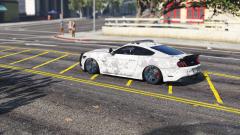
From the album: Camo Cop Mustang
-
-
From the album: Camo Cop Mustang
-
-
-
@Wippy if u look at the top of the description and click show hidden contents u can see a video of what it looks like. After viewing the video tell me if u think the bug is still occurring.
- 106 comments
- 9 reviews
-
Yes I will look for a good speed radar. I honestly thought thats what extra 5 was.
- 106 comments
- 9 reviews
-
Just in case anyone is paying attention, I am done with the new code 3 light bar and siren pattern as well! I am just making trying to get some new screen shots made up and possibly a video so I will be updating in the next couple days! It wont be the final update but it will be close. I still want to try to change the rims and the interior police lights and a couple more small things but all in all she looks better than ever!
- 106 comments
- 9 reviews
-
You could put the DLC in your mods folder and open it with OpenIV and extract all the files if u want then delete the DLC. But I will include all the files in the next update by Sunday!
- 106 comments
- 9 reviews
-
Actually that 100% stock graphics my friend. I have too much problems with enb, reshade stuff.. Its as bright as it gets lol..
- 106 comments
- 9 reviews
-
@gregb150 here is a quick video preview of the code 3 lightbar in action. I am still working on a new pattern for this light bar because I had to re-arrange the siren numbers to accommodate the extra sirens. I removed the 2 extra lights and just made them siren mesh instead. So here is what it looks like!
- 106 comments
- 9 reviews
-
-

- 2
-
-
Im working on adding a code3 light bar, but still setting up a couple things. Im not sure I like it so I wanna know if anyone else likes it? Right now I have the new light bar working properly but it has more lights than the old one so I have to set up sirens again on it in carcols. Plus this one has 2 extra lights that come on with the headlights that I cant get to show properly. @gregb150 < what do u think?
- 106 comments
- 9 reviews
-
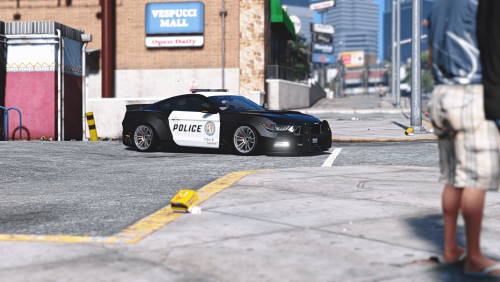 If you try typing 2015wbpolstang and it says invalid model than you didnt do something right. Follow the readme I included in the file and not the readme here.
- 9 comments
- 2 reviews
-
@Arariel You should go back and read the description again, then take a look at the pictures. Not to be rude but if u cant tell the difference after reading and looking at the pictures then Im not sure I can help u by re-writing the description here.
- 9 comments
- 2 reviews
-
-
So basically what I've done here (again) is taken zQrba's 2015 Mustang Rocketbunny/Widebody, finished it, and transformed it into one bad ass marked/unmarked police car. After fixing a bunch of stuff (listed below) and adding a bunch, I've ended up with a slightly more complete version. This version is 99% bug free if installed properly. This version is by zQrba's description a Rocketbunny kit but IMO it looks more like a Liberty Walk kit so thats what Im calling it! I know the rims are horrible but no one will help me with some new ones so we are stuck with these til I figure it out! Use custom rims til then! INSTALLATION INSTRUCTIONS ARE AT THE BOTTOM OF THIS PAGE AND IN README Version 0.5 Changes --------------------------------- Extra 1 - Roof Light Bar Extra 2 - Spot Light Extra 3 - Ram Bar Extra 4 - Laptop Extra 5 - Speed Radar Extra 7 - Rocketbunny Wing LibertyWalk fenders - paint2 Rims - paint4 Marked/Unmarked in 1 model Fixed missing textures Better reflections on car body Mirrors reflect HQ environment Added more textures to the interior Changed grill mesh Added reverse light Added chrome accents to interior Added working grill lights Added Rocketbunny wing as extra 7 All police lights flash properly now Fixed livery wrapping inside doors Added HQ brake calipers Made exhaust and badges chrome NEW WORKING Dials light up and glow Laptop monitor glows Interior buttons glow Glass breaks ADDON only for now **Tuning sorta works if installed properly Included custom siren1 carcol.ymt (preview below) ToDo list --------------------------------- Better Template Fix Bugs if possible Re-texture original tuning parts Change Rims < cant figure this one out! BUGS --------------------------------- **If you have ORIGINAL model installed in place of dominator, not all tuning parts will work properly but some will. Windshield glass tints with the rest of windows? Ram Bar stays attached in collision? Please post pics of any other bugs you may encounter! NOTES --------------------------------- Light Smoke tint looks best **For working tuning parts you need to install the ORIGINAL model properly as dominator Credits --------------------------------- Original vehicle/Model: TheCrew, WhiteAngel GTA5 Conversion: zQrba Police Edit: Masterschwag --------------------------------- Brake Calipers and new textures from gamemodels.ru --------------------------------- Speed Camera by johnclark1102 --------------------------------- Setina Pushbar by NickieB --------------------------------- Rockstar for Police Lights Installation --------------------------------- In OpenIV navigate to \mods\update\update.rpf\common\data and extract dlclist.xml to your desktop. Open it with notepad and add the text below to the bottom of the list of dlcpacks, save it and put it back where it came from. <Item>dlcpacks:\2015wbpolstang\</Item> Then navigate to \mods\update\x64\dlcpacks and create a new folder called 2015wbpolstang and put my dlc.rpf into it. Use trainer to spawn by name: 2015wbpolstang OPTIONAL - To use my custom siren pattern just place my carcols in \mods\update\update.rpf\x64\data but please note, my carcols affects all police cars that use siren1 pattern and I do have flashing headlights and taillights enabled! P.S. I DO NOT GIVE ANYONE PERMISSION TO UPLOAD MY MOD TO ANY OTHER SITE!
- 9 comments
- 2 reviews
-
-
- 1
-
-
Awesome, I got the clipping in FPV fixed. Im pretty sure my wheel and tire mesh is setup same as default cars since I copied the values directly from the dominator and I asked over at the Zmodeler forums and only person answered said it can be fixed via the vehicles meta values I pointed out so Im not sure where Im stuck there.
- 106 comments
- 9 reviews
-
Hey bro did u manage to fix the clipping of the roof in FPV via the vehicles.meta file? Im not sure which values to change. And I think the rim bug when the tires are off is a vehicles.meta adjustment as well, under <wheelScale value="" /> and <wheelScaleRear value="" /> If u have any luck please let me know what u changed!
- 106 comments
- 9 reviews
-
Honestly @Wippy those are bugs from original model that Im not sure I will be able to fix. The collision from this model is the exact same as the dominator just stretched and widened a little so as far as the bugs concerning collision Im not sure if I know how to fix (maybe the wrong flag on roof). No one has been helpful so far in my quest for zmodeler information as Im assuming people want to keep info private and hard to get so they can be the only ones with the knowledge? Everything I know I learned by picking apart default gta 5 cars in zmodeler. I havent really learned how to add polygons or manipulate them yet which is what I think I would need to do to fix the taillight hole problem after collision. I will definitely keep searching for more knowledge on these issues and keep this updated as I learn so dont give up hope! I also always thought people wouldnt let this beautiful car get that wrecked < haha!
- 106 comments
- 9 reviews
-
-
- 1
-
-
@Wippy damn u been beating the hell outta my ride today lol. I will look into fixing those bugs, I guess I never smashed up the car enough to notice them!
- 106 comments
- 9 reviews
-
@JZersche I think there is a way to make vehicles spawn in traffic without extras but I need to investigate I think its in vehicles.meta under flags or <requiredExtras />
- 106 comments
- 9 reviews
-
I have all those but the siren mesh's arent setup on them. Im gonna try to set one of those up for the next major update tho!
- 106 comments
- 9 reviews
-
-
- 2
-
-
I agree with u, since no one wants to share a working lightbar and they are hard to setup I used the original which IMO didnt ruin the car, but I am still going to look further into setting up a different lightbar. Trying to find an unlocked model I can just use the lightbar from and also looking more into how default lightbar is setup in zmodeler in case I cant get help or find a working one!
- 106 comments
- 9 reviews
-
-
- 1
-


