


Joe C Wilson
Members
-
Joined
Everything posted by Joe C Wilson
-
N/A
-
 This is a pretty unique mod for LSPDFR. There is not many audio mods like this one. Although it doesn't actually make vehicles and peds stop in the game, it does however, add a cool immersion for players. This reminds me of the menu LCPDFR uses during patrols. Highly recommended for those who love realism and using the police car loudspeakers! I hope you can add some more audio sounds later to this mod. Any plans on creating female voices with the female Police and Sheriff peds for this mod? Thank you!
- 72 comments
- 10 reviews
Here's some #LSPDFR screenshots because I am bored and can't sleep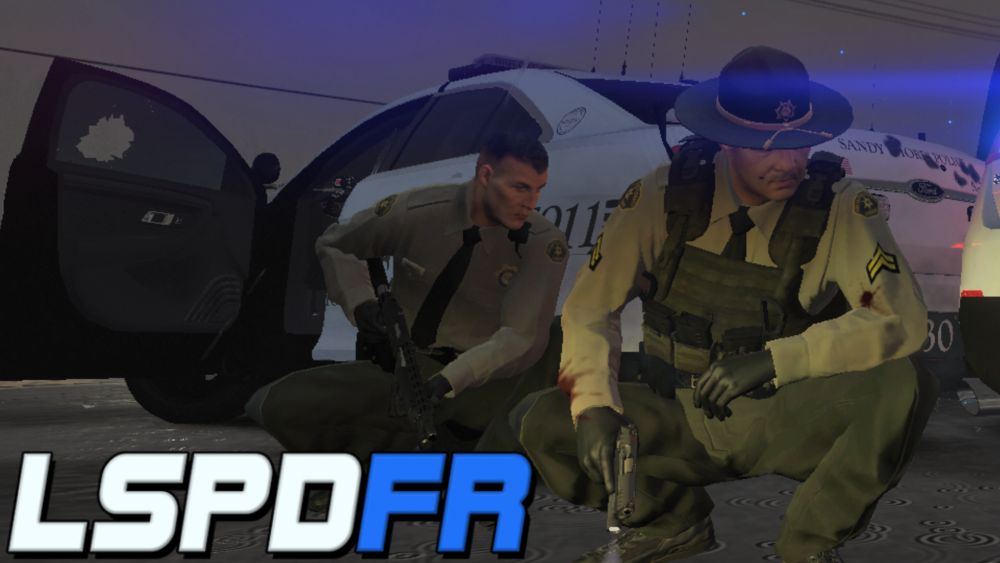
.thumb.png.5be11393c450de1d61b2a9fd7f65e9c4.png) N/AN/AAwesome video man! I haven't been subscribed long, but you have a great channel. Thanks for uploading!!N/AN/AI am getting ready to get back into LSPDFR! After fixing my game and taking a long needed break from mods, we are almost ready to get back into some cop action! In the meantime, be sure to check out my full GTA 5 LSPDFR playlist on YouTube!N/AN/AN/AN/AN/AN/A
N/AN/AAwesome video man! I haven't been subscribed long, but you have a great channel. Thanks for uploading!!N/AN/AI am getting ready to get back into LSPDFR! After fixing my game and taking a long needed break from mods, we are almost ready to get back into some cop action! In the meantime, be sure to check out my full GTA 5 LSPDFR playlist on YouTube!N/AN/AN/AN/AN/AN/A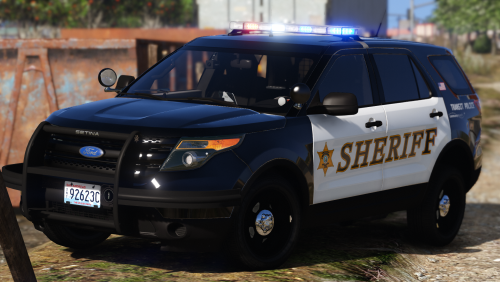 (This is a review, but I didn't want to re-download the whole pack because I downloaded it signed out, and have already it installed, so that's why its a comment) This is a great pack for BCSO, but I wish the wrap around ram bar on the vehicles was removable as an extra option, unless that was intentional for the vehicle models. Also the screenshot I took is a bit blurry because I had to zoom in, but you get the idea of the 2015 Tahoe's skin being "broken" from a certain distance. For example when I went to the other side of the road and then it began to look pixelated almost or "mesh" even, the further away I got from it. I also noticed the 2005 marked CVPI's wheels disappear from a distance too. Hmm, also if it would be possible, would you be able to change the 2013 unmarked Tahoe's vehicle color? The only available color is black, but it would be nice to use any colors for an unmarked car. I also haven't used any other vehicles from the pack yet, so I can't mention the rest of them, right now until the next time I use this pack. I also noticed the "completion status" says 'completed'. But for me, there's still room for improvement for this pack and to me it still needs some work done to be considered fully completed, cause of the things I mentioned about the vehicle model and skin issues. But overall, the vehicle skins are great for being lore-friendly and the old school car models (2005 CVPIs) are awesome. The blue and amber lights with the reds (in the middle) in the light bars is a nice touch. I also didn't see any reviews mentioning the 2015 Tahoe's skin from a distance, so that's a surprise.
- 19 comments
- 15 reviews
-
-

- 1
-
N/AN/AHey I just discovered your channel from the LCPDFR website. Your video is great for the first one or two, you made. I suggest practicing some commentary for your channel. Having an "about me" section on your YT channel will also help new visitors like myself get to know you and your channel. I subscribed to your channel for some support and I hope you continue to grow your channel by doing what you like. I started off doing the same type of content, LSPDFR/LCPDFR so I know it can be hard for people to discover your content since there's so many of us doing the same thing, but I am sure if you work hard and add some type of personality to your channel, it will help you stand out a lot and hopefully get a few subscribers early on. I do love the first person perspective from your game. Both driving and on foot. Also live police radio is a nice feature to have instead of commentary once in awhile. I sometimes do it myself to keep the viewers entertained. Though I did hear you in the start of the video, but it was kind of quiet. Try practicing balancing your game audio and other type of audio and make your voice stand out for your channel. Your voice and logo is the most important things for your channel can have to make you stand out as a creator. So try your best to work on your commentary and audio and whatnot. Again, thank you for sharing your new channel and I hope you have fun with it. Just remember to balance your audio levels in your videos and do what you love.N/AN/AN/AN/AHello and thank you for moving my topic to the "correct" section. First off, I am not trying to be mean or offensive. I understand moderators have their jobs and must do them. I have a little concern on why my topic was moved to the "appropriate" forum section. So let's get down to it. Starting off, I didn't know the "Grand Theft Auto V Discussion and Media" section wasn't the right forum to post my topic original topic for my GTA 5 walkthrough. It says "GTA 5 non-modding related and media". I don't understand why this website is so sensitive when you don't post topics in the right areas. This is now the LSPDFR media section. Which my original topic wasn't about though. I already have a topic here, specifically for my LSPDFR videos. The rules are no multiple topics, and I am sure no one can post different games in the LSPDFR section. I posted in the GTA 5 discussions and media section because that's what my video was about and well this is now in the modding media section. This is just so confusing to me to be honest. Anyway, I would have preferred a warning next time rather than just automatically moving a single topic. Which is also funny because most of those topics in that specific section "GTA 5 discussion non-modding and media" were all questions about game mods and mod discussion, yet it said "non-modding related'. But there is modding topic sections right below it. I would have loved an explanation to why my topic has been moved in the first place to avoid confusion. But I guess you're right, but still, this is the LSPDFR section, which again, is not what my posted video is about. Thank you for reading and I hope you can give me an explanation for the topic moving and help me understand how this website actually works with forums. For now, I will not post any more videos here for the time being. Simple as that. Thank you.


.png.d3cf8b1d91412d632fc90bfdef9a9c07.png)
