


Joe C Wilson
Members
-
Joined
Everything posted by Joe C Wilson
-
Hello everyone I am Joseph! Welcome to my topic, I mostly do GTA 5 police modifications, but lately I have been doing some walkthroughs. I like to play single player games and have fun with my YouTube viewers and subscribers. I try my best to engage with everyone, so feel free to come check out my channel sometime. Besides GTA and police mods, I play Watch Dogs, racing games, Fallout and a few more just to give you an idea of my channel. I try to post videos every other weekday currently by 3PM EST. Here is the link to my YouTube channel. Come say hi and I hope you enjoy the channel and walkthrough! I forgot to add a video link as well. Oops! https://www.youtube.com/channel/UCTLRr7CF5X9cAFI_n2prCoA
-
N/A
-
Hello and thanks for your comment! Yes I know some people don't like it when others talk to npc's, I myself, don't necessarily like it to a certain point. But I do so when searching and such so the game and environment doesn't feel empty. And yes I also love seeing new content creators as well. Everyone has their own play style and its refreshing to see others play. Again, thank you for your comment and kind words!
-
N/A
-
Hello everyone! I am Joseph, some of you may know me from Twitter or YouTube. I am a PC gamer and I love cop mods. I've been playing them for a year now and I decided to get a computer awhile ago for mods. I usually play solo and I love doing all sorts of policing agencies. Ranging from the police department, Sheriff, highway patrol and even DEA! I haven't used this website in months and I have just decided to post a video or two here. If you would be so kind to check out a video of mine and give me some feedback, I would greatly appreciate it. I love to entertain people and I like interacting with others. Thank you everyone for your time! I hope to see you out on my patrols one day!
-
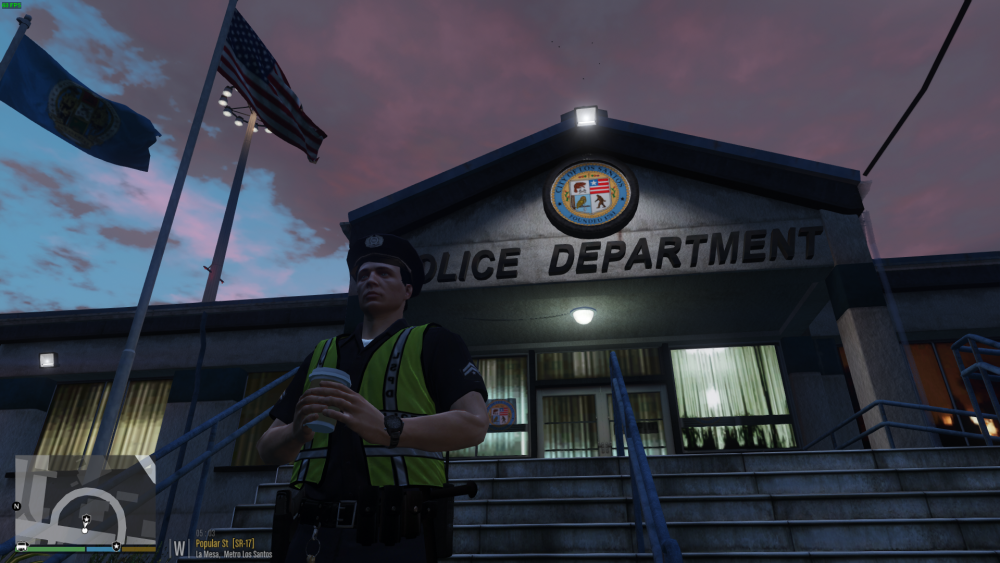
Hello I had to fix a few things on my channel so sorry about editing this topic so much. Note: on my previous videos the level volume was super low like, -15db or -20db. So I finally found how to edit the audio levels. Its the normalize audio, two pass option. So here's my My YouTube Channel. In the meantime I'll try to record something tomorrow. Thanks. I also included a screenshot for you to enjoy. -Joseph
-
Hi, I'm Joseph and I make videos sometimes. I have YouTube and Twitch. If you like watching LSPD, LSSD, SWAT, State Trooper etc, feel free to watch my channel. My channel is new, so feedback is highly appreciated. Thank you!
-
The title of this topic is a good example of what "that's enough internet for today" thing is. So is me responding to this, oh well, welcome to the internet.
-
Oh, never mind. It just keeps going up.
-
It's 108 remaining now for the petition, give it like 2 hours and it will most likely be completed. We would probably receive a word from Take 2 by Monday, if not sooner. Thank you t0y for creating this petition. This really brought out how much everyone cared for the community, modding, LSPDFR, etc. Also the "mostly negative" review on Steam for GTA V is almost at 20K now since the past few days. It was at like 12,000 this morning. Anyways, I guess I'll go back to GTA San Andreas now (to follow that train). Thanks for reading this and peace out!
-
373 needed to reach 15,000 left to sign as of today at 10:51PM EST. Rockstar Games, in their last response to PC Gamer, they mentioned "we are working to figure out how we can continue to support the creative community without negatively impacting our players". I wonder if this would make Take 2, rethink their decision.
-
This is a glitch confirmed. If you pull out a weapon like a pistol and aim forward you can run backwards and you can strafe across land! Note: you can use RPGs and the minigun! Funniest glitch ever!
-
Anyone else experience this glitch? Let me know!
-
So earlier I discovered a glitch on LSPDFR. Try arresting a random suspect, grabbing them (I use Arrest Manager 7.7.0.0. and RPH 52) and hit them (while targeted). If your character spins around nonstop that means the glitch is happening to you as well. Now punch the suspect with an uppercut or some knockout move. The suspect should be presumed dead and you can jump around (only works while you remain holding them - do not let the suspect go unless you need to stop before your game breaks) and the full glitch will be initiated. If this doesn't work for you... then there's a serious glitch in my game. Also the twitching thing when people freak out is now gone.
-
It turns out that the DLC vehicles were being spawned in single player with RPH. Thanks.
-
I'm sorry for my late response. I've reset my entire PC and that fixed it. Most likely NVIDIA driver issues I guess. I have a GTX 750TI, 64bit and 8GB ram. I was playing GTA San Andreas for weeks so that's why I'm replying now. Thanks.
-
I did a clean install and I'm still crashing. Here's the updated RPH Log. RagePluginHook.log
-
No, I'll just reinstall everything one at a time I guess, thank you!
-
Its when I drive around Blaine County.
-
Its probably a bad install of a mod or something. Please help, thanks! RagePluginHook.log
-
haha
-
I did a clean install of the NVIDIA drivers on my PC and that fixed it. Thanks everyone!
-
I've tried changing process priority, didn't work. I'll contact Rockstar and see what they say.
-
I'll try it. Thank you!
-
My system is AMD FX-4130 3.80GHz 4-Core, AMD 760G. Is that really that bad for GTA V PC? Also I'll double check with the RagePluginHook for now. Thank you!


