


Joe C Wilson
Members
-
Joined
Everything posted by Joe C Wilson
-
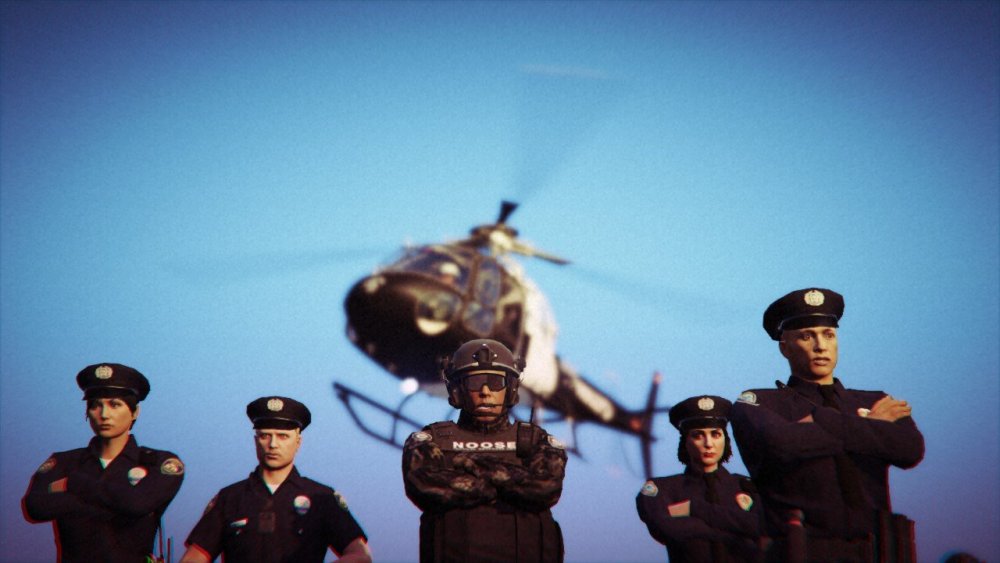
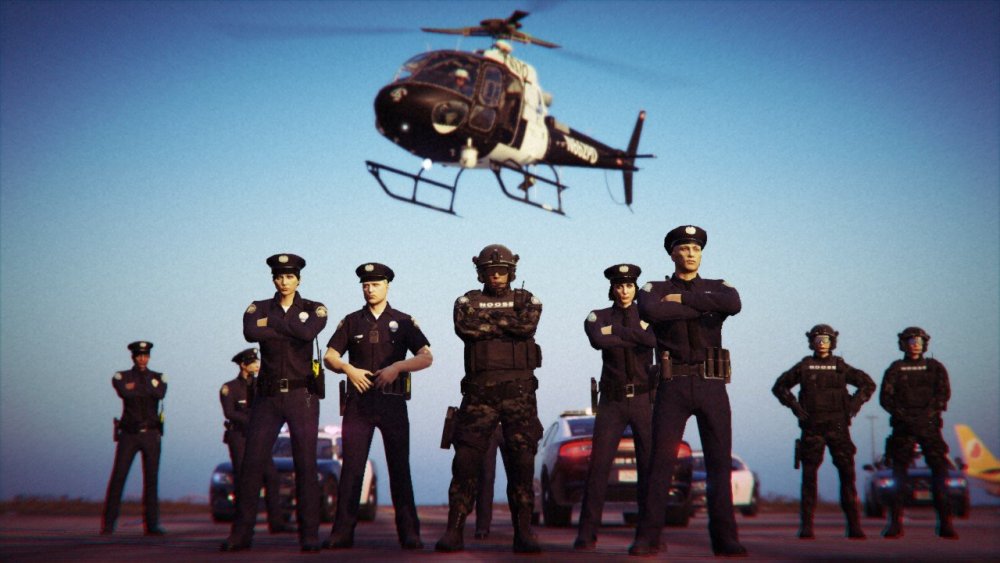
While Working On San Andreas Ultimate Backup [EUP] 1.7 tonight
-
 I finished a lot with San Andreas Ultimate Backup [EUP] 1.7 tonight, felt good
- 944 comments
- 23 reviews
-
New Update 1.7 Coming SOON! Let's Recap What We've Been Working On! PS: The only thing that needs to be done right now, is to update the EUPwardrobe.ini, and overall finish testing everything before release. Check back within 24-48 hours for the new update! What's new in version 1.7? 1: Added EUP Gruppe Sechs Units 2: Added EUP DOA SRT Units, DOA, and FIB Task Force Units 3: Added EUP FIB Police, and FIB K9 Units 4: Added EUP LS Lifeguards 5: Added EUP Coroner Units 6: Added EUP Riot Police 7: Added EUP San Andreas Medical Services 8: Added EUP Port Authority 9: Added EUP Dirt Bike Police 10: Added EUP SAHP SWAT 11: Added EUP SAHP CVE & SAHP CVE K9 Units 12: Added EUP FIB SWAT (ATU) 13: Added More EUP Sergeants, and Detectives For All Departments 14: Fixed An Issue With The LSCFD EMS Badge Texture 15: EUP Wardrobe.ini Was Updated 16: Custom Jurisdiction.xml Was Changed 17: Overall Improvements To The Modification Files 18: Added SASP Lifeguard 19: Added NOOSE AIR Units 20: Added LSIA PD 21: Added Jurisdictions For SAPR, LS Port Authority, LSIA PD, Rockford Hills PD, Del Perro PD, etc 22: Added More Class B and C Uniforms For All Departments 23: Added Rockford Hills PD 24: Added Del Perro PD 25: Added PIA Agent and Windbreaker 26: Added Ambulance Helicopter
- 944 comments
- 23 reviews
-
Weekly update for San Andreas Ultimate Backup [EUP] 1.7 Added SASP Lifeguard Added NOOSE AIR Units Added LSIA Police Added Jurisdictions For SAPR, LSIA Police, LS Port Authority, etc Added More Class B and C Uniforms For All Departments (I Still Have To Do SAHP, Rockford Hills PD, Del Perro PD, etc)
- 944 comments
- 23 reviews
-
Earlier tonight, I have finished several things for San Andreas Ultimate Backup [EUP] 1.7, here's a quick rundown, there's about 5 or so things left for me to do 1: Added EUP SAHP CVE & SAHP CVE K9 Units 2: Added EUP FIB SWAT (ATU) 3: Added More EUP Sergeants, and Detectives For All Departments 4: Fixed An Issue With The LSCFD EMS Badge Texture 5: EUP Wardrobe.ini Was Updated 6: Custom Jurisdiction.xml Was Changed 7: Overall Improvements To The Modification Files 8: (Hopefully) Fixed A Texture Issue With The LSPDFR Agency File; The LSPD Will Now Ambiently Spawn Correctly Also, patch notes will be re-added soon.
- 944 comments
- 23 reviews
N/A
Progress update announcement for San Andreas Ultimate Backup [EUP] 1.7 9: Added EUP San Andreas Medical Services Units 10: Added EUP Port Authority Units- 944 comments
- 23 reviews
Progress update announcement for San Andreas Ultimate Backup [EUP] 1.7 7: Added EUP SAHP SWAT Units 8: Added EUP Riot Police Units- 944 comments
- 23 reviews
N/A
Hello, everyone! This is a quick progress update announcement for San Andreas Ultimate Backup [EUP] 1.7 (Roughly 40% Done!) I have about 10 more things to do, maybe less, but so far this is the latest addition! I will make a trailer for 1.7 once I am done with everything in it! 1: Added EUP Gruppe Sechs Units (Both Security & Armored Division) 2: Added EUP DOA SRT Units 3: Added EUP DOA & FIB Task Force Units 4: Added EUP FIB Police & FIB K9 Units 5: Added EUP Coroner Units 6: Added EUP Lifeguard Units- 944 comments
- 23 reviews
N/A
LSPDFR is working again! I will begin to work on the release of 1.7 soon! Release Date: 1-2 weeks- 944 comments
- 23 reviews
The Newest Update For GTA 5 Has Broke The Rockstar Games Launcher & The Old Game Versions Of GTA 5, Therefore I Have To Postpone The Newest Update In The Meantime. Update Release: TBA- 944 comments
- 23 reviews
Update, I am going to be upgrading my PC over the weekend, so the following update 1.7 will be pushed back an extra week for lost time. Don't forget to leave a review if you've enjoyed it!- 944 comments
- 23 reviews
N/A
1.6 is here! What's new? 1: Added EUP Bicycle Units to LSPD, LSSD, and BCSO 2: Added EUP Gang Units to LSPD, LSSD, and BCSO 3: Added EUP SAHP Gang Task Force Units 4: Added EUP NOOSE SEP Units 5: Added EUP NOOSE PIA 6: Fixed A Texture Issue With The EUP SADCR Backup Units In The Default LSPDFR Menu 7: Agency EUP XML Was Changed 8: EUP's Wardrobe.ini Was Changed In the next update 1.7 I would like to add the following: (release date approximately 1 to 2 weeks) 1: Add EUP Gruppe Sechs Units 2: Add EUP DOA, and FIB Task Force Units 3: Add EUP FIB Police, and FIB K9 Units 4: Add EUP SAHP CVE Units 5: Add EUP Coroner Units 6: Add EUP LS Life Guards and more!- 944 comments
- 23 reviews
GTA 5 LSPDFR 0.4.7 #64 - Reckless Driver via @YouTubeThank you!I thought it was just me. I'm also having the same problem listed above. Last I knew, something broke, when I updated to the latest version, reverting to the old version, doesn't seem to fix this issue. Hopefully someone can find the cause of this bug.
New preview screenshots and trailers are coming soon! I will create a new trailer for the new 1.6 update as well when it comes out!- 944 comments
- 23 reviews





Account
Navigation
Search
Configure browser push notifications
Chrome (Android)
- Tap the lock icon next to the address bar.
- Tap Permissions → Notifications.
- Adjust your preference.
Chrome (Desktop)
- Click the padlock icon in the address bar.
- Select Site settings.
- Find Notifications and adjust your preference.
Safari (iOS 16.4+)
- Ensure the site is installed via Add to Home Screen.
- Open Settings App → Notifications.
- Find your app name and adjust your preference.
Safari (macOS)
- Go to Safari → Preferences.
- Click the Websites tab.
- Select Notifications in the sidebar.
- Find this website and adjust your preference.
Edge (Android)
- Tap the lock icon next to the address bar.
- Tap Permissions.
- Find Notifications and adjust your preference.
Edge (Desktop)
- Click the padlock icon in the address bar.
- Click Permissions for this site.
- Find Notifications and adjust your preference.
Firefox (Android)
- Go to Settings → Site permissions.
- Tap Notifications.
- Find this site in the list and adjust your preference.
Firefox (Desktop)
- Open Firefox Settings.
- Search for Notifications.
- Find this site in the list and adjust your preference.