


Lapd Code 3
Members
-
Joined
-
Last visited
Everything posted by Lapd Code 3
-
-
 this has been something long awaited thank you for your attempt at it i know i had it posted somewhere in forums early this year but glad you decided on trying this will you be making LAPD 40 mm Model?
- 18 comments
- 1 review
-
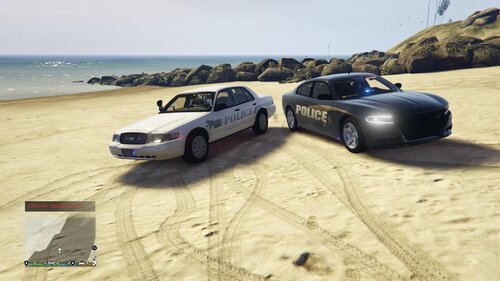 fayetteville NC next???
 -
-
 great start to a great pack hope to see some of these Camaro Challenger Mustang Silverado F150 or f250 Dodge Ram 2016-2019
- 111 comments
- 11 reviews
-
-
 @NWpilot07have you been made aware of this issue involving the tow assistant call?
- 115 comments
- 10 reviews
-
.thumb.png.ff841cafa1514a07e96da98da12ecc78.png) so will this Fix all streets in San Andreas?
so will this Fix all streets in San Andreas?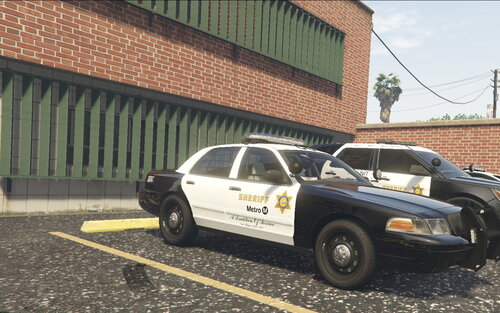 not anytime soon but its a goal of mine to build a full California Pack Feat LAPP LAPD LAXPD LASD CHP VCPD SMPD LAFD LaCoFD and CPR
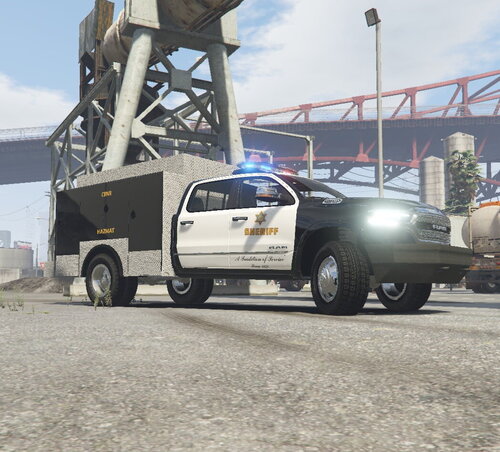 hell yea enjoy man
3 skins Featuring Metro, East LA and West Hollywood if needed ill Add Compton and West LA as well
THE SCREEN SHOT IS INACCURATE IF you like to send me pictures on dm on the skin in action you may credits will be given this is for my LASD RAM Includes LAPD K9 & SWAT
hell yea enjoy man
3 skins Featuring Metro, East LA and West Hollywood if needed ill Add Compton and West LA as well
THE SCREEN SHOT IS INACCURATE IF you like to send me pictures on dm on the skin in action you may credits will be given this is for my LASD RAM Includes LAPD K9 & SWAT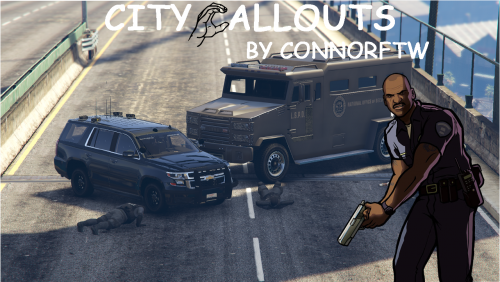 will be using these for my next episode thank you @ConnorFTW
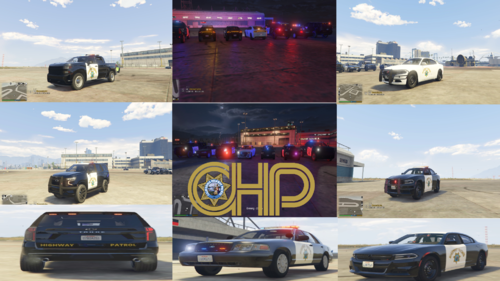 for the tahoe and silverado fix the door logo its too vertically stretched try to even it out like the charger or cvpi
- 9 comments
- 1 review





.thumb.png.ff841cafa1514a07e96da98da12ecc78.png)


.png.db999ea8586bf2f6c0e28ec9538cf48a.png)
.png.0e8f3ec48f847cab51f6c62909876346.png)
.thumb.png.265c1de8fee1072b2bfc5995315ce52d.png)
Account
Navigation
Search
Configure browser push notifications
Chrome (Android)
- Tap the lock icon next to the address bar.
- Tap Permissions → Notifications.
- Adjust your preference.
Chrome (Desktop)
- Click the padlock icon in the address bar.
- Select Site settings.
- Find Notifications and adjust your preference.
Safari (iOS 16.4+)
- Ensure the site is installed via Add to Home Screen.
- Open Settings App → Notifications.
- Find your app name and adjust your preference.
Safari (macOS)
- Go to Safari → Preferences.
- Click the Websites tab.
- Select Notifications in the sidebar.
- Find this website and adjust your preference.
Edge (Android)
- Tap the lock icon next to the address bar.
- Tap Permissions.
- Find Notifications and adjust your preference.
Edge (Desktop)
- Click the padlock icon in the address bar.
- Click Permissions for this site.
- Find Notifications and adjust your preference.
Firefox (Android)
- Go to Settings → Site permissions.
- Tap Notifications.
- Find this site in the list and adjust your preference.
Firefox (Desktop)
- Open Firefox Settings.
- Search for Notifications.
- Find this site in the list and adjust your preference.