


Reddington
Members
-
Joined
Everything posted by Reddington
-
That means the problem is with the police search mod. You can try and do a clean install of the mod, but if it causes issues again, I advise contacting the mod author.
-
Right now there's no way to edit ELS keybinds on controller, unfortunately.
-
Did you add in a new gameconfig? If no, https://www.gta5-mods.com/misc/gameconfig-for-addons-600
-
You'll need to copy/paste a new carvariations line in mpchristmas2's carvariations. You can name these new lines POLICEOLD1 and POLICEOLD2, FBI2, PRANGER, SHERIFF, POLICEB. change lightsetting to 1 and you're good. You can find a working carvariations line in my topic -
-
Please type out what you did to install. Did you use a mods folder? Your topic has been moved to GTA V Support, this is not LSPDFR related. Please post in the correct location in the future.
-
This isn't limited to controller being disabled in the INI. I'm not sure what causes it, but randomly Q and X on keyboard will do the same thing you described, despite the fact that I'm using a controller and haven't touched any keybinds. I honestly wouldn't hold your breath for this being fixed, the developer of ELS hasn't been seen or heard from in ages.
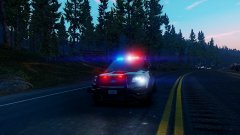 It's not necessarily just about different patterns. On a car with a single bubble light I'm not expecting anything crazy, but the ELS lights just look so better and real. If you compare vanilla lighting with ELS, the difference is astounding. I can understand with secondary lights warning lights, since the cars wouldn't have those, but how would ELS take away from it? You'd think with the rotating light and ELS's environmental lighting it'd only help the look of the car.
Take it as a compliment, I love your cars enough I want to experience them in the glory of ELS capabilities. ;)
I don't mean this in a rude way, but why are all your comments about vanilla GTA vehicles? lolYou're most welcome! :)
It's not necessarily just about different patterns. On a car with a single bubble light I'm not expecting anything crazy, but the ELS lights just look so better and real. If you compare vanilla lighting with ELS, the difference is astounding. I can understand with secondary lights warning lights, since the cars wouldn't have those, but how would ELS take away from it? You'd think with the rotating light and ELS's environmental lighting it'd only help the look of the car.
Take it as a compliment, I love your cars enough I want to experience them in the glory of ELS capabilities. ;)
I don't mean this in a rude way, but why are all your comments about vanilla GTA vehicles? lolYou're most welcome! :)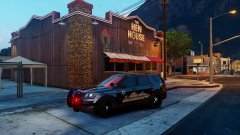
From the album: Red's LSPDFR chaos
Then temporarily remove police search from your GTA directory (move to desktop), now go on duty and play. Does it still happen?I said a higher patchday. :) x64e won't work with weapon replacements.We do not allow any forms of transactions on lcpdfr.com, which includes offering payment. Please edit your post and remove this line. Also, the way you've worded your post, "(If decided to be released)" implies it's meant to be a private mod for you. We do not allow any requests for private mods. All mod requests have to be uploaded and publically available upon completion. If you still want to make this request, you are more than welcome to create a new thread that adheres to our guidelines, which can be found here - http://www.lcpdfr.com/guideline-hub/ Thanks. If you feel this topic has been closed in error, please report this post.Do me a favor, please, and attach the police search config to your post. I suppose so, maybe Rockstar had other plans.We do not allow any form of transactions on lcpdfr.com, even if it's just asking. There are plenty of tutorials out there to help you, and if you struggle, please create a thread and we will try to assist you. Installing honestly is as simple as a drag and drop, just follow the instructions. If you feel this topic has been closed in error, please report this post.I know, I'm just pointing out that interrogations are done by detectives, as I guarantee people would be using patrol officers for it.Try a newer, as in higher number, patchday that has a weapons.rpf.Patrol officers aren't involved in interrogations, though, only detectives. I do like the idea, but...this is LSPDFR, not Law & Order. I think interrogations would be taking it a step in the wrong direction.We don't lock topics unless necessary, but just so you're aware, we don't allow the reuploading/redistributing of game files. Always make a back up! :)GTA IV, I believe you posted this in GTA V. It's alright, don't worry about it. :)Did you make any edits to the files that came with it?




