


Reddington
Members
-
Joined
Everything posted by Reddington
-
Why do you have 2 mods folders? You should only have one. Which one has all your mods in it? That's the one you keep, delete the other.
-
You're most welcome! :) I like being able to help other people play and enjoy their game as much as I enjoy mine, so it's my pleasure to help get it working for you.
-
Can you link to it, please?
-
Based off your screenshots, it doesn't even look like the lights are working at all. What car models are those?
-
Yep, that is perfect. It should work flawlessly once you place the vehicles there.
-
That's because your mods folder is still named _mods The _ in front disables the folder. Remove _ so you just have mods
-
Make sure PostFX and Shaders are on high in the GTA V pause menu options. This topic has been moved to the appropriate forum. Please post in the correct location in the future.
-
The vehicles you're replacing do not have to be in the patchday for it to work. If you place them there it'll work just fine. :)
-
Don't use patchday3, use patchday17.
-
To be clear, you're still using the mods folder, right? That's important, don't ever replace in the vanilla files. mods-->update-->x64-->dlcpacks-->patchday17-->dlc-->x64-->levels-->gta 5-->vehicles. Click "edit mode" in OpenIV, drag and drop your replacement vehicles. Click "edit mode" again to confirm and you're good.
-
I haven't installed this pack, so I don't know how the VCF looks by default, but if the video provided by Tahoe17 shows the same lighting, there shouldn't be any changes you need to make.
-
If you don't have a dlcpack in your mods folder, where have you installed the other cars you mentioned?
-
The Tahoe is from this pack - Light reflections most likely came with the ELS VCF, or he made some adjustments. No clue the specific siren he is using, but I believe it's a Whelen 295. This topic has been moved to the appropriate forum. Please post in the correct location in the future.
-
I completely understand where you're coming from on this. The thing is, though, if we restricted uploaded mods to just good quality ones, we'd rarely have any new submissions. A huge part of communities like LCPDFR is to help people who are interested in development get the tools and understanding they need to start. These folks also need to be able to get proper testing of their mods, and the best way to do that is utilizing the community. Let them download your stuff and give feedback. I'm sure it has been mentioned internally before about making a list of top quality mods, or must have mods. As you mentioned, we did come out with essential mods, and that's all we're willing to do. We don't play favorites in terms of mods that are showcased, or mods that are essential, but we don't want users to try and claim that if their mod isn't featured or recommended as a must-have. The current essential mods are just that, essential and ones that significantly enhance the gameplay. If an INI is difficult or not properly made, you can always include that in your file review rating and file review. For the most part, I haven't seen an INI that was beyond hideous and hard to use. You're welcome. :)
-
Hi MercilessJester. We have tried to make navigating the mods section easier and convenient, but there's only so much we can do. We also have to take into account the design. If we start dividing the mods based on a specific category, say scripts have their own category and LSPDFR plugins have their own, the design of the page may break, or be forced to look unattractive. Imagine how much wider the page would have to be for more categories, or even a second row, if possible. Ultimately, we have tried to make the filter as helpful as possible. You already can choose between callouts, standalone plugin, and LSPDFR plugin. See here Regarding the INI rules, I would be very surprised if this happened. That would just be so much more work on us (staff) if we started trying to enforce "INI's must have this and this". It is unfortunate that some INIs don't match the quality of the mod itself, but that comes down to the mod author. As poor as it may be, it's their decision how their INI looks, we can't micro manage their mods. An alternative to this bug, which I know isn't ideal, is stopping them at gun point. It always works, even if the normal stop doesn't.
-
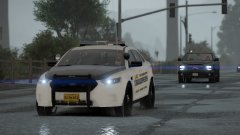 Duuuuuuuuuuuude, that Expedition tho.
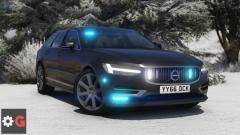 Ohh, is that released?mods-->update-->x64-->dlcpacks.Make sure you're using the very newest/highest number patchday. For example patchday16, or patchday17, whatever is the highest number.Redistributing of game files is against Rockstar's Terms and our Guidelines. Assuming you used a mods folder, you can grab the vanilla handling meta from the vanilla update folder. If you overwrote the handling meta in the mods folder, your only option is verifying integrity of game cache.Try removing Albo's modding DLC. Remember to remove it from the dlclist as well.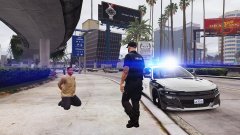
From the album: Red's LSPDFR chaos
You're most welcome, good luck with the wheels. :)1) Unfortunately I'm not sure about that, or if you even can force certain wheels. It might be do-able in the vehicles.meta, but I'm not positive. 2) You need to add a new carvariations line for policeold1 and policeold2, especially to fix the headlights and make them normal. In the topic I'm linking below, I provide a carvariations line you can use. Open OpenIV and navigate to mpchristmas2 and grab the carvariations from there. Just copy and paste the carvariation line from my topic twice in the mpchristmas2 carvariations, and change the name appropriately for both of the new carvariation lines. That's all you need to do aside from changing the spawn colors hex. Check the bottom of the post -



