


Reddington
Members
-
Joined
Everything posted by Reddington
-
That could be a very, very useful script. As it is now, if you're not using the PIT feature from Smart Radio, spike strips, or that one other mod (cbf to look up the name), they will just drive on and on until they crash. I'm sure you've also had pursuits that start in the city and end up in the county. Especially motorcycles, with how fast AI drive on those they'd be out of fuel quickly.
-
The only way I could see this happening, and it's still a long shot, is for only the AI vehicles that are in pursuits to have a gas meter as soon as they start fleeing. I suppose someone could make a mod that had an auto car shutdown after x amount of minutes to simulate running out of gas, but if you're talking about a fuel script for all AI, I don't ever see that being do-able.
-
Check your trainer. Enable and disable tint, see if that fixes it.
-
The next step is to edit the settings in the visualsettings.dat file. See the first FAQ in this thread -
-
Pause the game and go into GTA V's settings. Make sure PostFX and Shaders are on high or above. This topic has been moved to the appropriate forum. Please post in the correct location in the future.
-
@flu 4k textures would definitely be the problem. I'd try lowing to 2k. This topic has been moved to the appropriate forum. Please post in the correct location in the future.
-
I'm not going to share it, but there was cell phone recording from inside a classroom, and the shots sounded like they were right outside. Towards the end of the video it almost sounded like the screams were from those that had been shot. School shootings in the US are only going to keep increasing unless something is actually done. It's so easy for the lawmakers and what not to say "This is horrible and needs to be stopped", but when it comes time to act, no one wants to do a damn thing.
-
Go to the RagePluginHook Settings ---> Game settings ---> Command line switches check "Force Windowed mode" and "Force DirectX11" then save and launch. You can change back to full screen once in game. This topic has been moved to the appropriate forum. Please post in the correct location in the future.
-
This topic has been moved to the appropriate forum. Please post in the correct location in the future.
-
From the album: Red's LSPDFR chaos
-
From the album: Red's LSPDFR chaos
-
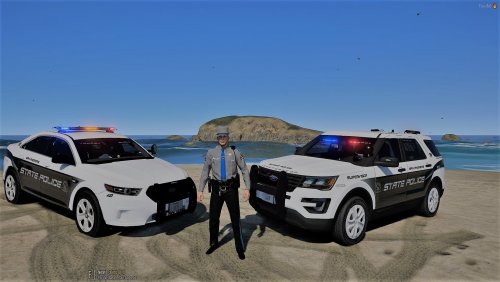 Lets take a second to remember that mods uploaded on this site do not have to be accurate. It's up to the author how they want their mod designed. If you don't like how they made their mod, you do not have to use it. All previous comments by particular users have been hidden, lets stay on topic and keep it civil, please.
- 28 comments
- 10 reviews
-
You're welcome.
-
You can change them on keyboard, but not controller.
-
I apologize for the delay, had to step away. Check whatever ENB mod you installed, it might have an .OIV uninstaller. You'd have to decrease everything to normal or low, but it really depends on your PC and what it can or can't handle.
-
This topic has been moved to the appropriate forum. Please post in the correct location in the future.
-
Ahh, well, that might be the problem then. The mods folder protects your vanilla files. The only way to get back the vanilla files is verifying integrity of game cache.
-
I'm sorry, I cannot as redistributing game files is against Rockstar's TOU and our guidelines. At this point, the only thing I can think is that you have an ENB or other mod installed as well, because changing the visualsettings should 100% lower or raise brightness depending. There is a way to determine if your visualsettings is the problem, though. In the main GTA V directory, rename the mods folder to _mods This will disable the folder from being used. Go in game and see how the lights look.
-
This one - You can either do it manually or auto, I believe.
-
You don't have to worry about installing it, VisualV has an OIV installer, which auto installs for you. All you need to do is in OpenIV go to tools-->package installer.
-
VisualV is also pretty good, have you tried that?
-
Try lowering PostFX and Shaders, at this point those are the only things I can surmise which might be causing the lights to be that bright.
-
and that screenshot is the most current one? I'm just trying to verify that is accurate. Pause the game and go into GTA's settings, what is PostFX and ShaderQuality set on?
-
Can you take a screenshot showing your day and night settings in the visualsettings file, please? That still seems far too bright for that setting.
-


