


Reddington
Members
-
Joined
Everything posted by Reddington
-
Go through your other patchdays and replace the default models there as well.
-
What else is in your mods folder? x64e? Is there any other patchday higher than 17?
-
When you double click the modded files in patchday17, do you see the modded cars or vanilla?
-
In OpenIV, go to tools--ASI Manager. Make sure ASI Loader and OpenIV.asi are installed.
-
Can you please take a screenshot of the OpenIV path you installed the vehicles to? Include the navigation bar, please.
-
Did you use a mods folder? Is it all modded cars that aren't showing up?
-
Which patchday did you install them in? This topic has been moved to the appropriate forum. Please post in the correct location in the future.
-
GTA IV or V?
-
This topic has been moved to the appropriate forum. Please post in the correct location in the future.
-
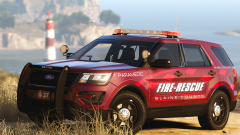 Looks bad ass, and I'm glad it's by Robert. He always come through with releases!
 -
If you're elderly and looking to sit by the beach staring at young vacationers, then yes. :P
-
-
Thanks for pointing that out, I forgot about that. The gameconfig in my topic used to work and be up to date, but It seems the author no longer abandoned it. I just corrected that link to the one in my sig, which is up to date.
-
Yes, gameconfig is version based. Try the one linked in my signature.
-
Unfortunately not to my knowledge. The best thing you can do is, if police cars, you can add them to the backup.xml and they will spawn when calling backup.
-
Is it just his cars that this happens? If so, it could be issues with the models themselves. Meaning your best "fix" is finding a new pack. I used his pack a long while back, but I actually don't remember if I experienced this or not. You can do this in the ELS VCF that came with the car.
-
Ahh, that sucks. I've heard other people having problems since Windows 10 updated, but never BSOD. You're welcome, and good luck. (I also have an LSPDFR FAQ if ever needed.)If I recall, the png files also includ red/blue. For those, you go into the .ytd and replace the all blue images with the red/blue ones.*Slams head into desk multiple times.*
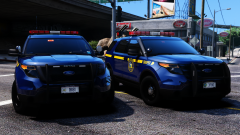 I'd like this many, many of times if possible. Wasn't aware image comments was the new stomping ground for debates about which state is better.Someone else recently had this problem after installing RDE, which leads me to think it might not be compatible with recent versions.This implies the car does not have an ELS VCF, or that ELS just isn't loading. Do you have ScriptHookV? Did you install the ELS XML that came with the car to the pack_default folder? Do you have advancedhookv.dll in the main GTA V directory?In the visualsettings, look for the highlighted options. Those values are my personal ones, and lights are perfect for me.



