


Reddington
Members
-
Joined
Everything posted by Reddington
-
Never install in the game/vanilla folder. If it doesn't work in the mods folder, there's either an error on your end or something else needs changed. Where did the police car files get installed to? This topic has been moved to the appropriate forum. Please post in the correct location in the future.
-
This topic has been moved to the appropriate forum. Please post in the correct location in the future.
-
Are you suggesting these, or planning to develop a callout pack?
-
This topic has been moved to the appropriate forum. Please post in the correct location in the future.
-
Do any of the modded vehicles spawn that you put in? If no, in OpenIV, go to tools-->asi manager. Make sure all are installed.
-
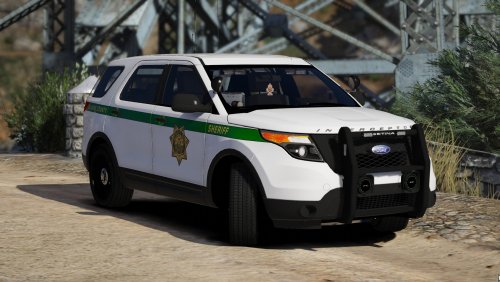 Aside from the textures, my favorite thing about this pack is the roto Vic. The rotators just look so damn sexy! This is a gorgeous pack, and the cars are flawless.
- 60 comments
- 23 reviews
-
-

- 2
-
-
Please read the FAQs, as it covers this - This specific issue is at the top of the FAQ. This topic has been moved to the appropriate forum. Please post in the correct location in the future.
-
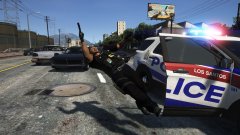 The random, chaotic BS is why I use so many callout packs. You never know what will happen.
 -
Try replacing the firetruk files in x64e in your mods folder.Nope, doesn't make any sense why no one else has opted to try a Cali pack.
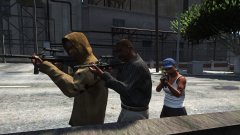 Thug Supreme. 😄You're welcome. 🙂You need to have an rar extractor. I recommend WinRAR. Trial is permanent, you don't have to buy it. https://www.rarlab.com/download.htm?My replacement cars are in patchday18, and Medic's vehicles are a standalone DLCpack. What happens if you go to the fire station in Paleto Bay? Does the firetruck spawn?• SIRENS_AIRHORN (Main air horn, 0x0EA58C7C.wav) • VEHICLES_HORNS_SIREN_1 (Main wail, 0x0D329446.wav) • VEHICLES_HORNS_SIREN_2 (Main yelp, SIREN_2.wav) • VEHICLES_HORNS_POLICE_WARNING (Main priority, POLICE_WARNING.wav) • VEHICLES_HORNS_AMBULANCE_WARNING (Ambulance priority, AMBULANCE_WARNING.wav) • VEHICLES_HORNS_FIRETRUCK_WARNING (Fire truck horn, 0x14BFBCE3.wav) Your topic has been moved to GTA V Support, this is not LSPDFR related. Please post in the correct location in the future.You don't need the file he linked, it's completely unnecessary. Go into the vehicles.meta and change the handlingid to gresley Realistic Driving changes the driving experience for cars, and what I read says the mod does not work well with replacement/modded cars. Your topic has been moved to GTA V Support, this is not LSPDFR related. Please post in the correct location in the future.To my knowledge, no weapon sounds have been changed. Is it a weapon sound pack you're trying to use? Your topic has been moved to GTA V Support, this is not LSPDFR related. Please post in the correct location in the future.Check the .asi log and ScriptHookV log and see what it says. Both are in the main directory. Your topic has been moved to GTA V Support, this is not LSPDFR related. Please post in the correct location in the future.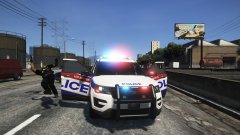
From the album: Red's LSPDFR chaos
From the album: Red's LSPDFR chaos
From the album: Red's LSPDFR chaos
You are correct, the issue is in the mods folder. The solution is harder to find, but I'd start with whatever you added/changed last.There doesn't have to be anything in it, if you place the files it'll still spawn. It may not work, there could be another issue on your end, but I'd like to try using patchday18 to verify which it is.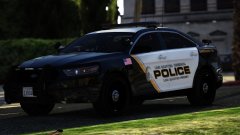 Really loving this texture.

