


SoarHawk
Members
-
Joined
-
Last visited
Everything posted by SoarHawk
-
Oh yea you're right, all the windows would be darker, however it only really bothered me because it blocked out the lights in the back.
-
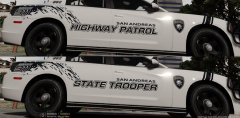 I think I actually like the old.
 -
Yup I had trouble with a 2015 Tahoe by thegreathah where the back windshield would block out the lights. However, that's the only model I had issues with using this method.
-
I honestly prefer the state trooper one.
-
Which models are you having trouble with?
-
It worked for me to an extent. The windows are not totally black in some cars, so that's good. But in other cars, they're still tinted.
-
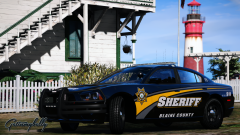 No, that's not allowed lol.
 -
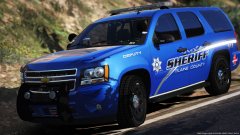 Awesome.. Thank you!
 -
Will there be a version without siderunners? Other than that, car looks stunning. Great work.
-
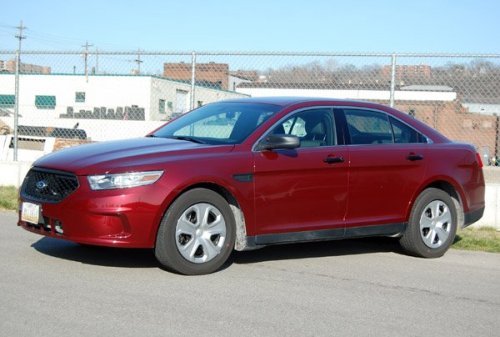 Okay but you really don't need to go and review every single file of his with an illegitimate reason. Do I agree with these pointless textures? No. But, two wrongs don't make a right.
- 14 comments
- 9 reviews
-
 I'm aware. And you're right it's not noticeable by default in stage 3. However, try changing the pattern or using stage 2 and then you'll notice it without a doubt.
- 59 comments
- 42 reviews
-
Apparently everyone is having this issue. I really wish the ELS was better utilized so that the lighting was synchronized. I would love to put this vehicle in my game... but the lighting issues are a deal breaker. I really wish he would fix that.
- 59 comments
- 42 reviews
-
-

- 1
-
-
-
@Gump I think I may be having a similar issue. Half of the lightbar seems to be controlled my the primary lighting stage... and the other half is controlled with the warning light stage... it honestly isn't synchronized at all for that reason. Also, there is not VCF for red / blue. Please look into fixing this because these vehicles are amazing I'd love to add them in my game.
- 59 comments
- 42 reviews
-
-
- 1
-
-
That's weird. I'm not sure then when I'm having texture issues. Just today when I was installing all of albo's updated mods I was having a bunch of lagging / crashing issues too.
-
Yea it's probably because I have way more modded vehicles. I'm sure if I remove some my game will run more smoothly but I really don't want to haha.
-
That's a shame... it's honestly annoying.
-
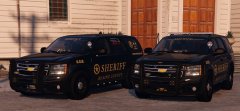 I'm obsessed.
 -
@BLS501 Thank you! Where in the ini? I can't seem to find it
-
Hey guys, This is a very odd issue and I'm just curious if anyone else has it. When I'm in an ELS enabled vehicle and I select the headlights to be pattern 11 or above... I hear this ticking noise when I turn the lights on. Also, if I add more lights (taillights, indicators, etc) with the pattern 11 or above... the ticking noise seems to be louder. I cannot figure out why this is doing this. Also.. I don't really remember this happening prior to updating my game... although I could be wrong. Does anyone else face this issue or have any suggestions?
-
Thank you for telling me that because I probably never would have found out lol. Normal GTA works pretty well... LSPDFR seems to cause it to drop in FPS. Like I said, also I can see textures loading in while driving and when I can too many backup units there is a huge amount of texture loss to the point where you can't even play. I'm not entirely sure why. I'll try updating my graphics drivers (if I can figure out how lol) when I get home tonight, thank you for your help!
-
Hey guys, I'm looking to get a new gaming computer in the near future, and I'm not really sure what kind to get or what kind of specs to be looking for. I currently have an HP Envy Phoenix. It has OK specs not the best: 3.4 GHz Intel Core i7 4770 Processor, 16 GB DDR3, I replaced the graphics card with a GeForce GTX 970 4GB. Currently, I am running LSPDFR on normal settings because if I run it high or above I get terrible FPS. I'm guessing this is because my graphics card isn't a 1070 or something, I'm not really sure, but it's very annoying. Also.. I can see landscapes / objects loading in while I'm driving and occasionally when I call in too many backup units, the game will fail at loading textures all together. I'm assuming this is all because of my graphics card? Anyway, the only games I really play on the computer are LSPDFR and an FPS called Crossfire (which doesn't require virtually anything to run smoothly). I was thinking something like this, but I'm really not sure if Cyberpower is a reputable brand, nor am I sure if the specs could run LSPDFR on high / above... like I said I've only ever bought one gaming PC and it was an HP (stupid probably, I know). I bought an iBuyPower before my HP, but I had issues with it and had to send it back 3 times, which is why I decided to just go with a brand I've heard of. For this reason I am also leery of going with brands like Cyberpower, MSI, ABS, etc. I'd like to just run LSPDFR smoothly on high settings, so what would you guys recommend as far as specs / brand? Also, this is my current monitor. Would you guys recommend replacing it? Any help would be greatly appreciated.
-
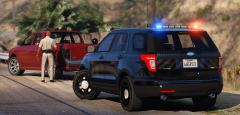 I know this is old, but I really like this skin a lot. It is a shame that there are few (if any) stealth skin packs on LSPDFR... you should really make one, these look great.
 -
Out of curiosity what's wrong with using a visual mod? That's how most of us make the lights brighter / better looking.
-
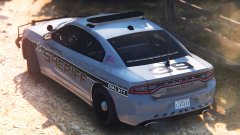 I didn't make it, @UBGaming22 did. But I don't think he made a BCSO version unfortunately.

