



DuctTape
Members
-
Joined
-
Last visited
Everything posted by DuctTape
-
 I've uploaded a new version of the program, I am not sure if it is fixed but can you try it out for me? Also do you have .NET Framework 4.5.2 or higher ?
- 136 comments
- 30 reviews
-
Can you click on Details and upload it to http://pastebin.com/ ? Can you also upload the LSPDFR_Update_Checker.log as well ?
- 136 comments
- 30 reviews
-
-
-
-
-
Hi, this plugin checker can only check on RagePluginHook or LSPDFR plugins (.dll files), this mod is unfortunately an .asi file
- 136 comments
- 30 reviews
-
-
It does only shows plugins you have installed. I've added the Panic Button mod, also I already thought about that, I've added it to my todo list.
- 136 comments
- 30 reviews
-
I tried to support your plugin but unfortunatly on the LSPDFR website it shows that your plugin version is 2.8.3 but the DLL version is 1.0.0.0 so it will always say it needs to be update even if it is updated. And if the program says 'Not Supported' that means the program was unsuccessful to check for updates or the program is not supported by the plugin. I've added your plugin to the list. Your plugin is now also supported with this program.
- 136 comments
- 30 reviews
-
-

- 2
-
-
-
-
-
-
Are you too lazy to check if one of your plugins needs to be updated? The LSPDFR Update Checker checks if there are any updates available. If so, the program will notify you and send you to the download page. Thanks for the 30.000 downloads! Features ----------------------- - Check for plugin updates - Enable or Disable your mods - A tool to clean up all the logs - Launch GTA or RPH directly from this tool - Block / Unblock GTA 5 updates - Manage GTA 5 Launch Options Requirements ----------------------- - Windows 7 or higher - .NET Framework 4.5.2 or higher - A legal copy of GTA V Installation ----------------------- 1. Unzip the .zip file and drop the files anywhere you want. 2. Go to the "LSPDFR update checker" folder and open "LSPDFR_Update_Checker.exe" 3. Enjoy 🙂 Known Issues ----------------------- - Sometimes the plugins folder doesn't move to the disabled folder. (Windows seems to block it so I can't fix this) - The program can fail with enable or disable mods or even load the mods. (Try to run the program as Administrator) Note! ----------------------- - This program does not automatically update / download your plugins! You need to download and update them yourself. - If the program says 'Not Supported' that means that the program is not supported with this plugin! VirusTotal: https://www.virustotal.com/gui/file/e675b235f25ca636945cd78cfa6e0c9a79c2f69ce70cf70befeb86baed5b9ad6/detection Want to request support for a plugin? Go to: https://lspdfr.p00.nl/ModSupport.php Do you have questions, or do you need help with the program? Feel free to contact me!
- 136 comments
- 30 reviews
-
-
-

- 14
-
-
 It happen when I click fast on Next and Previous Video: http://i.qw0.eu/VUJekR.mp4
- 379 comments
- 113 reviews
-
-
I was working on a system that check if there is a new update available on a plugin, if there is a update available than download it to my server. And checking with a Program on new updates if there is a new update it downloads the update from my server and installs it, but unfortunately the captcha was enabled again so I can't check for updates anymore :( So is there any way my server IP can be whitelisted?
-
 Why I am getting the Driver Under the Influence callout when I press F11?
- 3,646 comments
- 306 reviews
-
Hi, There are 2 small bugs in the grab function. When you pullover someone, and you ask him to leave the vehicle you can't grab that person https://www.youtube.com/watch?v=_L82RljbGWE. Also you can grab someone and get on your car :P But I like the feature.
- 3,646 comments
- 306 reviews
-
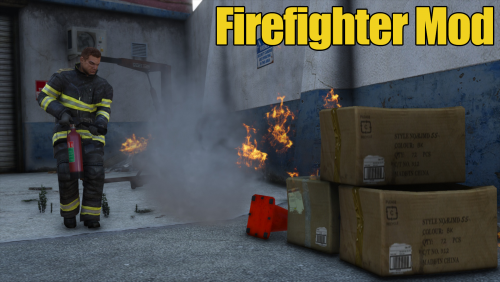 If I try to change the status to Return with Numpad 5 I get the message: Impossible to be return now. But all the fire is gone so why I can't change my status from On Site to Return ?
 -
 Hello, LSPDFR Version: 0.3.1 RageHook Version: 0.38.886.6940 GTA5 Version: 1.0.678.1 The first time I had installed the plugin and launch it the Money Truck callout worked, but after that it stopped working.
- 329 comments
- 53 reviews
-
My game crashes while accepting the Stolen Money Truck callout. Rage plugin hook log:
- 329 comments
- 53 reviews
-
 Is it possible to set multiple cars for the Solicitation callout? Something like: UnmarkedVehicle=POLICE4,POLICE3
- 1,081 comments
- 166 reviews
-
 I like this plugin but only the .xml thingy is a little bit difficult. But I use the build in XML and it is nice!
- 378 comments
- 23 reviews


