


Marine831
Members
-
Joined
-
Last visited
Everything posted by Marine831
-
-
I have no life icey, I have you covered.
-
 It was a joke...
 -
/ragequit Off to play GTAIV
-
2.0.0, it worked before
-
44100, 16 bit PCM audio WAV mono
-
Now when I use the IVaud editor it says the file I'm trying to replace isn't a valid PCM audio file, when it is...
-
I just found the bass tool on audacity... MWAHHAH everybody, get out your subwoofers!
-
Goddammit, can anyone help me out with getting the sound from the siren off a video?
-
Ah that, I was gonna make 2-3 more siren files anyway, and I wanted one of those too.
-
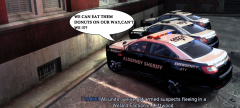
I'm no expert, but that bubble looks shopped...
-
-
The vid is up
-
http://www.youtube.com/watch?v=yfb5GfpRZQs&feature=youtu.be
-
THEN TAKE YOUR LAZY PATTY CAKE ASS AND GO TO A GODDAMN WEBSITE THAT YOU CAN GET ON YOUR FACE! OR WHY DONT YOU TRY DOING SOME PUSHUPS FOR ONCE, MAGGOT?!
-
WHAT THE FUCK IS THIS, THE ARMY?!?! WE CALL THEM 240BRAVOS, MARINE! GET ON YOUR FACE!!!
-
What glass of milk?
-
Hey guys I'm just gonna leave this here while my video uploads, can you watch it?
-
YOU ARE NOT OP
-
If you leave now, then you won't hear my siren! LETS DO THIS SHIT!
-
Re-recorded it, uploading
-
A good sized nuke should find his house.... *ahem* Good ol key spam fixed my PC
-
Pc froze again , heh, I need that new CPU now
-
You just launched a missile at the NYPD 123 Precienct. Good luck to you, sir.
-
GOT IT! Xfire saved the day again @tom 116 Main Street, SI, NY. Google it!


