


Marine831
Members
-
Joined
-
Last visited
Everything posted by Marine831
-
How am I supposed to remember the specs... But yeah, I got you that for the minimum to run GTA IV. Anything of higher demands, you'd lagg out on.
-
With maybe 25-30 FPS on medium settings. In other words, just barely. Just keep in mind, if you wanna play GTA V, you're gonna have to put in new parts or buy a new PC.
-
*is a beta tester* WOOT EDIT: As a tester, I'll tell you guys this thing is far from being done... I don't even know how it's gonna work!
-
So when will this be done?
-
So we create our own offline systems like that website? Sweeeeet
-
Will this be like mdc.lcpdfr.com, just for personal use? Will this be up for download? I like the sound of that...
-
^ Downvoted for the lulz, even if I agree with you. EDIT: This post is at -4! What's the record? I think I've reached -7 before
-
Those 2 we sent with the SEALs/Delta in the Osama raid are overhyped by the media. The media says that they're UBER TOP SECRET STEALTH BLACKHAWK HELICOPTERS THAT ARE INVISIBLE or some shit, but in reality, I'd bet it's just a UH-60 with the material from a B-2 or something.
-
Wait a few more years, I'll do it with you!
-
ROFL!!
-
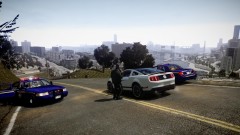 Is that an entire re-do of the map, or is it just an added section of the map? Is there traffic routes as well?
 -
Sadly, it's my generation... But, shit, for the lulz, I'll do it when I go in.TRIPLE POST! In the file you unpacked, there should be IVdashcam.exe.In scripts. Didn't it come with an installer?AWESOME! I took the towers and put them onto an Impala, so now I have both cars patrolling FIA :D
- 8 comments
- 10 reviews
As you can see there < I'm from SI, we have no traffic, let alone taxis, but yeah, Times Square is packed with them.Where in NY? In my game, I edited the files so there's more taxis than anything else in Times Square (the triangle), mainly Algonquin.Where was that taken? I live in NYC, and I'm constantly in Manhattan, specifically Times Square. I know the entire city isn't like that (down here in SI I don't think I've seen a taxi in my life), but Times Square definately is. EDIT: I just heard him say 48th street, which is pretty much Times Square. It really depends on the time of day, what day it is, etc. When I'm there, there's tons of taxis and traffic.Do you know if I can contact him, or if the mod has a website, etc?The game is based on NYC, so it would be...Get a traffic mod. I don't see why there's even a problem with taxis, it's more realistic.The Paramedic mod is an edited PPM, so I was wondering if I can edit a bunch of files to make an FDLCFR-type mod thing. Change around the callouts so there's things like fires/car accidents and medical emergencies, etc as well as change the uniform around and maybe even make you go on duty inside a fire station. You can select partners to go with you in the truck. Would it be possible to create/edit a gun that can put out a fire? How would I go about doing this? The only reason I'm curious to know this is because I'm seriously considering the FDNY as a career after the Marine Corps.In an attempt to re-rail this thread: As you may know, I want to get an HD 6850, but I hear it has texture dissappearing issues. Is this just a GTAIV problem, or is it the card? Is there any other Radeon card around the $150-$180 range that is even better?

