


Interference
Members
-
Joined
-
Last visited
Everything posted by Interference
-
Right now, GFWL: NarmanJayden
-
October 2013? Damn....
-
Grab that son of a bitch!
-
Playing right now GFWL: NarmanJayden
-
I swear this is fucking gold!
-
Anyone has them? He uploaded it to Megaupload and since then he hasn't uploaded a new mirror yet. http://www.youtube.com/watch?v=qFY9XeoFiIo
-
I used them several times, revoked all earnings because of "weak traffic" while I was getting 200 uniques a day. Bunch of assholes they are.
-
AdSense are scammers, they ban every website complying to their terms or not.
-
Dead Island, got pretty repetive after a while. Slay zombies, get reward, repeat.
-
Purely ENB
-
Delete d3d9.dll in the GTA IV root folder
-
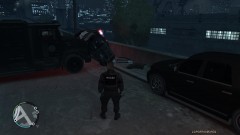 National Office of Slamming Everybody
 -
Nice lightning effects! How does regular police lightning (non-ELS) looks with your ENB?
-
Add me on Games For Windows Live: NarmanJayden Playing in 10 minutes
-
New release
-
Agreed.
-
Well I love the Ford Taurus, it has this "fuck with the law and we fuck with you" look.
-
Ford Taurus is bloody sexy!@
-
Teamspeak is being a nub, playing in 5-10 minutes. GFWL: NarmanJayden
-
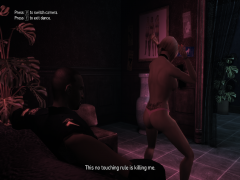 All in a day's work for a goddamn hero.
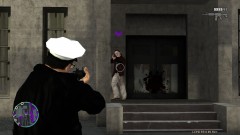 PPM in Name Search in the Police Database.To my dubstep homies http://www.youtube.com/watch?v=LY1FzvRVo3shttp://www.youtube.com/watch?v=jlk9vIM6PMEFact is, I am not a fancy website designer and I haven't made alot of work yet to base a whole website on it. Maybe in the future.


