


Interference
Members
-
Joined
-
Last visited
Everything posted by Interference
-
-
-
-
-
-
-
-
-
-
-
-
-
It felt really great to see the women getting apprehended at around 4:30. The NYPD officers were just doing their great job and no-one should interrupt with that. Unfortunately the majority of the public automatically assume that all police officers are always bad.
-
There's this bug where the lightbar disappears or is misplaced when looking at the car from a distance? I love this model by the way. :) EDIT: screenshot
- 16 comments
- 18 reviews
-
I don't see any difference between the first version and this one. But anyway, the game wasn't really entertaining to me. Pretty boring, if you ask me.
-
I don't have a professional statement to make regarding this, but Intel CPUs are generally more faster than AMD CPUs regardless of the amount of cores or frequency they're clocked at. Just get the i5-3570k, you can easily overclock it to 4,4GHz with the right mindset.
-
Here you go http://cpuboss.com/cpus/Intel-Core-i5-3570K-vs-AMD-FX-4300-Black-Edition I am going to get the Intel i5-3570k for my next computer build too, so follow my steps if you please. :)
-
I heard the i5-3570k is able to overclock up to 4.4GHz and stay stable at that frequency? A lot of people on /r/buildapc are recommending the i5-3570k for gaming. Would the GTX 660 Ti be able to run most games on maximum 1920x1080? The motherboard has 2 PCIX 3.0 slots, by the way. Thanks for your help!
-
Hey unr3al, what do you think of this gaming PC build? Thanks for your help. CPU: Intel Core i5-3570K 3.4GHz Quad-Core Processor ($189.99 @ Microcenter) CPU Cooler: Cooler Master Hyper 212 EVO 82.9 CFM Sleeve Bearing CPU Cooler ($29.99 @ NCIX US) Motherboard: Asus P8Z77-V ATX LGA1155 Motherboard ($175.98 @ Amazon) Memory: Corsair Vengeance 8GB (2 x 4GB) DDR3-1600 Memory ($64.23 @ Amazon) Storage: Samsung 840 Pro Series 256GB 2.5" Solid State Disk ($219.99 @ NCIX US) Video Card: EVGA GeForce GTX 660 Ti 2GB Video Card ($284.99 @ Amazon) Case: Cooler Master HAF 912 ATX Mid Tower Case ($54.99 @ NCIX US) Power Supply: Corsair CX 600W 80 PLUS Bronze Certified ATX12V Power Supply ($59.99 @ Microcenter) Optical Drive: Asus DRW-24B1ST/BLK/B/AS DVD/CD Writer ($19.96 @ Amazon) Total: $1100.11 (Prices include shipping, taxes, and discounts when available.) (Generated by PCPartPicker 2013-03-24 13:41 EDT-0400)
-
Get rid of the ENB. That ought to do the fix. Try running the game in vanilla first before trying to mod it to confirm it's working on your computer.
-
-
Looks great, definitely looking forward to it!
-
So I got access to closed beta... The Glassbox Engine runs really smoothly on my fairly old PC, so don't worry about lag. As mentioned by the developers, it really is a breathing dynamic city. For instance, you see people lining in front of the casino, and you actually see police officers apprehending criminals. Analytic information like land value and so forth have greatly improved too. It's now way easier to manage your city. As final comment, the curved roads are awesome. I would post screenshots if I could, but the beta EULA doesn't allow that. Sorry.
-

From the album: LCPD Chronicles
-
All 'dat crime fighting and stuff.
-
Driftin' & Shit
-
 Roadblock Succesful
-
 Hot Pursuit
-
 "Roadblock successful, move in for the bust!"
-
 You're assaulting a federal agent!
-
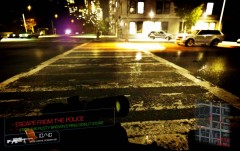 GTA IV First Person?
-
 Wet Response!
-
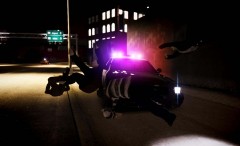 "Police pursuit, clear the streets!"
-
 "GET DOWN EVERYONE!"
-
 "You're trying my patience..."
-
 Commandeer exotic vehicles
-
 Start spreading' the news...
-
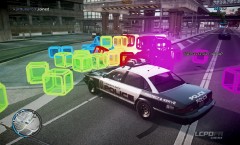 dafuq?
-
 Niko being Niko
-
 I'M NOT FUCKIN' KIDDING ASSHOLE!
-


