


Interference
Members
-
Joined
-
Last visited
Everything posted by Interference
-
What do you think of the economy?
-
When u gonna fix the bloody hub? :D
-
DAS is Dispatch Assistance Mod. Add AeroFoxtrotz on GamesForWindowsLive if you wanna play.
-
Can't really tell because I run it in 800x600. But yeah it looks nice.
-
Yes I use 1.0.7.0, brightness is fine and I got the red sky bug barely.
-
L3EVO is pretty decent.
-
Shit man this ruined my childhood
-
That was actually pretty damn scary.
-
 Ratman? You mean Fagman
 -
"Violate the law & we violate you"True words of wisdom
-
Thanks I got it!
-
Could u add some extra lighting components then? Thanks.
-
Fuck it imma reinstall, ty for the attempts of helping
-
Yeah
-
http://www.youtube.com/watch?v=0yCrQDO3q1M
-
Nope doesn't work.
-
Apparently somehow my GTA IV keeps crashing at the loading screen, u know, with those guys being zoomed in. I have no idea what the cause is. Diagnostic BEGIN *SIGNED* LCPD First Response Issue Report Diagnostics Tool Version: 0.4.3 Operating system: Windows7 Ultimate (6.1.1.0 Build: 7601) Service Pack:Service Pack 1 System RAM (GB): 4 CPU cores: 2 NET Framework 4.0 installed: True Visual C++ 2010 Redistributable installed: True GTA IV - Installed: True GTA IV - Install folder: C:\Program Files (x86)\Rockstar Games\Grand Theft Auto IV GTA IV - Version: 1, 0, 7, 0 GTA IV - Asi loader installed: True GTA IV - Asi loader: XLiveLess GTA IV - Asi loader valid: True GTA IV - C++ ScriptHook installed: True GTA IV - C++ ScriptHook valid: True GTA IV - C++ ScriptHook version: 0, 5, 1, 0 GTA IV - ScriptHookDotNet installed: True GTA IV - ScriptHookDotNet valid: True ===============BEGIN .NET SCRIPTHOOK LOG=============== 2012-01-01 11:12:03 - Initializing ScriptHookDotNet v1.7.1.4 BETA (GTA IV version 1.0.7.0) ===============END .NET SCRIPTHOOK LOG=============== End of *SIGNED* LCPD First Response Issue Report Digital signature: DxbGV4M6fENmu/OmXgs+ew== Event Viewer Application: GTAIV.exe Framework Version: v4.0.30319 Description: The process was terminated due to an unhandled exception. Exception Info: exception code c0000005, exception address 003FECB2 _____________________________________________________________________________________- Faulting application name: GTAIV.exe, version: 1.0.7.0, time stamp: 0x4bd9efbe Faulting module name: GTAIV.exe, version: 1.0.7.0, time stamp: 0x4bd9efbe Exception code: 0xc0000005 Fault offset: 0x0029ecb2 Faulting process id: 0x9fc Faulting application start time: 0x01ccc86dce650ba6 Faulting application path: C:\Program Files (x86)\Rockstar Games\Grand Theft Auto IV\GTAIV.exe Faulting module path: C:\Program Files (x86)\Rockstar Games\Grand Theft Auto IV\GTAIV.exe Report Id: 18bd171d-3461-11e1-9a3c-e7f68aa2a56f
-
Lightbar looks even better than ELS in the night with ENB 0.082. Although in the day..... it sucks. Well done by the way!
-
I just reopened my Multiplayer Group.
-
I started out using Adobe Photoshop. It's a great program with many features and additional enhancements. But if you cannot afford it I'd use PAINT.NET. Never used GIMP though.
-
Oh that explains the problem, using 0.082 now without anti-aliasing. I am going to miss it :(
-
Thanks, loving the Rextex128/StolenFX one. But the Police Computer seems to be not working with it, any help?
-
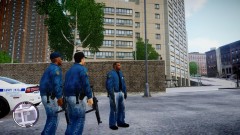 Now this is the real definition of "bad boys"
 -
What's the best ENB for GTA IV?
-
LMS has a donation page in his signature. EDIT: awesome my name is yellow/orangeish :D


