


Interference
Members
-
Joined
-
Last visited
Everything posted by Interference
-
 Click on the picture for more quality.
 -
From the album: Liberty City TV
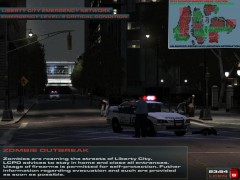
New TV channel! Zombies all over the friggin' place!© Interference Pictures
-
Oh yeah, the thread. Sorry there's probably no way to fix it, wait until 0.95 Official Release. Olanov already answered, we're doing fine.
-
Fact there is no release date. We're constantly adding new features and finding bugs in them. We've got 3 new callouts: Bomb Threat, Domestic Violence, and Gang Hideout. Also all old callouts have been polished with more features and more stability.
-
Run as Admin?
-
Extract everything to any place u want and run updatetitle.exe
-
Oh try updating to EFLC 1.1.2.0
-
Post all content of the files with 'log' in their names (in your gta iv folder)
-
Press PrintScreen on your keyboard then open paint and paste it in there then save it, upload it on imageshack and post the link here
-
Quadruple post. Screenshot of you GTA IV folder please.
-
Y U NO READ STICKIES?! ლ(ಠ益ಠლ) http://www.lcpdfr.com/cops/forum/forum-20/announcement-5-need-support-read-this-first/
-
-
Prevents cops from kicking innocent suspects their asses
-
Yes.
-
4 replies 1052 views What the hairballs?
-
Dang wish I had it :l
-
Make sure you aren't using a crack - We don't support cracks Update GTA IV to 1.0.7.0 (the latest version)(1.1.2.0 for EFLC) - This sometimes fixes a wide variety of issues Ensure that FirstResponse.net.dll is in the SCRIPTS folder and that AdvancedHook.dll is in the GTA IV ROOT folder. Ensure that ScriptHook.dll, ScriptHookDotNet.asi and Dsound.dll OR Xlive.dll are in the GTA IV ROOT folder Ensure that there is a folder titled 'LCPDFR' in the SCRIPTS folder. Check that all the above files exist, if they do not, reinstall LCPDFR with the automatic installation. Ensure that you are using up to date versions of every LCPDFR dependency and LCPDFR itself. Install these: http://www.microsoft...9f-b21f31ab88b7, http://www.microsoft...&displaylang=en Run a diagnostic report (found here: http://goo.gl/QEftp) which will point any errors it can find and will be used later on if you need to post a topic.
-
http://www.microsoft.com/download/en/details.aspx?displaylang=en&id=17718
-
Update to GTA IV 1.0.7.0 http://games.softpedia.com/get/Patch/Grand-Theft-Auto-IV-Patch.shtml
-
Norton is shit, it already complains if some application is using 50%+ of your CPU or RAM Get Microsoft Security Essentials. Fast, reliable, and free.
-
http://www.lcpdfr.com/cops/forum/index.php/forum-20/announcement-5-need-support-read-this-first/
-
-
[betasupport]
-
-
You can just disable ELS for police and police2 in ELS v5's ini..

