


Aquamenti
Members
-
Joined
-
Last visited
Everything posted by Aquamenti
-
It will work for anyone if installed correctly. It seems you need ScriptHookV to make it work.
-
Asking as someone who's poking around in car modding, do you have any idea how can I do that? With my own models.
-
Actually, that warning will display nonetheless. You need to activate Edit mode, and it will create the mods folder if it doesn't already exist.
-
This also happens if you edit some .meta files and leave in any errors. Have you done that? Enchanted, though? Taking magic to law enforcement, I see. Talk about a tactical advantage there
-
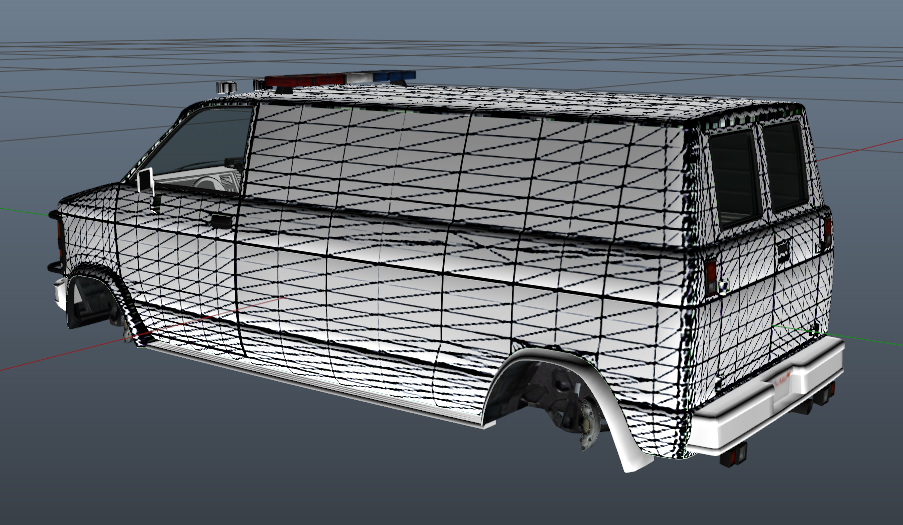
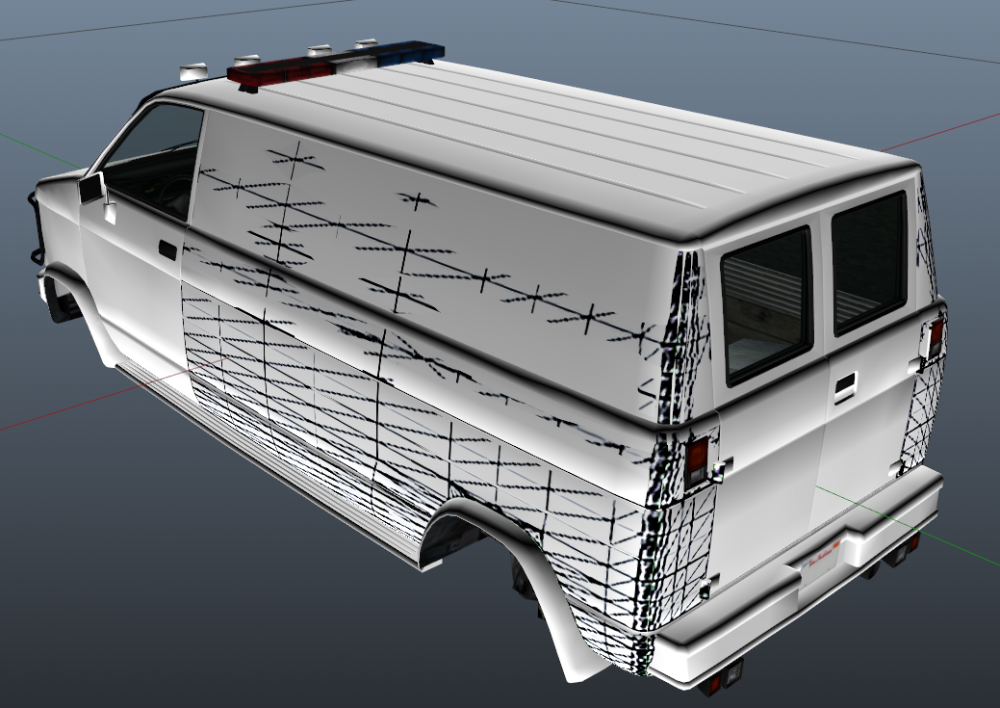
Well I found out where the problem likely originates from but I have no idea how to avoid it in the future. When mapping the sides of the vehicle, I have to detach parts of the "bodyshell". These new detached body parts don't belong to any one particular level of detail.
-
The problem appears in game as well. Here's what it's currently supposed to look like : Here's what it looks like from further away And even further away. Nothing left of the livery, only the base color.
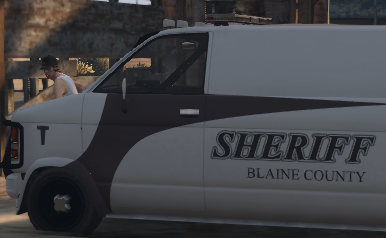
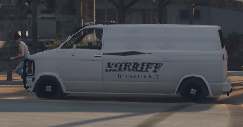
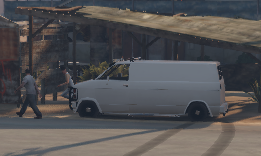
-
The youtube video series on mapping custom-made vehicles has left me with this. How can I fix this? The _hi.yft The regular .yft
-
Alright, thanks, I'll keep that in mind for future reference. Or is that possible with any currently available lightbars as well?
-
In Estonia, however I can't imagine we're the only country to apply this. Red emergency lights are for traffic stops only, EMS and rescue vehicles don't even have them. It's quite convenient, most drivers try and make way for the emergency vehicle without slowing down very much or coming to a stop. The drivers in this game often stop at extremely inconvenient places however, such as in the middle of intersections. So having a light pattern that wouldn't make drivers stop might be beneficial. But maybe it's more hassle than it's worth. I wouldn't know.
-
That's not the case where I live. It's just an idea anyway.
-
The part about AI drivers currently not yielding to lights and sirens gave me an idea. Perhaps it would be possible for the player to customize ELS so that a certain light pattern will make traffic yield and another will not. For example, if I so desire and set one of my patterns as blue lights only, traffic wouldn't stop until I also turned on the reds.
-
If you mean the one that adds BCSO and new LSSD vehicles, then I'm sorry to report that it isn't working any better :(
-
The number of emergency lights for any vehicle in GTA V is limited to 20, so there's not much more that can be done to that end I'm afraid.
-
What's wrong with the CVPIs that are already converted to V? You can create your own texture using any image manipulation software or request that instead.
-
When I activate headlights during the day, they will automatically switch off pretty soon. Is there a way to disable that?
-
How's that coming along? I have similar issues. My quick save puts me right in Sandy Shores and after 1-2 minutes of gameplay the game crashes. It doesn't seem to be caused by anything particular, such as certain police vehicles or peds spawning. I have the added models version with BCSO addon and the newest gameconfig.xml
-
With the new My EUP out, is there a way to customize the uniform pants? I'd like them to be of a different color. Or the tie, for future reference?
-
Fixed the dials too. I had been importing the wrong LOD models which didn't include the dials. So here's a few notes for any (z)modders that may run into similar issues: 1. in the beginning it's easier to add than replace cars 2. when importing vanilla gta cars into zm3, import both the _hi.yft and the regular .yft 3. when importing siren lights from the default police cars, don't rescale/move/rotate any flashing/moving parts or their axes 4. if the sirens can't be activated in-game or they don't work properly, fix your carvariations.meta and vehicles.meta lines 5. if none of the siren lights flash with the LED surface appearing right, try breaking your windows and see if they work then. if yes, open materials browser in zm3 and rearrange your siren lights material to be above the vehicle glass material
-
Yeah yeah, I won't. It didn't work at first, not sure what I did wrong, but I tried it again and it works. So you've been very helpful. Благодарю!
-
You're right, the materials were in the wrong order. But... Render last option? Where's that? Using ZM3.
-
While testing a new car in development I discovered that window glass is blocking the emergency lights from being seen. Does anyone know how to fix this? Screens provided with the windscreen untouched (can't see lights): and broken (lights are visible):
-
I mean the grey little LED "lights" when they are inactive.
-
There's a vehicle colors index available on GTA5-mods.com; according to that, 134 is pure white, and 156 is default alloy. Changing those values should make cars spawn in different colors. For example, if you change 134 to 154, your car should spawn tan Sirensetting is a value that changes how lightbars act, since different vanilla lightbars behave differently. Unmarked cars don't have lightbars so I naturally assumed they all use the same one. Sirensetting value 13 is however the standard for marked Stanier police cruisers.
-
New problem: I've templated my cars but I don't know how to add multiple liveries to the model. Just renaming them _1, _2 etc doesn't do it, it will still only spawn in the first texture. Here's a nice picture of a Primo.
-
When you import a model to zm3, files will be created in the folder you imported them from. Move these .cwgv files into the folder you plan to export the model to. Problem solved. Do your dials work, by the way? I have no idea how to get my dials to work.


