


Aquamenti
Members
-
Joined
-
Last visited
Everything posted by Aquamenti
-
From the album: Aquamenti Police Workshop & Museum
-
From the album: Aquamenti Police Workshop & Museum
-
From the album: Aquamenti Police Workshop & Museum
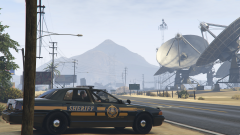
Here's a better view of my LSSD livery. -
From the album: Aquamenti Police Workshop & Museum
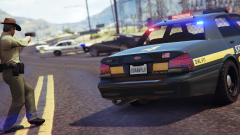
Here you can see my BCSO Traffic units (white) and LSSD joining up to tackle crime. -
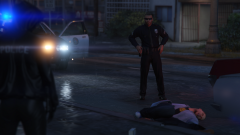
From the album: Aquamenti Police Workshop & Museum
-
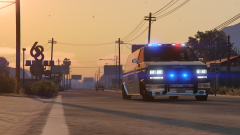
From the album: Aquamenti Police Workshop & Museum
Here's my Blaine County Sheriff Burrito (formerly a proud servant of Lost MC). -
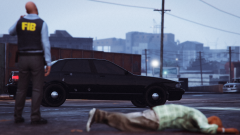
From the album: Aquamenti Police Workshop & Museum
-
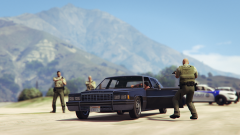
From the album: Aquamenti Police Workshop & Museum
-
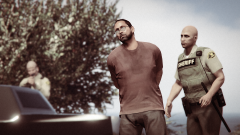
From the album: Aquamenti Police Workshop & Museum
-
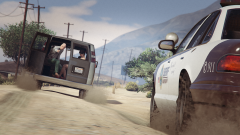
From the album: Aquamenti Police Workshop & Museum
Here's my first BCSO livery. -
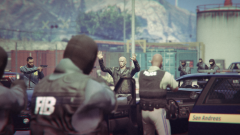
From the album: Aquamenti Police Workshop & Museum
-
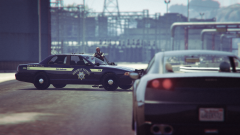
From the album: Aquamenti Police Workshop & Museum
Here's a glimpse of my SAHP livery, inspired by Nevada HP. -
No change. I'm thinking - how does the game know what my other liveries are supposed to be called? Is the first livery always supposed to end with _sign_1 and then the rest are assumed to be _sign_2 etc?
-
Yeah, here you go. As I said, I even tried renaming it "stainer_sign_1.dds" and using the mapped stanier's police_new2 material. Same result.
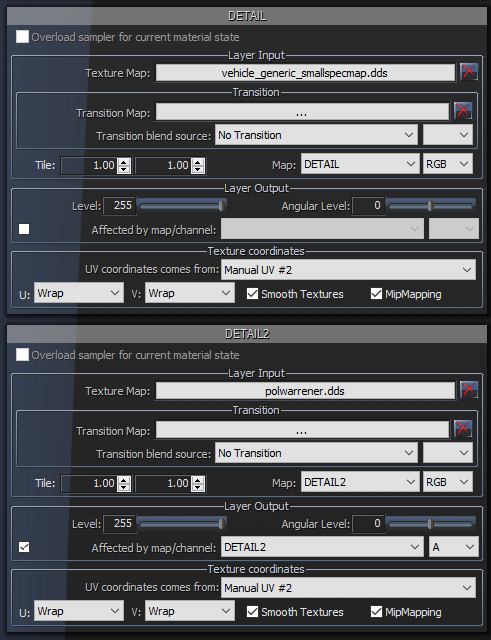
-
Did you follow all instructions during the installation? When calling for backup, are the AI cars spawned and then sit still or do they not spawn in the first place?
-
The carvariations.meta file can easily support data on multiple vehicles. Just copy the lines for one vehicle and add them to the other file. You can't have two .meta files in the same folder. Just make sure to paste the lines in the right spot so that the entries (vehicle data lines) don't interfere with each other.
-
It's got a zero, but it won't change the livery.
-
Hey As the title suggests, I'm having trouble producing cars in zmodeler3 that accept liveries. To clarify, only the first texture appears in-game. I'm replacing the sheriff3 slot provided by RDE and yes, it's got FLAG_HAS_LIVERY. I looked it up on the zmodeler forums and found out I have to use paint3, use UV #2 and check a box that would make the texture be affected by UV #2. That's exactly how far I've gotten without any help and apparently that's not enough to make multiple liveries work. In desperation, I even tried importing default police car models on the scene in zm3 and using the materials provided, editing out the textures but keeping the names (the original, for example, is stainer_sign_1, I name the others stainer_sign_2 etc). My textures are just .dds files I created in Photoshop. If I can get my textures to appear in-game, I'm almost ready to produce vehicle mods for the site (I also need to find out how to create lower LODs for my edited content and how to map a car properly in low LODs) I would appreciate any kind of help
-
How do I change the parts not included in the DEV files? Pants, most importantly, but also vests and hats?
-
Just change the textures on the sheriff models in OpenIV.
-
I have that, but the game with RDE crashes only after a few minutes of gameplay. Some people have mentioned that the game crashes when going to specific places such as Sandy Shores.
-
Any progress on a new release? I only ask because the current one crashes.
-
No, I'm talking about this. It's got both. http://www.lcpdfr.com/forums/topic/58915-relbeta-realism-dispatch-enhanced-lspdfr-03-addon/
-
There's an RDE addon that adds LSSD vehicles. You can change the siren sounds very easily by renaming the <audionamehash> value to FBI and FBI2 in vehicles.meta.
-
https://www.youtube.com/watch?v=FFLjsCMofuk


