falcon3y
Members
-
Joined
-
Last visited
Everything posted by falcon3y
-
I haven't reverted back to TrainerV, so I don't know.
-
same
-
Yeah, I was thinking that might be it. I pulled the entire trainerV out of GTA and replaced it with Enhanced Native Trainer temporarily and that fixed it. So it's definitly with this new update and for those who use the AsiSupport plugin as a placeholder. Apparently the AsiSupport puts the TrainerV in another folder and alters it's ini somehow.
-
Yes.
-
Did not fix anything.
-
Yes, I've tried to delete them / it altogheter, recently started to happen. May this occur after editing vehicle meta?
-
First - Sorry if this is the wrong forum section, please move if it is. Second, yes I have PoliceIgnore=0 //Police Ignore Player DISABLED -- I have this really annoying problem that AI police cars spawns randomly everywhere, frozen, trying to reverse and go forward, not moving at all - of course causing traffic jams and what not. Anyone have any idea what it is?
-
 screenshots of how it looks in-game will probably help.
 -
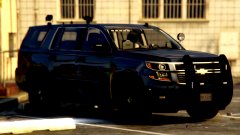 I want iiit.
 -
-
Thank you for clearing that up. Didn't work for me and I read some comments that it weren't work for others. However, turned out I for some reason didn't copy over the API files from Darkmire during the install process. It's now working flawlessly. Thanks. Please close!
-
So I've been quite the fan of vehicle search and the search warrant plugin to search vehicles using the various item packs around here last time I played LSPDFR, however, I can't seem to find a single plugin that'll work with the newest rage, etc? Most youtubers use the vehicle search still, are they on the old rage/gtav updates? Does anyone know of a decent one thats updated?
-
I guess it's just the time to take a 1 month break from GTA and wait until everything is updated and then re-download and set everything up once again..
-
Hello, After the new GTA update came out i was forced to download it by steam. I successfully reverted back to the old state using Rage. When I launch the game everything is working dandy up until I go on duty with LSPDFR. It says "error reading transport world districts" which is from Arrest Manager and then suddenly textures of buildings starts to disappear. Anyone got a clue?
-
 I have to say, with the new 7.4 Early Access, the EUP team surely outdid themselves. I've been anticipating this update for so long and it met all my expectations and then some. Especially the custom character creation where you can set up your own guy entirely how you want, that was just brilliant and it just comes to see how much time is really put down on this. Great job and thanks a lot for spending the time creating this for the community.
- 2,349 comments
- 238 reviews
-
-

- 1
-
-
I got mine to work this morning, only clipping problem I have is with custom characters but that is obviously fixed by choosing the correct underpart for the right top and skin and vice versa, everything actually works flawlessly besides being able to holster another weapon, like the revolver and it showing up in the holster itself, but then again this is early access. EUP Team did a REALLY good job on this, thanks a lot.
- 2,349 comments
- 238 reviews
-
 I used the one included in the EUP Menu download, so I guess it's the newest. After reading through the logs, I thought it was a problem with Cop Holster, since I didn't have that installed, but then I installed it and the problem was still there. I've blocked it from running on startup from Rage and every time I try to launch it through F4 it crashes instantly. If it's any help, I do not have the NEWEST update by RageHook. The one with the ELS lighting and shit.
- 637 comments
- 75 reviews
-
-
- 2
-
-
Yeah mine crashes too no matter what I do. Trying to load it manually too many times the computer will freeze totally as well.
- 637 comments
- 75 reviews
-
-
- 6
-
-
Lol, same here.. was laying in bed browsing my phone, saw the EUP update and what do you know, the computer got turned on again......
- 2,349 comments
- 238 reviews
-
-
- 1
-
-
This is a really stupid question and almost out of the box deserves a lock, but does anyone know if the new update coming by Rockstar is going to break most of the plugins out there? I have a almost perfect setup at the moment and I'm really hesitant to do anything with it for the time being.
-
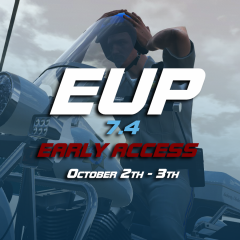 So hyped.
 -
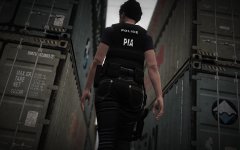 Dat...a..,-holster.
 -
Yes, if you care to read anything here he's testing a Beta version of the one coming out between the 3/4th.
- 2,349 comments
- 238 reviews
-
-
http://forums.ragepluginhook.net/default.aspx?g=posts&t=3819&find=unread Anyone tested it yet with the most common plugins on lspdfr? Also, anyone tested this out yet? "Added support for customizing vehicle emergency lighting patterns and install these + sirens into regular vehicles as well. See the EmergencyLighting class." :D