ErikB26
Members
-
Joined
-
Last visited
Everything posted by ErikB26
-
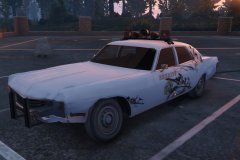
From the album: On Patrol
I had the honor to be the first one to drive this brand new Polara! It is a satisfying car! -
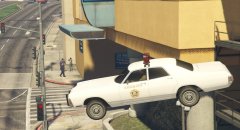
From the album: On Patrol
Polara made by the great @Lundy -
After driving with it for about an hour now, this video describes my feelings... Plus: 1. Breakable windows 2. Nice lighting set-up 3. The way how the dirt looks is good 4. Overall a good look Things to work on: 1. Other wheels. (But you're already working on that, I think?) 2. A custom handling line, cause this thing drives like a truck xD 3. I also did a sort of crash-test. And everytime I slam into a pole or something like that, the nose gets up in the air (I'm working on a video, so that you can see what I mean). 4. I'm not gonna mention the interior ofcourse (I just did that, didn't I? ) Conclusion:
-
I CAN'T WAIT! I CAN'T WAIT!
-
Hmmm I'm looking forward to that ambulance, John! Great work!
-
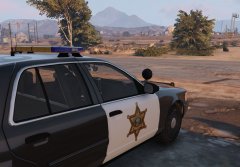
From the album: My vehicle's
Parked and waiting for the next shift! -
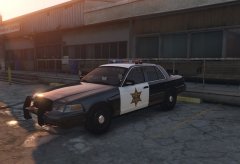
From the album: My vehicle's
Parked and waiting for the next shift! -
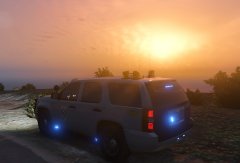
From the album: My vehicle's
Patrolling with a nice sunset at the background! -
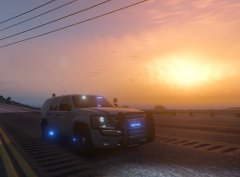
From the album: My vehicle's
Patrolling at sunset! -
-
 I understand, but where can I find the vehicles.meta?? For police4 for example ( vehicle that spawns when you ask for state back-up)
- 74 comments
- 23 reviews
-
-
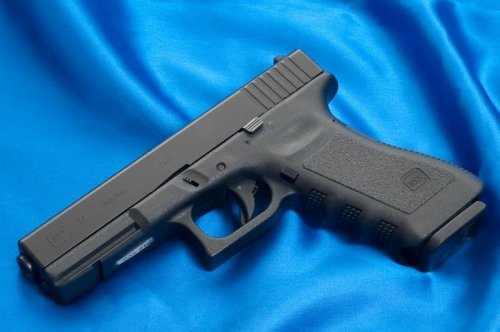 Hello! I've created this download so that you can replace the sound of the Combat Pistol with a realistic Glock 17 sound. The original file (for the Pistol) was made by user GCG, but I've edited the file (with permission from GCG, ofcourse) so that it can be used for the Combat Pistol-slot. Download the "Pistol" version here: https://goo.gl/tKwm11 The installation instructions can be found in the ReadMe. --- Credits --- Original sound file by StockFootageWarehouse: https://goo.gl/CazqnO Edited, improved and converted by GermanCommentGamer: https://goo.gl/mlph6j Edited and optimized by ErikB26: https://goo.gl/rDWBjD Picture by Ken Lunde: http://lundestudio.com --- Disclaimer --- I and/or GermanCommentGamer take no responsibility for possible harm to your GTA V game and/or your computer. Modding with my files is at your own risk. Thanks for downloading! I would appreciate some feedback or reviews! :)
- 3 comments
- 1 review
-
-
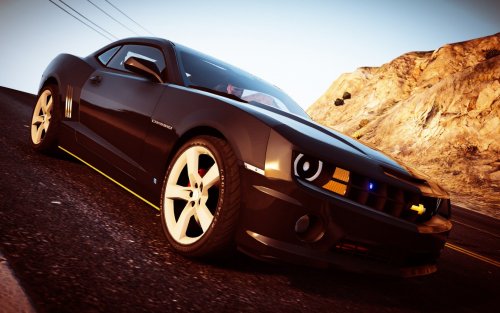 Thanks about the sun roof! And yes, the lights are supposed to be white, but they are too bright for me!
- 22 comments
- 7 reviews
-
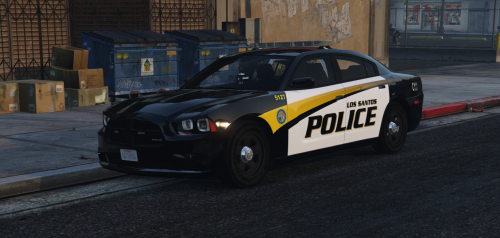 Absolutely a great skin pack! I'm using it on the explorer, and it is gorgeous!
- 35 comments
- 9 reviews
-
-

- 1
-
-
From the album: My vehicle's
Vehicle made by @OfficerFive0 -
It's a good model, but there are a few things. 1. There is no glass in the sun roof. It's an extra! 2. The white front lights, who flash when you turn on the blue lights, are too bright for me Thanks for the extra texture! 3. Maybe you can include a custom handling line, so the handling would be more realistic. (I get too much air, and the stearing isn't that good) If I could, I would change my rating from 3/5 to 4/5!
- 22 comments
- 7 reviews
-
 Contact me in private and I will explain; not something for in the comment section here
- 50 comments
- 26 reviews
-
I haven't used the carvariations at all! (you don't need it, because it doens't even contain a police 1 line) Are you sure you haveput the vehicle files in the right place?
- 50 comments
- 26 reviews
-
In the "About this File" section, there is a .meta file. Where do I have to put it, and DO I even need it? It doesn't contain a line with "police" (it's apolice.ytd etc.) or something like that.
- 50 comments
- 26 reviews
-
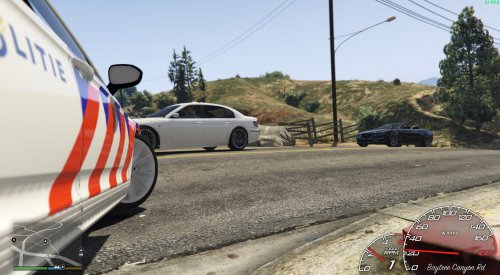 I found the File Guidelines here: I can't see where it says: "Everything must be in English." Btw, the title says: "Dutch Callouts pack! 0.1A". Seems English enough to me?
 -
Pictures of the cars that I use in my sheriff 1 and 2 slots!
-
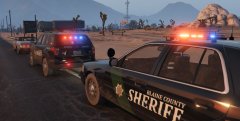
From the album: BCSO Cars!
You can download the textures here: -
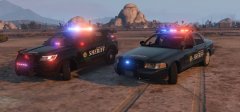
From the album: BCSO Cars!
You can download the vehicles by yourself: