ErikB26
Members
-
Joined
-
Last visited
Everything posted by ErikB26
-
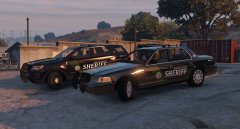
From the album: BCSO Cars!
The BCSO has two types of vehicles; a CVPI made by Virzza and a FPIU made by Thehurk. Both have a texture made by BradM. -
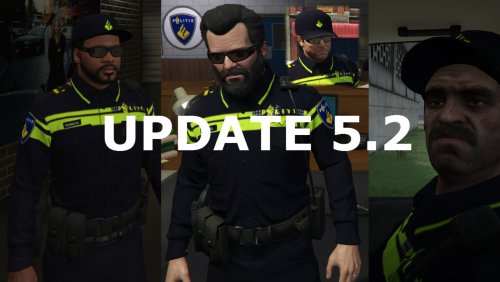 Bij de motorrijder zit de SAHP-ster er nog, en bij de overige modellen zie je de plek van de ster nog zitten ;-)
- 4 comments
- 1 review
-
-
-
Hello, When I customised a character with the EUP menu (F11), and I want to give my character hair with SkinControl, I always get green hair, despite what color or hair style I choose. How can I solve this? Greetings, Erik
-
 If I wanna give the character hair with Skin Control, I only get green hair. How can I solve this?
- 2,341 comments
- 236 reviews
-
Ah okay! Thanks! I hope the author will find a fix!
-
Hello! Sometimes if I'm driving around or when I've just entered my car, my character sometimes just randomly exits the vehicle. How can I solve this? I read on the Internet that it has to do with your controller, but I'm using a keyboard + mouse. Greetings, Erik
-
This is a really great mod! But, I noticed that the arm of the player goes through his holster, when his arm is next to his body, if you know what I'm saying. Is here a solution for?
- 2,341 comments
- 236 reviews
-
-
I totally forgot that I had an back-up of GTA 5. So I looked it up and found the update.rpf. But that file is from before the new update from GTA. So I can't copy the complete .rpf file. I only want to copy that .dat file, but that is inside the update.rpf. Is there a way to open the back-upped .rpf outside of OpenIV (because I can't open it in OpenIV because I can't replace the whole file).
-
I downloaded Radiance V But I don't see a folder with: "Original" or something like that. I can't find original files at all.
-
Hello! I just downloaded and installed this vehicle from BxBuggs123 It's a really nice vehicle, but it didn't have a manual install. I now also rememberd why I prefer manual installs; When I opend the .oiv file with the Package Manager from OpenIV, it says that it also would install Radiance V. There was no option to don't install it. So I just clicked install; I heard before that it makes lights brighter so I thought, why not? I played in-game, and I really hate Radiance V and want to de-install it. How do I do that? And does that infect Buggs' vehicle or affect in any sort? Greetings, Erik
-
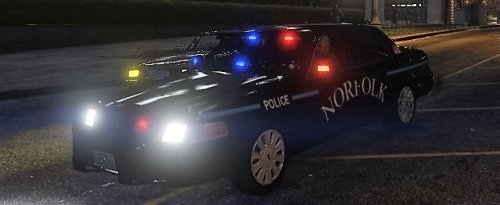 The text "Norfolk" at both sides of the car is to bended, comparing with the photo of the texture in real life. And the text "POLICE" above the front wheels isn't on the right place (it has to be under the blue line, not between it). But it is a nice beginning!
- 7 comments
- 2 reviews
-
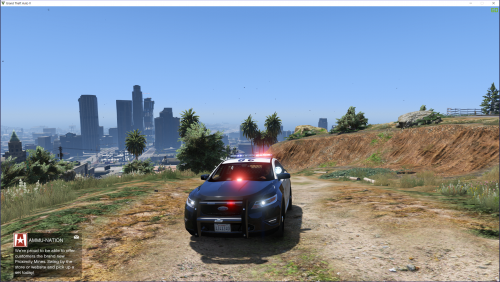 Misschien kun je de dashlight dan gewoon weghalen? Want zoals het nu is staat het echt niet mooi. Misschien als alternatief een paar ledjes in de zijspiegels? (zoals in het plaatje)
- 49 comments
- 10 reviews
-
Nobody knows it?
-
Try this: Startup the RagePluginHook.exe in your main GTA 5 folder. While it is starting up, hold the Shift key. Then you get a little menu. Go to the second tap, and check if the plugin LSPDFR is checked. If not, check it and run the game by opening RagePluginHook.exe, but this time without holding the Shift key. Try if that works. Maybe you can't do anything with the F4/F3 keys, but maybe is this a way to change somethings.
-
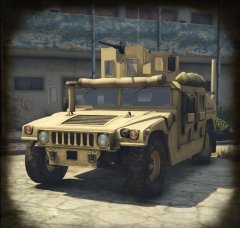
From the album: My vehicle's
© Erik Brilleman
-
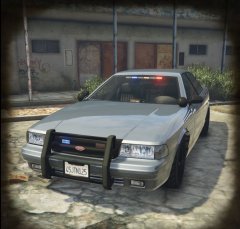
From the album: My vehicle's
© Erik Brilleman
-
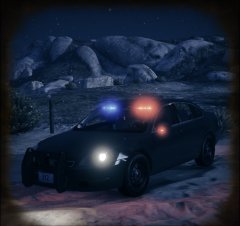
From the album: My vehicle's
© Erik Brilleman
-
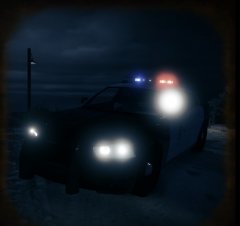
From the album: My vehicle's
© Erik Brilleman
-
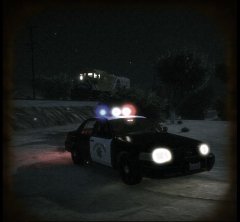
From the album: My vehicle's
© Erik Brilleman
-
Hello, I made some nice pictures with my camera in my ingame mobile phone (snapmatic). Now is my question, can I save those photo's on my desktop, or upload them to social club? I looked on the Internet and saw something about highlighting the picture in the Gallery and pressing Left Ctrl. But notting happens?
-
I have the game too. Bought it about one or two years ago for only $5 or something like that. Now it is only beeing sold for over $50!
-
Hello, Yesterday I installed the police2 from this package: The vehicle itself works, but the lightbar doesn't. I added the lines from the readme to the right file, but it still doesn't work. I asked member @55charlie for help, but it still doesn't work. I worked a bit, trying to figure it out. I discoverd this: If I spawn the vehicle with the Simple Native Trainer, the lights from the lightbar won't work. I only hear a siren. If I enter a police station, go on duty, choose a character and then choose the vehicle, I have lights! (It's an Extra that you have to turn on). But, when I'm in the city and call for back-up, the AI vehicle doesn't have lights in the lightbar! Does someone know how to fix that?