ErikB26
Members
-
Joined
-
Last visited
Everything posted by ErikB26
-
-
 Haha, okay!
 -
Great! Will this texture also be released?
-
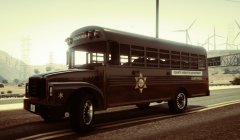
From the album: My vehicle's
© Erik Brilleman
-
Indeed, they shouldn't be at all. The western countries want the people in the Middle East to live according to the Western norms. But they forget that Middle-Easterns and Westerns have different types of norms and values. I think we should just live and let live. The western countries want to much participation in the Middle-East (maybe cause there is oil??). The westerns want to live accordingly to the Bible, the Middle-Easterns accordingly to the Koran. There is nothing good or bad about those books, because everybody thinks different about that. And the terrorists also have their reasons to bomb us. If we just take away those reasons (interference wich each other countries)... Live and let live.
-
And what if you- just after you started the game - walk forward, and then press Spacebar + F9 at the same time? That is also a way to instandly go on duty. If that doesn't work, you try to unload the plugin in the RPH console (type: unloadplugin LSPDFR First Response) and then load it in again. (type: loadplugin LSPDFR First Response). If that doesn't work either, just re-install it.
-
Maybe you can get an outfit in the EUP menu1, then open the RPH console and type: forceduty. Now you become instantly a cop. Just spawn a vehicle with a trainer2! I hope this works for you! 1= 2= I have good experiences with this one: https://www.gta5-mods.com/scripts/simple-trainer-for-gtav
-
What can they do about it? Terrorism is from all times, it's nothing new. Politicians can do nothing against it. (not even by building a wall as some may think...)
-
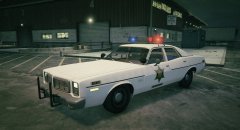
From the album: My vehicle's
© Erik Brilleman
-
-
-
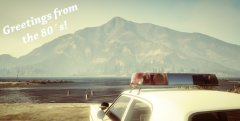
From the album: My vehicle's
© Erik Brilleman
-
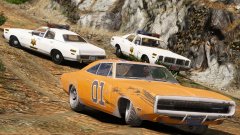 Thanks, I found it!
 -
Nice Lundy! May I ask you where you got that Dukes from? I know there is a Dukes in the game that you can paint Orange, but how did you get the 01 on it?
-
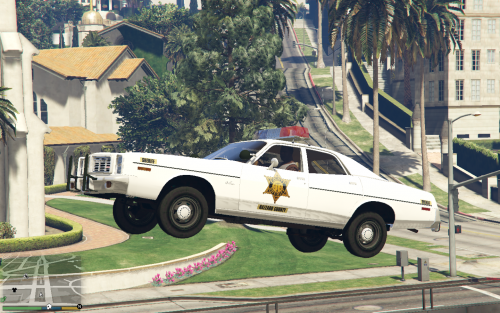 Very nice texture! Can you also make one for the sheriff's Polara's in Lundy's Polara pack? That would be awesome!
- 6 comments
- 2 reviews
-
Did you purchased the game trough Steam?
-
What I don't understand...: You can back-up your game with RPH... But if you need to remove your mods-folder, you can better just update the game, because you have to re-install your mods anyway, or do I see it wrong?
-
I know wich model you're talking about! I'm curious about the result!
-
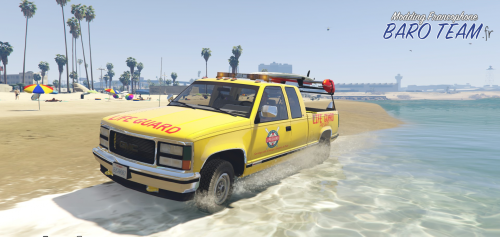 @Baud0412 I still use this vehicle, cause it is still al lot better than the default car!
- 11 comments
- 2 reviews
-
Ah, I understand
-
Hello, I'm looking for someone who can make (or know where to find) an old fire engine. I was thinking of ones you could have seen in de 60's/70's, like this 1965 Crown Firecoach for example: (photo from http://johnweeks.com/tour/emergency/index.html) If you can help me out, feel free to respond! Greetings, Erik
-
Great model, and I love it! But the skin isn't the same on both sides (qua positioning) I you could fix that, I'd rate it 5/5!
- 11 comments
- 2 reviews
-
I've looked in to it, but it is not possible to edit the skin of that 2008 Tahoe, because it doesn't have a template. It is just a tiny black box, wich colors the whole vehicle (wich is possible, because it is a black unmarked car) Maybe if you can find an other model, I'll look in to it
-
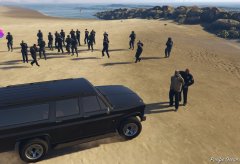
From the album: On Patrol
Dispatch! We're outmanned! Send some back-up, quick! -
I found another tiny "bug", and maybe it has something to do with LOD's or something like that? (from a little distance there is suddenly a window in the back at the side) Still, it is a great model and I'd love to see it getting developed more and more!