




PNWParksFan
Insiders
-
Joined
-
Last visited
Everything posted by PNWParksFan
-
 If anyone can send me a log showing a crash actually caused by Better EMS, I will gladly make whatever changes are required. @Parzival.Zio your log shows Better EMS working just fine. The next time you have a crash that you think might be related, post your ragepluginhook.log file from your main GTA V folder here, immediately after the crash occurred. @NikolaiRTX I don't know what you mean by "currently outdated"... are you actually having an issue you can describe in more detail?
- 781 comments
- 85 reviews
-
-
-
You must fill out the support template from the first page of this thread to get help with your issue.
-
What bonehead did you get this "plugin check" report from? Also if you want support, upload your log. Whatever this thing is, it says "no crash detected" anyways.
- 781 comments
- 85 reviews
-
-

- 1
-
-
You should use status code 429 for rate limit throttling, not 403. Could you please investigate why the assembly version functionality doesn't work for some files?This doesn't seem to work for some files. Example: https://www.lcpdfr.com/applications/downloadsng/interface/api.php?fileId=41551&do=getAssemblies
I don't use ELS because it's full of terrible bugs like that. So I don't know what to tell you.
- 781 comments
- 85 reviews
Almost certainly caused by other scripts. If a ped gets revived and then killed again (which some scripts do) it clears the last cause of death reason.- 781 comments
- 85 reviews
-
-

- 1
-
The mod still works just fine (make sure to grab the latest RNUI), but it's not under active development for new features.- 781 comments
- 85 reviews
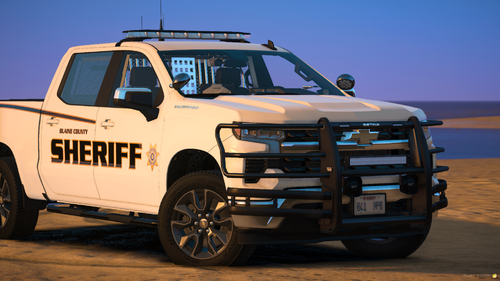 How many of the vehicles have LODs?
 The current version works fine on the latest game patch. The recent update did not change gameconfig.xml or any game files, so no update is required.
 The crash occurs if you do run in compatibility mode. If you haven't specifically, deliberately set GTA to run in compat mode then it likely isn't.
- 334 comments
- 15 reviews
Support requests must be posted in this thread. You may need to update RageNativeUI: https://github.com/alexguirre/RAGENativeUI/releases If that doesn't fix the issue, please post the ragepluginhook.log file from your GTA folder. Do you have any other mods installed which might also include a heli cam functionality which could be conflicting with this? Please also upload your log file. When you start up RagePluginHook, press Shift or click on the gear button to open the settings. Change the plugin timeout setting to 60000. Ensure you've installed the latest version of LML for the most recent game update. If it's still not working, please fill out the full support template from the first page of this thread. Hmm, this is an interesting one. Did you get a version of LML that works with your game version? Can you upload your log please? Why does VR not work with the latest versions of GTA and LSPDFR?That functionality and those vehicles are built into Coastal Callouts. Spawn a truck that supports towing and you can spawn a boat onto it using the Coastal menu, or spawn a boat trailer and you can back it into the water and just drive a boat right up onto it.
It doesn't need an update, it works fine in the latest version of single player- 334 comments
- 15 reviews
-
-
- 2
-
For those experiencing crashes, note that it does crash if you run the game in compatibility mode. Some people have been doing this since the last update because of a bug in ENB which requires it to be run in compatibility mode. However, that is a problem with ENB, not with SSLA. Run your game normally and SSLA should work.- 334 comments
- 15 reviews
-
-
-

-

- 6
-
 Likely issues: You need to install a newer version of RageNativeUI (check here: https://github.com/alexguirre/RAGENativeUI/releases) You need to install a gameconfig.xml (for example: https://www.lcpdfr.com/downloads/gta5mods/misc/24718-gameconfigxml-for-lml-or-manual-install-by-rde-team/) You need to install Heap Adjuster: https://www.gta5-mods.com/tools/heapadjuster
- 299 comments
- 25 reviews
-
-
- 1
-
It has come to my attention that the recent GTA update is causing issues with the replacement map collisions at the port authority office. I suspect that may be related, as you mention having issues with openinteriors which may be causing the map to load the problematic file. Please try the following: In GTA V/lspdfr/lspdfr.ini, set Main.DisableMultiplayerMap = true. Remove any ASI (such as openinteriors) which may be forcing the MP map to load. Confirm if you are able to load the game and load LSPDFR. If #1 fixes it temporarily, go to LML/Coastal Callouts/stream/maps_replace and delete hei_po1_01_0.ybn and hi@hei_po1_01_5.ybn. Then try changing the INI setting above back to false, and load the game. See if you are able to load without crashing. I will investigate the issue with this file, but I won't have time to get a full fix in place for at least another week. In the meantime, if anyone else is having issues with collisions on that part of the map, please leave a comment and try removing the files mentioned above or run without MP maps. If you mean you don't want to load the coastal callouts plugin at all, you can simply move CoastalCallouts.dll out of your Plugins/LSPDFR folder. If you want to have the script functionality from Coastal Callouts but not receive the actual callouts themselves, you can open the Coastal Callouts menu and uncheck all of the options under the callouts menu.Do you both have the Weapon Limit Adjuster installed?

