

9Lincoln20
Members
-
Joined
-
Last visited
Everything posted by 9Lincoln20
-
 I have a problem with this script. The script worked fine until yesterday when my computer did a windows 10 update. Since the update I have received the following 2 error messages: 1. Whilst loading at the Rage screen an error message says "Blocking plugin ClearTheWayV because it has crashed the game". 2. Once in game I try to load ClearTheWayV via the Rage console. Upon loading an error message displays "ClearTheWayV has crashed". In an attempt to fix I have changed my Rage settings in the ini to the following: PluginTimeoutThreshold=60000 Still no luck. Attached is a copy of my rage log file. Any help would be appreciated. RagePluginHook.log
- 530 comments
- 42 reviews
The dangers of running emergency code response with GTA V AI at intersections.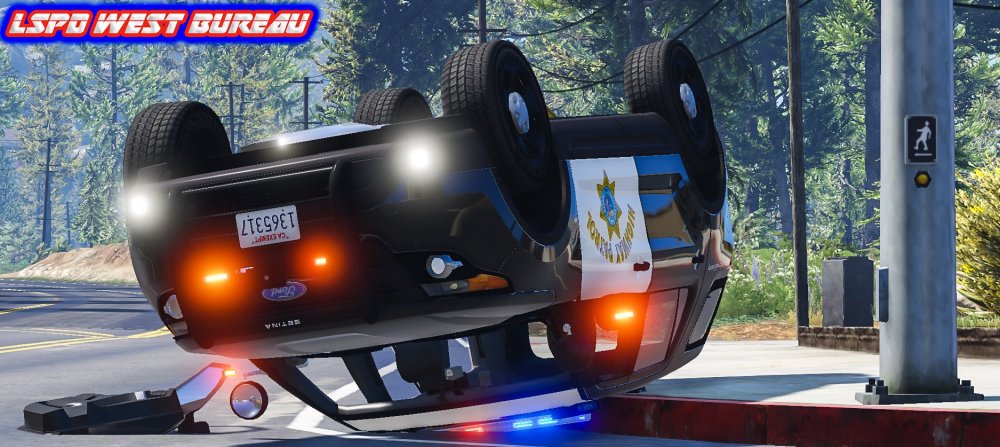
 Your welcome and happy to help. I use mobile radio all the time for my scanner.
- 12 comments
- 5 reviews
Go into your trainer and select the options section. Options is top of my list in my trainer. Down the list you will see mobile radio. Enable that and the police scanner will play all the time in and out of the car. hope this helps.- 12 comments
- 5 reviews
Account
Navigation
Search
Configure browser push notifications
Chrome (Android)
- Tap the lock icon next to the address bar.
- Tap Permissions → Notifications.
- Adjust your preference.
Chrome (Desktop)
- Click the padlock icon in the address bar.
- Select Site settings.
- Find Notifications and adjust your preference.
Safari (iOS 16.4+)
- Ensure the site is installed via Add to Home Screen.
- Open Settings App → Notifications.
- Find your app name and adjust your preference.
Safari (macOS)
- Go to Safari → Preferences.
- Click the Websites tab.
- Select Notifications in the sidebar.
- Find this website and adjust your preference.
Edge (Android)
- Tap the lock icon next to the address bar.
- Tap Permissions.
- Find Notifications and adjust your preference.
Edge (Desktop)
- Click the padlock icon in the address bar.
- Click Permissions for this site.
- Find Notifications and adjust your preference.
Firefox (Android)
- Go to Settings → Site permissions.
- Tap Notifications.
- Find this site in the list and adjust your preference.
Firefox (Desktop)
- Open Firefox Settings.
- Search for Notifications.
- Find this site in the list and adjust your preference.