


HP Deskjet
Members
-
Joined
-
Last visited
Everything posted by HP Deskjet
-
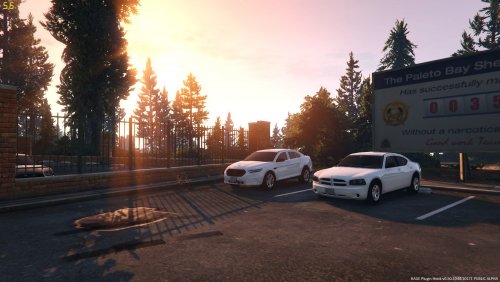 @Swagon24 Thanks man, I appreciate it. Yeah, the grille lights will have to be adjusted when I update the pack, because I just realized they're on the bueno lights, which runs off of one texture... I'll adjust that when I release the Charger. As for the strobes, I have no idea why I have strobes to be honest, lol. I think it's something with my ELS config. Mess around with it a bit. Also, thanks for helping thegreatpop.
- 47 comments
- 5 reviews
-
-

- 1
-
-
-
Hi. Saw a vehicle like this where I lived. Got bored. Based this off of it. The pack currently includes : 2016 FPIS 2013 Impala 2009 Charger I know most people don't like New York's Red/Whites so I have taken the liberty of adding a Red+Blue version... Swaying antenna Roof antennas are under extra_12 Yes, eventually I'll release the charger in the photo as well, it's broken at the moment. Videos are always fun. Just a showcase of the lights. Will re-do when I have the FPIU completed.
- 47 comments
- 5 reviews
-
-
- 12
-
-
-
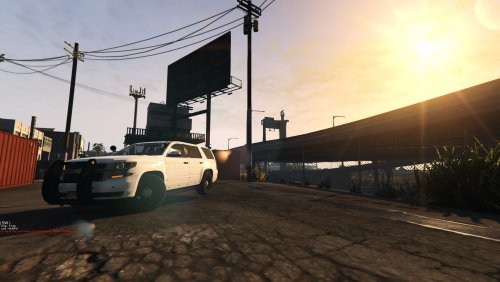 Looks like I'll update it a little then. Also, it is ELS compatible. @nic227 - Thanks man! :) I agree, vertex's aren't seen too much which is why I made my own. But hopefully, with the release of a few vertex dev models, people will use them more.
- 12 comments
- 3 reviews
-
@Luckyx49 Ohhhhhh, I know. I was using christmas tree for "lack of a better word", but on my computer the folder for it that I export with Zmodeler is named "15 Cluster fuck mobile"... http://prntscr.com/e0omm6
- 12 comments
- 3 reviews
-
It's Christmas... A Tree of lights.... I originally made it for myself because it was a hell of alot of lights.... That's it. But now I guess I'm putting it here for all of you to download. Literally... A christmas tree. Current Bugs I am aware of (If you find any, please report them): - None Extra Parts: Extra_ten - Rambar Extra_11 - Automatic License Plate Readers Extra_12 - Set of Antenna's Yes, the spotlight is fully functional. If I missed anyone in the credits, please tell me and I will adjust the credits accordingly. Installation : extract the .ZIP file somewhere on your computer then open OPENIV. Find the "Open Package Installer" tab in OPENIV, click it. Navigate to where you extracted the ZIP file and double click it / run it. The pack should now install. Any questions, please PM me. The installation of this modification package DOES NOT replace existing vehicles, it adds the vehicles below : After installing this pack, you spawn the vehicles by pressing your Rage plugin console key (F3 by default, I believe?) and type "spawn" followed by the vehicle name, so you would type; "spawn 15hoe" This is an LCPDFR exclusive, so please don't re-upload this without permission, thank you <3. Enjoy. Click to view GIF's http://imgur.com/a/UdMwq Is your game crashing after installing this pack? Update your GTA5 GameConfig with this file : https://www.gta5-mods.com/misc/gta-5-gameconfig-300-cars Video of it before it became a cluster-bile.
- 12 comments
- 3 reviews
-
-
- 2
-
-
 This is an excellent plugin that has alot of potential. At the moment, its a very basic, general "trainer" if you will. I currently use this for my base vehicles. What I would like to see is an option to possibly add vehicles into the .ini file so that you can use the menu to spawn custom vehicles. As for everything else, I actually use this script to setup all my basic policing needs. Excellent script! Again, I would like to see improvements, to where a trainer may not even be needed, but that is only a want, not a need. Where it stands is not bad at all. 5/5
 -
They work normally for me. Should work normally for you, man.
-
From the album: Unknown's Bakery
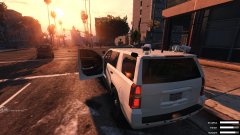
Front of the unmarked cookie. -
From the album: Unknown's Bakery
Unmarked Cookie. -
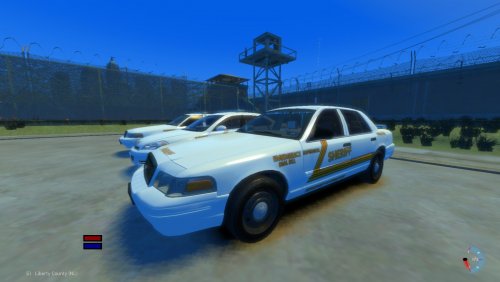 Good Evenin' ladies & gentleman. This was originally a set of vehicles used in a community, but since the community has been dispersed, I am releasing these, as they are my creations. Based entirely around the Department of Corrections division, these vehicles patrol the zone we designated as Alderney DOC's jurisdiction, hence the DOC / Department of Corrections on the vehicles. Current features : Extra 10 available on all vehicles emerg5 - Antennas emerg6 - Antennas emerg7 - Antennas+ALPR's If I missed anyone in the credits, please tell me and I will adjust the credits accordingly. Current Vehicle Slots: EMERG5 - 2008 Ford Crown Victoria - Whelen Legacy EMERG6 - 2010 Chevrolet Impala -Whelen Legacy EMERG7 - 2008 Ford Crown Victoria2008 Ford Crown Victoria - Slicktop This is an LCPDFR exclusive, so please don't re-upload this without permission, thank you <3. Have fun and stay safe.
 -
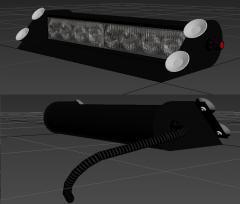 Looks promising! Keep up the good work, man. Love the wire addition... Gives it a realistic feel.
 -
From the album: New York State Police Cavalry
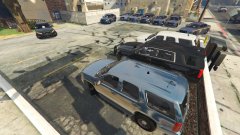
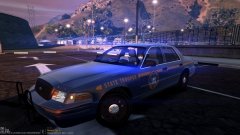
Vehicles shown in screenshots : 1G15 - 2011 Crown Victoria Police Interceptor w/ Whelen Liberty 1G72 - 2015 Dodge Charger Police Pursuit Vehicle Slicktop 2G64 - 2012 Ford Taurus Police Interceptor w/ Whelen Liberty 2G65 - 2013 Dodge Charger Slicktop 2H98 - 2015 Tahoe CITE 3G43 - 2013 Dodge Charger w/ Whelen Liberty 3T14 - 2015 Dodge Charger Police Pursuit Vehicle w/ Whelen Liberty G111 - 2012 Ford Taurus Police Interceptor Slicktop CITET - 2013 Chevrolet Tahoe Unmarked CITE - T200-T202 CITEG - 2013 Chevrolet Tahoe Unmarked CITE - G200-G202 EVOC21 - 2012 Ford Taurus Police Interceptor Unmarked -
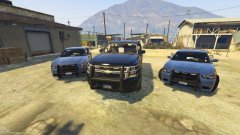
From the album: New York State Police Cavalry
-
Well, honestly, GTAIV to GTAV shouldn't be that hard. Converting a light takes maybe 10 minutes, so the way I see it, converting a vehicle shouldn't be that bad. Plus ELS is already set on it. No need to toy around with the extras to get the right light setup. I could help you if you'd like. Have you used Zmod3 at all?
-
You want to convert the vehicles from GTAIV to GTAV? Or re-make them?
-
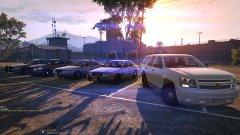
From the album: New York State Police Cavalry
-
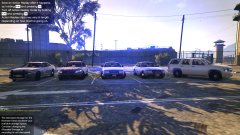
From the album: New York State Police Cavalry
2x 2011 CVPI's, 2012 Taurus, 2013 Tahoe and 2015 Charger. -
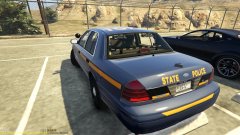
From the album: New York State Police Cavalry
Rear end of '1G72 -
From the album: New York State Police Cavalry
-
Yes, the rank will show up on the uniform texture.
-
No, as far as I know, you have to edit the texture directly.
-
I highly suggest this radar mod. This mod does so much and works so well, I will always be a user of this script.
-
When you export it, it will supply you with an export error in Zmodeler. What does that say?


