


HP Deskjet
Members
-
Joined
-
Last visited
Everything posted by HP Deskjet
-
Exactly. you can use texture editing programs like GIMP, Paint.Net, photoshop, etc... GIMP : https://git.gnome.org/browse/gimp/ Paint.Net : http://www.getpaint.net/index.html Photoshop : http://www.adobe.com/products/photoshop.html?sdid=KKQIN&mv=search&s_kwcid=AL!3085!3!111672144978!e!!g!!adobe photoshop&ef_id=VSRmXQAABLcGmQzA:20161226003721:s
-
You're going to have to be able to find the ped you want to edit within OpenIV. Once you find it, open up the ped.ytd and export the uniforms you want to edit. From there you'd use a program such a Photoshop to edit the textures, save it as something else (to save the old and new). Then from there, just go back to OpenIV, click replace, and find the texture you edited. Test it out in-game.
-
For some reason, the ELS lights are very dim on my vehicle. I'm not sure why. I have Radiance V in and all other ELS vehicles are nice and bright, except this tahoe... Here are some photos.
-
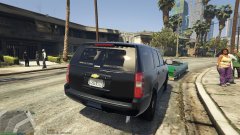
From the album: New York State Police Cavalry
-
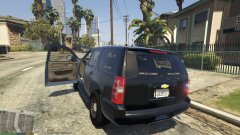
From the album: New York State Police Cavalry
-
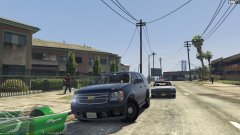
From the album: New York State Police Cavalry
NYSP Cite Tahoe Front - 2 -
Here's a video preview of the issue...
-
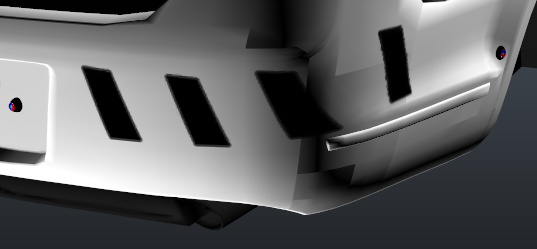
Yes, the materials assigned are 'black.png' to the vertex, and 'vertexlight.png' to the where the unlit light would be lying. I've been trying to figure this out since I posted this and haven't been able to... Quite a frustrating issue. I've even tried re-making the model with no result.
-
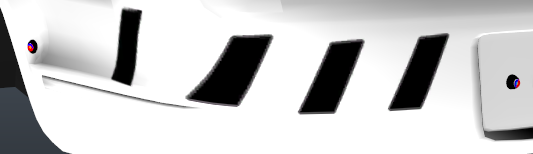
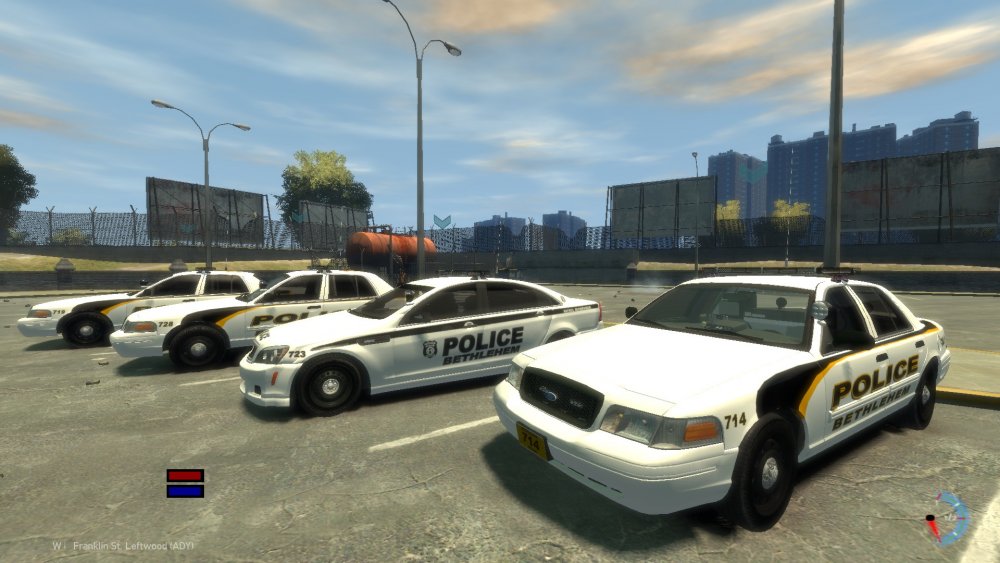
Hello everyone. I have a question regarding models. I created a vertex for a vehicle, with two textures, both applied to the model (vertex). The vertex shows up in OpenIV, but when I spawn the vehicles in GTA, they don't show up on the vehicle... There are 6 vertex's on the vehicle's (yes 2) and I don't quite understand why they don't show up... I have supplied a few photos. The picture showing the four vehicles. The caprice is supposed to have one visible vertex which is located in front of the wheel well... Any help would be greatly, GREATLY appreciated. Where the Vertex's are located. The Vehicles.... (The caprice)

-
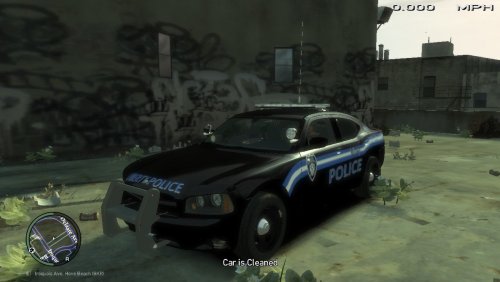 This pack is completely fictional, however, the Light setups are based entirely off of NYSP style. I like how they light up the entire back end, but when you pass them, the front is completely dead. Like a TA, but the whole back is lit-up. I like the CHP rear setup, and the NYSP front setups so this is a combination of those two, so to speak. I apologize in advance for no grill or mirror lights. I'm new to modding and have no idea how to make them work (if you look in OPENIV you can see them placed in the grill, but in game they don't actually work) Please keep in mind that this is my first pack. It has taken me roughly two weeks to create these vehicles and get everything the way I want it, even though some things are broken (Grill / rambar lights). Also, I work with mods I can find. So I only have a few rambars, etc, etc... So as for replacing the rambars, that's a no-go. Sorry. This is an Alpha 1.0.0 because I'll be editing these often, adding cars to the pack, etc, etc... Thank you for downloading and have a good day! (Criticism is necessary)
 -
Stuffz i werkn on




