


IndianaJoe
Members
-
Joined
-
Last visited
Everything posted by IndianaJoe
-
There's a couple of old plugins in the downloads that are known to kill FPS. I think either Entity Persistence or Keep Calm will do that, and some others; they're just poorly coded. Try adding things in one or two at a time to figure out what's causing it.
-
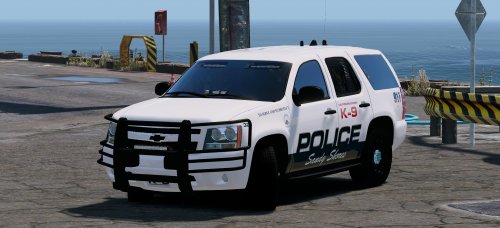 It's so great to have you back Gump. Once you get the charger out you gotta promise me you'll start looking into environmental lighting though.
- 41 comments
- 18 reviews
-
 You're the best Good luck with the new schedule man, the money will be worth it.
- 157 comments
- 28 reviews
-
Hurk I'm sad that you haven't adjusted your lighting systems to use environmental lighting. The quality is too awesome; shame I'll only be able to use it in daytime patrols. Make sure there's a model name in: <audioNameHash /> in the vehichles.meta entry. So it should look like this: <audioNameHash>POLICE3</audioNameHash> That will give it the same engine sounds and siren as Police3. You can substitute any model here.
- 157 comments
- 28 reviews
-
The processor is the "brain," the main engine, and the main source of lag if you're running a lot of plugins. GTA V is a processor-intensive game because there's a lot of artificial intelligence scripts that keep the city running. RAM will help load things faster. If RAM was your problem, your game would be crashing and you'd be getting "low memory" messages, and the game would be really really slow to start up. It could potentially cause lag, but I would not upgrade from 8 GB of RAM until everything else has been upgraded. The graphics card is what allows you to turn up the visual settings of the game. If you have lag that can be alleviated by turning down shaders, texture details, and other graphics settings, then you know that is your bottleneck. The GTX 970 is more than capable of handling a 2013 game like GTA V at high settings. Looking at your specs: You've got an Intel "-P" processor. The P at the end means there was a defect in part of it, so the integrated graphics is disabled and the processor runs at a slowed down speed (the Gigahertz, or GHz, tells you literally how fast it can process things. Other things factor into this too). Intel sells them as budget options so you can get a computer for cheaper than normal. I think this is the bottleneck. If you swap it out for an i7 that can push up to 4.0 GHz, I think you'll see the greatest improvement out of anything. Make sure you get an i7 in the 3000 series so that it will fit into the same socket as your i5, otherwise you'll have to buy a whole new motherboard too. An Intel Core i7 3770 goes for about $300, but you might be able to find one cheaper now that it's kind of old. As for a Solid State Drive, they are very nice in that they make everything load faster. The games load faster, the computer is ten times quicker to start up and shut down. But they don't improve your FPS; it's RAM that loads things on-the-fly in a video game. Fast and slow memory; two different things. Anyway, the point is it's more of a luxury item.
-
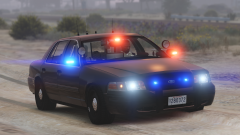 HE DID IT HE DID IT HE DID THE THING. It's perfect. Not sure if you already had it in the works but it's straight outta the Spokane pack comment section. Thank you.
 -
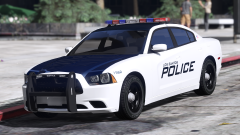 That fucking dash tho. Also I completely support your decision to not make a CVPI. But...only if you go back and add one like we're talking about in the comment section of your BCSO pack.
 -
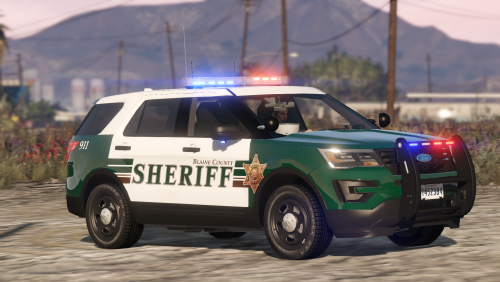 Do want. Too many CVPI's with Inner Edges, not enough with Whelen Avengers. Perhaps after this "next project" he's got. He did a sick job, you should ask if you can put it in the download package in return for a shout-out. I mean it's just a bunch of numbers but it does take some annoying trial-and-error to get a sirensetting properly working.
- 77 comments
- 32 reviews
-
Try disassembling everything, dusting it all off, and putting it back together. Run it a few times over the course of a day and see if it persists.
-
I believe that <gamename> in vehicles.meta must be a Rockstar vehicle name, such as POLICE, POLICE2, or POLICE3.
-
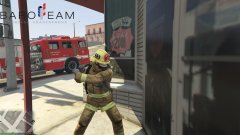 Very few comments on this album but I want to say the whole thing looks fantastic and I look forward to its release. Will go great with Better EMS.
 -
Delete Update.rpf from Grand Theft Auto V --> Update. Run the game without a plugins or mods folder and let it update. It should download a new update.rpf file and hopefully fix any problems with the visual settings.
-
That Whelen Edge is pure sex.
-
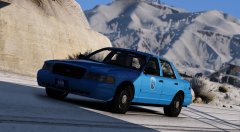 Remember to never argue with an idiot. He'll drag you down to his level and beat you with experience. Cars look great!
 -
Alright, this, finally, was my original post. You can find more info here: You can change any car to work in any slot. 1. Change the name of the vehicle files: police.yft ----> police3.yft police.ytd ----> police3.ytd police_hi.yft ----> police3_hi.yft 2. In OpenIV, export your Vehicles.meta file from (mods folder) Update -> Update.rpf -> Common -> Data -> Levels -> gta5 -To edit it, Notepad++ is a great free program. -Find the vehicles.meta entry for the original model the car was named after (in the example above, this would be police). -Copy the entire entry (from <Item> to </Item>) and paste it above the top entry -Change the model and texture names of the vehicle to police3: <modelName>police</modelName> <txdName>police</txdName> <modelName>police3</modelName> <txdName>police3</txdName> -Now find the old vehicles.meta entry for police3 and delete the entire thing. -Save and replace your Vehicles.meta in OpenIV. 3. Do the same thing for the Carvariations.meta. -There are many different carvariations files, I use the one in (mods folder) Update -> x64 -> dlcpacks -> mpvalentines2 -> dlc.rpf ->common -> data -Export with OpenIV and edit with Notepad++ -Copy the carvariations entry (from <Item> to </Item>) for any vehicle. They're all formatted the same, it just decides what colors the car spawns with. -Change the <modelName>police</modelName> to <modelName>police3</modelName> -Near the end, change the <sirensettings value ="1" />. The vast majority of custom cars use the value 1. -If they use a special sirensettings value, it's usually in the description, or a custom carvariations entry is provided. Make sure you've replaced your edited vehicles.meta and carvariations.meta files in OpenIV. The car model files can go in one of the DLC patches: (Mods folder) Update -> x64 -> dlcpacks -> patchday11ng -> dlc.rpf -> x64 -> levels -> gta5 -> vehicles.rpf *as new dlc patches come out, cars can be placed in the latest dlc pack; i.e. patchday12ng or anything lower on the alphabetical list. Putting your cars in the latest dlc pack just ensures that they will overwrite any previous files, such as those in x64e.rpf or any other dlc packs. Even though there are no police3 model files in patchday11ng's vehicles.rpf file, your models will overwrite police3 because the game loads this dlc pack after any other files. Hence it's a good idea to just load up your cars into the lowest dlcpack in the list found in (Update -> x64 -> dlcpacks). As long as you don't mess up the meta files when you edit them, you can change any car to any slot using this process. The key point to remember is to copy the vehicles.meta entry of the car slot it was originally built for (police), and change the model/texture names to the slot you want to put it in (police3), and overwrite the intended slot's entry (police3). Same for carvariations, except you can use any entry and edit it as described above. This method works for adding new vehicle slots as well. Simply follow the steps above, except anywhere you would put police3, put a custom name like dodgecharger instead. As long as you have 1. a vehicles.meta entry 2. a carvariations.meta entry and 3. vehicle model files (yft and ytd's), all with the same matching names, you can add cars to your game without overwriting slots. This process seems a little long written out but once you get the hang of it it's not so bad.
-
And this.
-
This can also be deleted.
-
I went to make a long post and it seems to have posted itself about 20 times. This can be deleted.
-
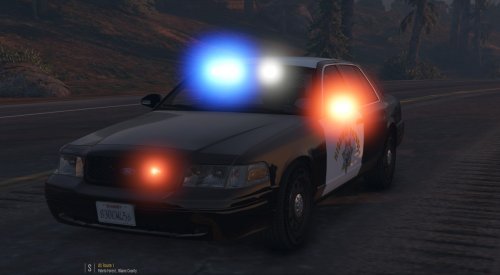 The lack of red/blue environmental lighting makes me sad, but the model is flawless and it's a really cool unique lighting setup. I'd love to see a rambar too but it's 5 stars as-is. Hope to see more GTA V mods from ya!
- 24 comments
- 4 reviews
-
-

- 2
-
-
 So I'm having an issue where any other add-on cars cause a crash after installing this pack. I'm still on GTA V version 791 and I know this pack was compiled for the 877 patch. Is there anything in the installer that could mess up my game's ability to load add-on cars from other DLC packs?
- 779 comments
- 187 reviews
-
O CAPTAIN MY CAPTAIN This is epic. Now all you need to do is fix the chargers in your sheriff pack and we're golden. 5 damn stars. Keep 'em coming.
- 779 comments
- 187 reviews
-
.thumb.jpg.30de2cdd6bdce371d029c527c67ad196.jpg) PNWParksFan's Custom Backup mod will allow you to specify extras in the XML file (the readme tells you how). So, any cars that you call through the LSPDFR backup menu will have a light bar or whatever you want. However, any cars that spawn naturally in GTA (i.e. outside the police station, in an ambient pursuit) will have the same default model configuration, which cannot be edited except by the car creator.
PNWParksFan's Custom Backup mod will allow you to specify extras in the XML file (the readme tells you how). So, any cars that you call through the LSPDFR backup menu will have a light bar or whatever you want. However, any cars that spawn naturally in GTA (i.e. outside the police station, in an ambient pursuit) will have the same default model configuration, which cannot be edited except by the car creator.- 101 comments
- 33 reviews
-
-
- 1
-
-
Obviously you must have activated....
-
I'm loving the leg holsters in 7.4 @Alex_Ashfold. What do you think of a PIA-style carrier vest with radio and equipment on it, that removes the need for a utility belt completely? Anyone else interested in such a concept?
-
Hai guize I'm n3w how do i install plz reply thx **1/5 Stars**
.thumb.jpg.30de2cdd6bdce371d029c527c67ad196.jpg)