DeathTag
Members
-
Joined
-
Last visited
Everything posted by DeathTag
-
Hey guys, is there a way that i can get my code 3 backup to use the turret on a vehicle instead of just getting out? I'm using ultimate backup and have tried the following: <Vehicle pax="3" chance="100" weapon="VEHICLE_WEAPON_TURRET_CAL50">cougar4</Vehicle> --- <LongGuns>Ultimate Backup <LongGun chance="100">VEHICLE_WEAPON_TURRET_CAL50</LongGun> <LongGun chance="100" comp_1="COMPONENT_AT_AR_FLSH" comp_2="COMPONENT_AT_SCOPE_MEDIUM">WEAPON_CARBINERIFLE</LongGun> </LongGuns> They use the turret just fine during pursuits.
-
-
 Awesome i managed to get it to work! They only shoot one bullet from their carbines though, was wondering if it would be possible to make them shoot it in full auto or something like that, because atm they only shoot once and then aim in and shoot once etc etc
- 378 comments
- 23 reviews
-
-
I can't seem to find anything related to Weapons under local air =O Only thing i see related to local air is:
- 378 comments
- 23 reviews
-
Awesome mod! Will it be possible to choose weapons for local air units? Having a swat team with carbines on the side of the helicopter as an example.
- 378 comments
- 23 reviews
-
You guys did a great job as always! Quick question, will it be possible to add/remove/edit backup npc's weapons?
-
-
 Thanks for the fast replies! Sadly the mod still doesn't work (Game crashes on loading screen but i know that's due to the dlclist.xml) I'll have try to retype the dlclist.xml lines again and mess around with it to get it to work, thanks for all of your help so far!
- 1,524 comments
- 85 reviews
-
-

- 1
-
-
Sadly the error with the auto-installer still persists :( I have attached a screenshot of the error, hope you guys figure it out!
- 1,524 comments
- 85 reviews
-
Downloading it right now! In the previous version whenever i'd try to use the automatic installer in OpenIV it would just cause it to crash :/ I tried updating/reinstalling OpenIV however i got the same issue. Will this new patch fix the issue or will i have to manually install it again? Keep up the great work!
- 1,524 comments
- 85 reviews
-
Are you using Simple Trainer? Could you also give more detail about the error that you're getting? Like i said also make sure your typing the npc name like this '' s_m_m_noose_01 '' Without the quotation marks ( " " ) If you don't have Simple Trainer and would like to download it then you can click here to download it. If you have more questions please feel free to ask, and i'll try my best to help! :D
- 1,524 comments
- 85 reviews
-
Absolutely amazing! You don't have to play as a criminal in order to enjoy this mod, just having the mod downloaded adds a variety of law enforcement in the streets which just makes everything better. It also adds more immersion due to the different types of units such as highway patrol, different types of swat units new vehicle models and all that good shtuff :3 Would definitely recommend to everyone.
- 1,524 comments
- 85 reviews
-
-
- 2
-
-
If you're using 'Simple Trainer' then you could navigate to model spawning --> Spawn ped by model name and type the model name for instance border patrol would be ''s_m_m_noose_01'' as dilapidated has stated. You'll have to type that whole name like that in that format. To get the full list you'll have to navigate to the rde dlc pack and then navigate your way to the models and you could spawn any model you would like. The path to view all npc models are update/x64/dlcpacks/rde/dlc.rpf/x64/models/cdimages/rde_componentpeds.rpf has the main ones i think however you could try the other 2 out and see what you like from the models will contain the model names just make sure you don't type in .ytd or .yft and such when typing it in the spawn ped by model name part! Another example would be the SAHP Swat. So i'd type in s_m_y_sahpswat_01 and it will turn my character into that npc model :) ------------------ Spawning vehicles from rde: update/x64/dlcpacks/rde/dlc.rpf/x64/levels/gta5/vehicles/rdevehicles.rpf Here you should find all the new vehicles that are added that you could spawn. To spawn them you'd have to press F4 and open up the rage console and then type spawn xxxxx, where the x's are the vehicle's name. For instance i wanted to spawn police5 which doesn't usually exist in the game so i would press F4 then type in "Spawn police5" (without the " ") and then press enter.For some reason however it doesn't show the vehicle names in the suggested list so you'll have to type the full vehicle name like so and then press enter to spawn it. If you still need any help or if something doesn't make sense please let me know as this was slightly rushed :P
- 1,524 comments
- 85 reviews
-
-
- 2
-
-
Hey man it's me again! Was just wondering if it's possible if i could use a preset visualsettings.dat along with this mod. I had mine installed but once i installed the mod they don't seem to work. I used the Radiance LED brightener/enhancer thing if that helps :/. Also looks like adding another line into the vehicle.meta doesn't seem to work. I added the code manually for the blackhawk annihiliator with liveries however i can't change the liveries. The model shows up ingame after i modified it in the rde dlc.rpf however the vehicle.meta in the rde dlc.rpf alterations don't seem to show up! Is that normal? Apologies for the excess questions >.< EDIT: nvm figured it out by trial and error xD The mod overall is amazing though and everything works perfectly was just checking up on these 2 things :D
- 1,524 comments
- 85 reviews
-
 That's really cool, downloading it right now. Thanks soo much for the help man! :DD
- 21 comments
- 2 reviews
-
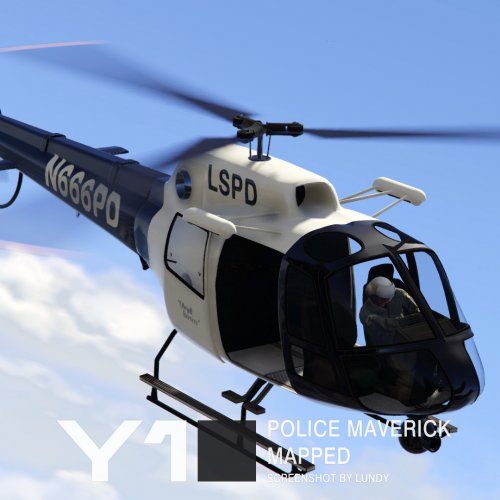
Oh that's amazing, i'll go check that out! So i'll have different helicopters to spawn each with it's own unique livery?
- 21 comments
- 2 reviews
-
Oh... I thought you could have 4 liveries to choose from :/ Like we could switch between the 4 liveries hah..ah..aha... *sniffs* So we can only have 2 liveries and if we wanted to we had to switch the prexisting ones? lspd/ambulance
- 21 comments
- 2 reviews
-
-
And then where should i place the skins? I placed the the files in the vehicle.rpf of patchday8ng, and then where should i place the additional skins? Standard and high resolution textures. Do i add them to the polmav.ytd and the normal preset names e,g LSSD and SAHP or change them to polmav_sign_1 and polmav_sign_3 etc? And should i add anything to the polmav+hi.ytd since it's empty? Thanks for the fast reply btw! :3
- 21 comments
- 2 reviews
-
I installed the vehicle files normally however when i try to add the skins into the .ytd they don't show up ingame :/ I also tried changing the names of the skins to polmav_sign_2 and polmav_sign_3 and that doesn't work. Can anyone help me out with installing the skins and where i should place them and if changing their names in .ytd would be necessary or not? Also the polmav+hi.ytd is empty, is that normal? Thanks in advance!
- 21 comments
- 2 reviews
-
-
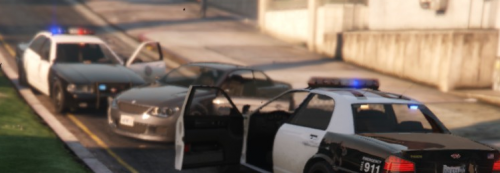 Loving the idea, however i have 2 questions. 1, After the last update the spawned cops don't seem to move at all even after turning all the options in the trainer to ignore player and police don't dispatch and stuff like that off. Is there anyways i can fix that? (Oh also the blips don't seem to disappear after the call has ended) 2, Police aren't dispatched in ALL my calls, however they were dispatched in some. Wondering if that's normal or not. Great plugin nonetheless, just wanted someone to clear that up for me :P
- 108 comments
- 16 reviews
-
 Will it be possible to add the new bulletproof vests from the new patch? They are found if your a bodyguard and the vip you work for chooses a specific outfit which i don't know the name of right now. I think they look amazing and will suit the whole law enforcement theme xD
- 2,349 comments
- 238 reviews
-