
LoneWolfSpecter
Members
-
Joined
-
Last visited
Everything posted by LoneWolfSpecter
-
What I use: EarForce PX21 Fraps Full Version (I had to pirate it because Xfire was shite + at the time my pockets were empty) ((Pirating is bad mmmmkay!)) Windows Movie Maker
-
I prefer low poly cars with texture interior. I cant stand the cars with every single part of the inside modeled like the buttons on the console, bulbs on the lights, seatbelts, cups, hats, donuts, dashboard, mic, etc. I find it useless since we cant really do anything with it. Its just for eye candy and takes up file size. I like the Driver SF cars a lot because its very frame rate friendly, I get no lag and no texture loss, and it doesn't crash my game like schaefft's CVPI that everyone loves using. Just my opinion on what I like. sadly, no one makes this type of cars. The only person that makes decent low poly cars is GFXLE over at GPM.
-
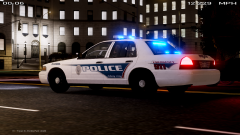 This is the car - The skin is a WIP
 -
From the album: KP's Random Screenshots
Rusty Browns Ring Donuts is having a midnight sale???!!!!!!!! Shite! Gotta get there fast Before they're all out of those deliciously creamy filled, sticky, mouth watering donuts! -
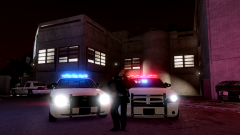 The models are in the link I provided above your post. The ped model is this one
 -
Those cars can be found right here on lcpdfr but since I cant see the Top Modders section so I can find the modders who made it and I dont feel like going through countless pages of car mods then I'll link you to this.They are the same cars but on a different site hosted by Cj24 I think: CVPI - http://www.gta-modding-chest.com/database/116-2010-florida-highway-patrol-ford-crown-victoria-els-v-5-4-pr/index.html Charger - http://www.gta-modding-chest.com/database/3-dodge-charger-florida-highway-patrol-els/index.html
-
From the album: KP's Random Screenshots
Officer Charlotte dances in front of some patrol cars with lit up Javelin lightbars -
Lets see... Futurama is cancelled, Southland is cancelled.... whats next, The Walking dead cancelled too?? GTAV being pushed back another 4-5 months??? I really hope another network pics up the show, dust it off and makes a new season with unexpected results. Just a couple of weeks ago I sat down and watched every season beginning to end and was looking forward to the next one. Now I guess that might not even happen. I know shows screw up on a season but end up being epic on the next season. I've seen it happen before with shows, movies, games and such.
-
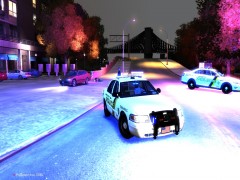 That is by far the best description I had ever read. It felt like I was reading a report or a news coverage lol. Thanks for using my skins too. +1
 -
This thread sounds like people having an orgasm every time a new pictures come out lol. I think Rockstar is teasing us Law Enforcement enthusiasts with all this pictures with cop cars. I'm more interested to see more trailers or maybe a leak of that gameplay demo some gaming news companies played at R* headquarters. Reading up on the demo news, I want to see what they got to see, not some screenies. Don't get me wrong, They look fantastic but I'm not satisfied with screenshots. According to the news updates there are 3 counties, the map is 3x bigger than RDR, there are wildlife animals, you can switch characters instantly, the map is already unlocked, more cars than GTAIV (possibly IV & DLC's combined), there are underwater stuff to explore like sunken ships and maybe easter eggs and treasure, and a lot more goodies for us gamers. All I know is once I get the game, the first thing I'm going to do is exactly what I did in RDR...... go hunting. Then when I'm done i'm exploring the whole map and beyond the depths of the ocean. Forget doing the story line. I got plenty of time for that. I'd rather have fun first then beat the game later! By now I ran out of money to throw at the screen so I'm just tossing pocket change every time new stuff come out.
-
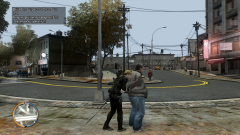
From the album: KP's Random Screenshots
I arrested this guy for verbally sexual harassing a female cop. I was on a traffic stop and this guy yells out that he wants to see my ass and stands there like a duck patiently waiting for me to finish my traffic stop. So after I was done I offered him a sweet deal. If he lets me put my kinky handcuffs on him, I will take him to a special hotel where he can have all the "mates" he can possibly have. He agreed to the deal without any hesitation. One little advice I gave him.... Always drop the soap. It will let his "mates" know that he is ready to see some ass. -
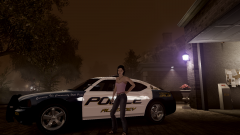 The Charger is the Alderney/Alaska State Trooper 2010 Dodge Charger by GFXLE the ped model is F_Y_SOCIALITE
 -
From the album: KP's Random Screenshots
The Sergeant's daughter, who appears in an Anna Rex clothing ad, poses in front of the Sergeants brand new work & take home car. -
lol Did anyone read the comments after clicking the link. I couldn't stop laughing at the ridiculous comments people wrote. I remember when MTV was a music channel. Now it seems like anyone could become a BS reality star.... or a mom. I cant remember the last time I actually sat down longer than an hour to watch some programs. Just two weeks ago I turned in my Cable box because I never use it. maybe like once in a while to watch like a small show but that is it. After that is off with the tv and not touch the tv unless some serious stuff happen and I want to be updated by the media.
-
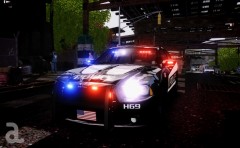 Oh boy.. More Cj24 cars to play with! This looks amazing. Love all your models man. Especially the OHP one. now this one will be coming out and just by looking at it I know I'll be using it non stop.
 -
![[REL] 2010 Liberty City State Highway Patrol Slicktop Dodge Charger](//s3-gallery.int-cdn.lcpdfrusercontent.com/gallery/album_628/sml_gallery_2982_628_163088.jpg) For a second there I thought this was an AST slicktop charger when I saw the thumbnail. Very nice car, I will definitely will be using this. Great work!
For a second there I thought this was an AST slicktop charger when I saw the thumbnail. Very nice car, I will definitely will be using this. Great work! -
Everyone so worried about the police skins. I like the new design, It makes the game unique and different and fits with the story theme IMO. If you guys forgot, San Andreas cars didn't have LA, SF or LV liveries neither. The cars look amazing. I like the new upgrade they did to the cars from the first trailer and screenshots to this cars. I saw somewhere in there where the cop is chasing franklin down the alley a lit up PD car with grill lights, mirror lights and a lightbar. Also the police peds seem to bring different uniform variations like Spitfire's realistic LAPD uniforms. Short sleeve, long sleves. Rockstar did great IMO. It kind of reminds me of Saints Row The Third police cars for some weird reason (if anyone played that game). Did anyone else noticed the return of grove street gang & ballas gang. Throughout the Franklin trailer there are people wearing green and purple colors. Even the dog was wearing a green bandana around its neck at 1:44. I hope the Grove is implemented in this game and improved. I definitely cant wait for the release now. Its worth the wait.
-
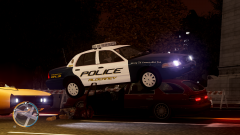
From the album: KP's Random Screenshots
Niko learned his lesson. Never drink Irish booze if you cant handle it and go driving afterwards. Especially when its your friends brother's company car that you drive. -
-
Liberty City Police Department based on Coconut Creek,FL Police Dep. By Kpdofficer This is a small skin pack that I made for myself so I could patrol with in my LCPDFR commentary YouTube videos and was not sure if I should release it. Originally was just a CVPI, impala and suburban set, Within the first two videos I made with this skins I was getting positive feedback on it that I decided to work on it a bit more adding 4 more vehicle sets. It is a small pack for vehicles I mostly use, so there wont be skins for all the major downloaded vehicles like I usually add. Just skins for schaefft and D:SF crown vics, chargers, Tahoe, impalas and gfxle's models. If I get even more positive feedback and a bunch of downloads, then I'll consider coming back and work on it a lot more adding more cars like I did with my Fictional LCPD skin pack. For now I wont be touching this pack at all, so please don't ask for skins for a car of your choice. Like always, you may use any vehicle you'd like. You don't have to use the same cars I always use. You will need GFXLE's Impala/Suburban & CJ24 2012 Ohio Charger only, Everything else you can pick a vehicle of your choosing from the many look alike cars up for download and just slap the skin on it. Cars I used in the screenshots: CVPI - *I cant find the link to the model, It was downloaded at lcpdfr.com* DSF CVPI - http://www.gta-modding-chest.com/database/70-2008-ford-crown-victoria-police-interceptor-los-angeles-police-department-pack-els/index.html Suburban - http://gtapolicemods.com/downloads.php?do=file&id=1965 Impala - http://gtapolicemods.com/downloads.php?do=file&id=1453 2012 charger - http://www.gta-modding-chest.com/database/84-2012-dodge-charger-ohio-state-highway-patrol-els/index.html Crown Victoria: 4 Patrol 1 k9 4 unmarked DSF Crown Victoria: 4 Patrol 4 unmarked Tahoe: 4 Patrol 1 k9 4 unmarked Charger: 4 Patrol 1 k9 4 unmarked Cj24's 2012 Charger: 4 Patrol **added my own red/blue lights because people where asking me for a r/b lights on my LCPD/KPD skin pack GFXLE's Impala: 4 patrol GFXLE's Suburban: 4 patrol/noose Kpdofficer Kp's Gaming Youtube channel Kps' Facebook Created at 3:40AM on 4/28/2013 Kp's Designs
- 15 comments
- 16 reviews
-
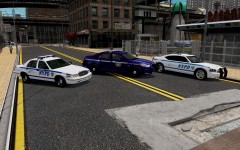 IMO I think NYPD would look beast with an all blue Whelen lightbar rather than those red FS Vector ones. I think it matches their blue stripes on their cars if it was an all blue lightbar. I never understood why the northern east coast states like NJ & NY all have red lights for their cruisers in most of their cities. Nice picture by the way. Who's Crown Vic is that?
 -
-
-
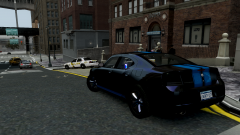 That is not my car. That is Cj24's unmarked charger. All I did was take the glass textures and applied a 80% transparent texture over it. then I took the rim texture and colored it black.
 -
I don't know about you guys but I'm not buying the game to be staring at the box art, I'm buying the game to play it. Honestly the box is going to be tossed aside once I take the disc out and put in in my Xbox. I really don't care what the art looks like. In my opinion it looks like every other GTA box art. I like it though and see nothing wrong with it. What I would really like to see is more trailers. :)


![[REL] 2010 Liberty City State Highway Patrol Slicktop Dodge Charger](http://s3-gallery.int-cdn.lcpdfrusercontent.com/gallery/album_628/sml_gallery_2982_628_163088.jpg)