


11john11
Members
-
Joined
-
Last visited
Everything posted by 11john11
-
LSSD FleetLSSD Transit SecurityLSSD Jacket for EUPThanks! it's based on this:experimenting with the liveries
 https://www.gta5-mods.com/vehicles/vapid-speedo-ambulance-add-on-liveriesComing soon!Thanks for the suggestion but I decided to leave the realistic light setups to other modders, as I think the original setups fit better for my lore stuff.HVY Insurgent - LSPDA place where I will showcase and talk about stuff I'm working on. Feedback, ideas and suggestions are always appreciated. Current main project: LSPD + LSSD pack Currently working on a alternative version of the LSPD + LSSD pack which features more realistic lighting setups (using the vanilla style Arjent), it will be a optional addon for the pack.K9 PatrolFinally had the chance to use the new shield feature, it's incredibly useful for bank robberies with heavily armed suspects.
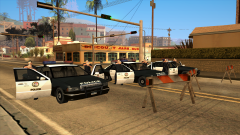 https://libertycity.net/files/gta-san-andreas/103679-new-premiers.html
Account
Navigation
Search
Configure browser push notifications
Chrome (Android)
- Tap the lock icon next to the address bar.
- Tap Permissions → Notifications.
- Adjust your preference.
Chrome (Desktop)
- Click the padlock icon in the address bar.
- Select Site settings.
- Find Notifications and adjust your preference.
Safari (iOS 16.4+)
- Ensure the site is installed via Add to Home Screen.
- Open Settings App → Notifications.
- Find your app name and adjust your preference.
Safari (macOS)
- Go to Safari → Preferences.
- Click the Websites tab.
- Select Notifications in the sidebar.
- Find this website and adjust your preference.
Edge (Android)
- Tap the lock icon next to the address bar.
- Tap Permissions.
- Find Notifications and adjust your preference.
Edge (Desktop)
- Click the padlock icon in the address bar.
- Click Permissions for this site.
- Find Notifications and adjust your preference.
Firefox (Android)
- Go to Settings → Site permissions.
- Tap Notifications.
- Find this site in the list and adjust your preference.
Firefox (Desktop)
- Open Firefox Settings.
- Search for Notifications.
- Find this site in the list and adjust your preference.


