Skin Works
Members
-
Joined
-
Last visited
Everything posted by Skin Works
-
 Welp, guess I don't have to do this pack. So planning on this pack soon.
 -
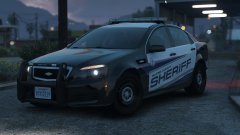 Gimmie! Always want more Caprices. Looks great man.
 -
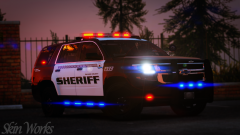
From the album: Skin Works Designs
© Skin Works
-
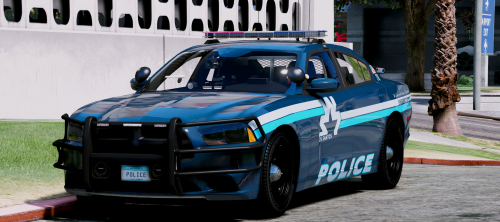 Love ALMOST everything about these. Just one issue, are these not multi livery supported?
- 32 comments
- 35 reviews
-
-

- 3
-
-
 Okay... No way you can tease a new Expedition! I've been dying for more Expeditions!
 -
-
-
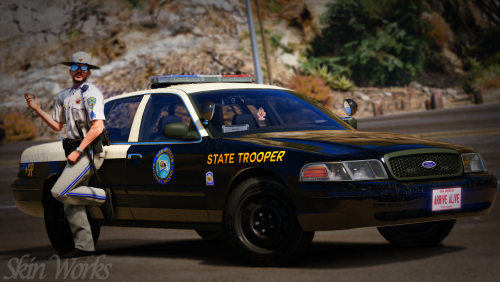 Yup. Generally speaking it should fit any model that uses TheHurks Forza base model and any model using Underwoods latest updated base model. Never thought of that. :P Thanks man. No argument, conversation. I don't mind when people criticise it helps the community. Nothing was really said that was uncalled for. Everyone has their own opinion. Thanks for chiming in though. Hopefully you enjoy the pack. Also thanks for that tidbit of information always wondered what the star was for. I only ever just assumed it was a hotline sort of thing.
- 42 comments
- 19 reviews
-
-
- 1
-
-
-
Lots of companies skip some letters in their names to create a better look to their company. Some like Ornge misspell words for fun. Just a better look and feel.
- 42 comments
- 19 reviews
-
But FHP has three letters and SAHP has four and ruins the look personally. That is why it is just SHP.
- 42 comments
- 19 reviews
-
San Andreas Highway Patrol (FHP Based) I had been asked a few times over the last several months about doing a FHP based pack. Well, I finally buckled down and put one together. It has a couple stealth skins, for the 2016 Charger and 2015 Tahoe. As usual this pack may be updated with more models and/or skins once those models are out and whether or not they are worth putting the skins on. Otherwise please enjoy this pack and have fun. This is as always the simple install of finding the .ytd folder of the vehicle you want to use, then importing all the skins for the corresponding vehicle then save. Notice any issues or have suggestions please share in the comments section. Let me know if I missed anything. Please respect the amount of time taken and do not re-upload or rip off. Please, feel free to make a donation if you like, any amount is more than appreciated! Thanks Everyone Remember everyone, I base my skin packs off of base model templates NOT for any one specific vehicle pack. Because the templates don't really change, skins can be applied to basically any pack of your choice so long as the base models used are the same as the ones I have used. I do try to use the most common base models so they should cover the bulk of the vehicle packs available. Vehicles used in pictures but not limited to(some models may not be linked due to not being around anymore however will work on most other models):
- 42 comments
- 19 reviews
-
-
- 16
-
-
-
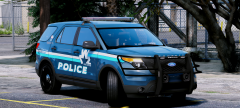 haha. No idea what I was thinking. Looks great!
 -
Maybe a silverado as well? However, absolutely dig the light setup and patterns.
-
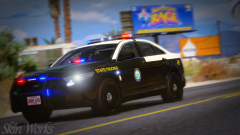
From the album: Skin Works Designs
© Skin Works
-
-
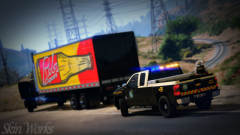 Welp, I am hoping this week. Latest next weekend.
 -
From the album: Skin Works Designs
© Skin Works
-
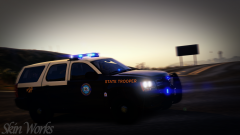
From the album: Skin Works Designs
© Skin Works
-
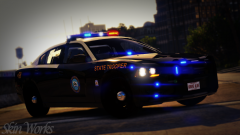
From the album: Skin Works Designs
© Skin Works
-
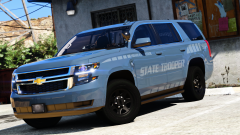
From the album: Skin Works Designs
© Skin Works
-
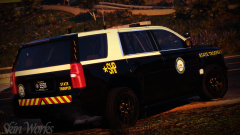
From the album: Skin Works Designs
© Skin Works
-
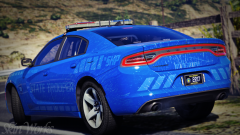
From the album: Skin Works Designs
© Skin Works
-
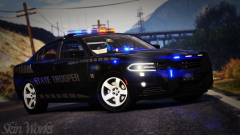
From the album: Skin Works Designs
© Skin Works