



AmericanBagel
Members
-
Joined
-
Last visited
Everything posted by AmericanBagel
-
Awsome
-
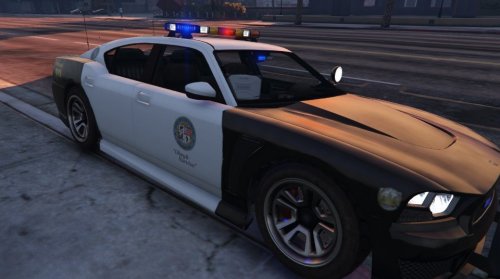 This is awesome. Once you roll out files for other vehicles it will be even better. Hopefully we can put the lightbar on the upcoming CVPI's, Chargers, PIU's and PI's. Would love to know what your next project is. Any hints?
- 54 comments
- 19 reviews
-
-
-
-
.png.b2469b7d62d6fc4e8c8ef201c14498a1.png) thanks
thanks -
-
Are you going to release these anytime soon? Possible for a Granger version as well?
-
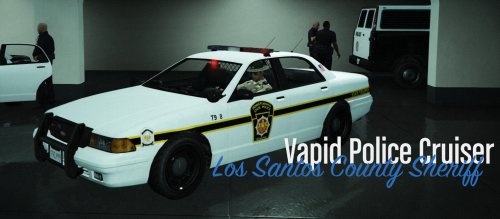 As a soon to be resident of PA i like it but i think it would be more fitting to gta if there was an option to replace PA with San Andreas ad the psp logo with the sa andreas style state police logo. But i love the mod.
- 14 comments
- 2 reviews
-
I dont know what i did wrong but now none of my sirens work after installing the intimidator.
-
 Thanks for the hard work. Cant wait to try it out.
 -
-
-
My department has started to replace their Halogen Crown Vics with Whelen legacies on their new Chargers. We still have like 2 Crown Vics with whelen edges. Most of our crown vics have halogens though. keep in mind my department has less then 20 officers but about 30 cars. Lol thats why we didnt buy PI's or PIU's, they are to expensive compared to chargers.
-
 Awsome dude. Cant wait to try it out. My local PD has started to replace their Hologens with Whelen legacies. They are fucking amazing. Would love it when someone puts it in game.
 -
Will do.
-
Yeah i saw. i had a prob with my gta and lspdfr on both my main file and backups. Just got everything back up and running so ill try it out tomorrow. Yeah a 295 will be great.
-
So ETA on Release? One Week?
-
Pretty good but think it would be better on FIB vehicles. Think the 295 will be amazing on granger.
-
take your time man. I run cars since the fib and granger sirens are awful in my opinion. Im in no hurry to try out those vehicles.
-
Yeah im not to happy about people saying they wont release stuff until they can Lock it. Im new to the community. The Battlefield community just is shit but ive come to like this one. I think this one is better then most but when it comes to locking, really.... first off you didnt make the car. I get you want credit but at least stop posting photos and bragging about it. For example. http://www.lcpdfr.com/gallery/image/51144-lscso-new-fleet/ Like dude really. Its all done but your winning that someone will fiddle with it. im sorry im not a heavy modder, but this cry baby bullshit is stupid. Just release it. Thats my 2 cents anyways.
-
Like the siren. But i think shit like Smart Siren, Mastercom, And whelen sirens should be on the granger so it matches your othrer PD units. IDK if you can do that but i think that would be awsome though. Good siren though. Would sound good on ems or fib i think.
-
Congrats Man. Im about to start my first year of college and my first year of ROTC.
-
Love it. Needed something different for EMS. Now need something different for FD, FIB, Sheriff Granger.
- 8 comments
- 2 reviews
-
-

- 1
-
-
well in york county, the county is split up into small regions. Each regional pd covers a small area. My region covers 4 towns and has less than 15 full time officers. They do alot of co-department work with nearby departments like using co-department facilities and shit. Everyone in each town is friendly. The cops take pride in what they do. They are very active on social media since they need us to be the detectives since they only have 20 something fulltime/parttime officers. each county has one sheriffs office. I only see PA state police on highways so. Its pretty awsome in PA, cant wait to get up there.

.png.b2469b7d62d6fc4e8c8ef201c14498a1.png)

