


davelaric
Members
-
Joined
-
Last visited
Everything posted by davelaric
-
Here is a very nice build around 1250. Any budget limit? http://pcpartpicker.com/user/davelaric/saved/3CV6
-
-
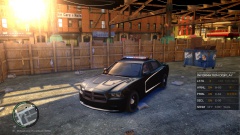 Could you also make a slicktop version?
 -
If you have the money, go for a new system build but if not then get a new graphic card.
-
Have you made a command line? Also try turning down shadows to medium.
-
You can use sweetfx.
-
Here: http://gtapolicemods.com/downloads.php?do=file&id=1352
-
Hello, I was wondering if anyone can recommend rendering settings for Adobe Premier as when I try custom settings (from youtube tutorials) my videos look like crap and completely different from my original one. Really jagged lines and blurry. (I record at 1600X900) Any help is appreciated! Thanks Dave
-
7750 is a pretty decent card and would recommend it but dont expect to play the game at 1080 at 40+ fps with enb. 220 watt is really stressing it, I suggest you upgrade your PSU. Cutting it REALLY close
-
Try editing the enbconfig file to see if that works. The float Brightness = to something higher around 5-6.
-
Replace the vehicles.ide,cargrps,carcols and handling.dat with originals. Also I suggest you not demand as its not going to get solutions for you faster.
-
Go into visualsettings.dat and change the car.defaultlight.emissive.on between 100-200. Higher the brighter.
-
Your problem is the simple native trainer. You have go into the trainer.ini (config) open it up with notepad and press Ctrl-F and that should bring up the search bar and search vehiclelivery and there should be a line called VehicleLivery=1. Change the 1 to a 0 so it looks like VehicleLivery=0. Save it and close it and it should work.
-
Go to 1.0B and click download and there should be couple of options and select manual installation.
-
It seems that Advancescript is missing. Download the LCPDFR 1.0 Manual install and drag everything into your main directory.
-
This author has made multiple German emergency vehicles: http://www.gtagaming.com/downloads/author/148502
-
As for a cpu cooler, i would highly recommend the EVO 212 for 30 bucks or if you can afford it the liquid cooling Corsair H100i. Both are very reliable and quiet.
-
Make sure 0.95 is completely removed and install 1.0B. Are you using a trainer? Make sure the hotkeys are disabled.
-
Enjoy playing!
-
No problem. Is it fixed?
-
Try installing this: http://www.microsoft.com/en-ca/download/details.aspx?id=17431 If you are still having issues, I can teamview if you want to.
-
When choosing your game folder, select the GTA.exe in the main directory. Could you please quote as I would then get a notification. Thanks
-
I use this one: -norestriction -nomemrestrict -availablevidmem "1.1" -percentvidmem "100" GTA is a terrible port and modding makes it even more unstable to these texture glitches are common. Try lowering your graphics a bit and turn off V-sync.
-
try using the "Advanced Mode" (checkbox at the bottom) and manually select your game directory? It might fail when determining yours.
-
Hmmmm, did you remove 0.95 completely? And also run the diagnostic tool as admin.



