


OfficerArk
Insiders
-
Joined
-
Last visited
Everything posted by OfficerArk
-
 Just redownloaded the pack to see and it is there! You will want to use a trainer to toggle extra_11 which is the ALPRS.
 -
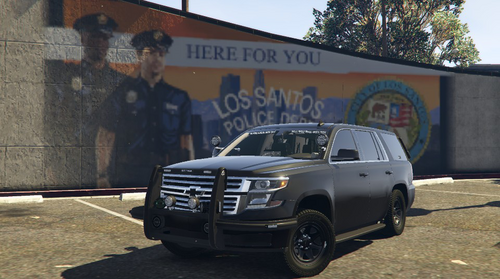 I found the issue and did some digging. The problem is the handling line the car uses, in this case the Tahoe uses the Baller handling line. For some reason the <fRollCentreHeightFront value="0.500000" /> & <fRollCentreHeightRear value="0.500000" /> causes the reverse physics. The correct values you would need for this car is "0.2" The Tahoe now relies on the "Tahoe" handling line provided in the pack; this should fix this issue. Update being released soon! Beautiful Livery!
 -
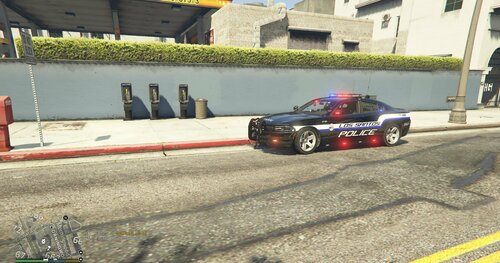 These have to be my favorite so far! Awesome job 🙂
 -
I’ll look into it.
-
Could you explain a bit further? I need a little bit more information as it seems to turn fine in game. Do you have ELS?
-
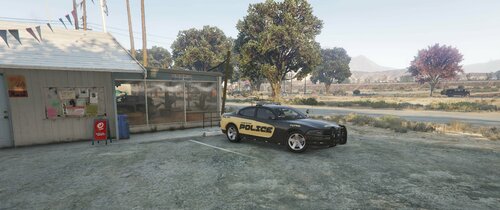 Amazing liveries as always 🙂
 -
The emissives on the trunk have to remain due to the limitations of ELS. The TA lightbar issue is known and I haven't had a chance to look into the problem for a fix.
-
.thumb.png.4eae9ccd51b5753d8499c1c53e421565.png) Can't wait to see the full release! The first one looks amazing 🙂
Can't wait to see the full release! The first one looks amazing 🙂 -
2015 Unmarked Tahoe - Lighting based loosely off of a town I've passed through. Features: - PIP's ALPR's (Emissive) - Tintable Windows - Front and Rear Dashcams (Emissive) - Prisoner camera (Emissive) - Will work on mount for realism. - Full Scene Lighting (Takedowns & Alley Lights) - Optional Lunch Box Antenna - Use extra_10 Vehicle Lighting Showcase: As Always, Please Enjoy 🙂
-
 I’ll see about updating the handling lines and maybe it’ll fix it for everyone. Thank you for looking into it!
- 239 comments
- 15 reviews
-
-

- 2
-
-
It is made I just haven’t had time to make sure they work! My bad, I assumed the charger used a different handling meta. Either way it shouldn’t affect the car crashing the game.
- 239 comments
- 15 reviews
-
-
- 1
-
-
The handling.meta is there for filler purposes. The cars in this pack rely on base game handling lines outside of the pack. This is not the reason the car will not spawn. The Charger isn’t causing issues for most people and it seems a select few aren’t able to spawn it. I’m still looking into it but I’ve done just about everything I can do on my end.
- 239 comments
- 15 reviews
-
-
- 1
-
-
I’ll get an unmarked livery uploaded for it.
-
I’m happy to see the charger is not causing any issues anymore. I’ll see what I can do about the push bars. Love the liveries!
- 239 comments
- 15 reviews
-
-
- 1
-
-
 Removed while I fix all the kinks, no set time period on when it will be released again.
- 476 comments
- 18 reviews
-
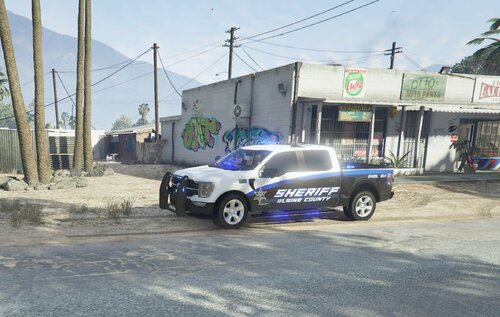 As always, you have created some beautiful liveries! Keep up the amazing work 🙂
 -
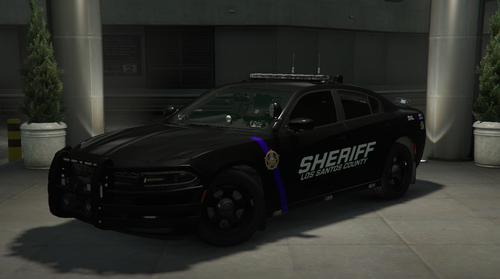 No it won’t as a replace. Imagine being a royal pr*** over a video game. The only difference of me doing it, is I’d change the name in Zmodeler, results are the same as changing the name to whatever you want.
 -
You can always rename it sheriff!
-
-
Yes, there is. I am in another state right now and will not be able to look into this until later today. it should start with a UN for the model to be unmarked.
-
Yes, you would need the unlocked model to add steady burn. However, I cannot send the unlocked models as that goes against the terms of services of the vehicle models and parts on said vehicles. I would recommend making a model with steady burn or having a creator make you one!
- 476 comments
- 18 reviews
-
-
- 1
-
-
There is glass there. It’s just a clear spot on the window template. You can edit the PNG to tint them again.
- 239 comments
- 15 reviews
-
It’s so the light shine through. They look gross with tint covering them. I honestly don’t know why there is a green tint. I’ve seen it before in certain light but I’m guessing it might be something on the export of paint.net
- 239 comments
- 15 reviews
-
-
.thumb.png.4eae9ccd51b5753d8499c1c53e421565.png)


