




Kal74
Members
-
Joined
-
Last visited
Everything posted by Kal74
-
okay I see what you are saying...So basically it will display the option when the option is able to be used.. Thanks for letting me know.. Maybe its more so with other plugins and not yours..
-
Albo1125, When I arrest somebody it always displays the key for calling a single transport "8" I was wondering if that was something that could be changed in the config file to where I could display all the possible keys at the time of the arrest. example "6 release", "7 multi-transport", "8 transport" I was hoping to make it easier to not have to remember all the keys, or to have to write them all down, but display them on screen like "8" already is.. It would be nice to do that for all the plugins where you have choices to make, so many keys to have to remember, but if this is impossible, I will just continue to write em down, because my memory sometimes escapes me.
-
I'vs always learned it's better to ask than assume... so one other quick question does that interactive menu activate whenever you press the letter key or only during callouts? What I mean is if I am behind some random person and i pull them over, and its not related to any a callout, Should this menu still activate no matter what situation I am in? If the answer is "Yes it should" then I can tell you it's not working for me, but if it the answer is "No" then ignore me cause I must be sleep deprived or drunk.
-
 As always Albo1125 you are on top of things with updates,, Thanks so much for your time.
- 1,915 comments
- 242 reviews
-
-

- 1
-
-
-
-
LukeD in the config file to activate the interaction menu its " T " can this be changed by the user? I ask because T is also bound to another plugin for me.
-
 In the ReadMe it says, "- DO NOT attempt to load this plugin via the RAGE console. LSPDFR will load the callouts automatically."
- 423 comments
- 73 reviews
-
-
- 1
-
-
-
. 0.3 is sounding so awesome btw.. can't wait for release..
-
 Thanks for the quick upload for RPH version 26 support W35.. appreciate it very much!
- 156 comments
- 19 reviews
-
-
- 1
-
-
Honestly I could live with that... I have played gtav story mode 4 times now..Yes I love it that much, so I am cool with them releasing DLC's.. Have to keep an eye out for the official word.
-
I cannot wait for this.. so excited about it.. What would be really nice is if Rockstar teamed up with the Devs of lspdfr for GTA6 and added this into the game for people as an option... I know that is wishful thinking, but lspdfr essentially is its own game...
-
I sent a crash report to a dev and this message is now on the RageHook homepage"We've received reports of crashes with the new v0.25, and are investigating..." so they are aware
-
Is your ragehook launching gtav after the update? Quite a few people on the ragehook forums still having crashing issues..
-
Yeah I followed the online guide and replaced the 3 files with the 3 backups and still crashed on me.. So I guess I wait for the update fix.. Its all good.. got some movies to watch anyways.
-
Okay I see.. I am on RGSC version, but I have the GTA5.exe and GTAVlauncher.exe and the Update.rpf all backed up before the update was installed, I reinstalled them and it still crashed.. I am guessing you have the entire folder copied.. I did not do that, but I could always reinstall, bring back in my saved backups and reinstall all the mods if I really had to..
-
Do you know if it overwrites backups every time you backup?
-
Don't be shocked but despite the updated RageHook RAGE Plugin Hook - Open Alpha - 0.25.747.5152 is still crashing GTAV
-
Thanks for the info.. Will be sure to check version numbers..Still no word on RPH update status. Guessing it could be several days...Maybe I will just go watch some old action movies in the meantime.
- 156 comments
- 19 reviews
-
-
- 1
-
-
Yeah I guess we wait and see.. I think there is also an issue with the email system as I have gotten emails about updated versions of mods. I would go download em, install them and about 2-3 hours later get another update alert. One day I had 6 alerts for the same one and it turned out to be same version..i guess the best way to go about it is what you did and ask, most of the time the modders will answer posts in a reasonable amount of time..
- 156 comments
- 19 reviews
-
You know after looking at it again, you are right.. strange though I received an update notification of 6 hours ago. Something screwy going on lately, this isn't the first time I have seen this.
- 156 comments
- 19 reviews
-
He just uploaded this today, so it is new.. Ignore what I said Quake.. Something funky going on, not just with this update notification. I have had others just like this..Like some kind of false system response.. I don't know heh
- 156 comments
- 19 reviews
-
W35 I see you uploaded a new version, but I wonder if all these mods will need re-updating as there are issues with RageHook and they are in the process of releasing a new version because GTAV updated yesterday and a lot of people can't revert to the old version to launch lspdfr..or people like myself can but the launcher attempts to update no matter what you do. The game won't launch at all, I even used my own backups and it never gets beyond the launcher..Mine error ed out as I tried to launch it.
- 156 comments
- 19 reviews
-
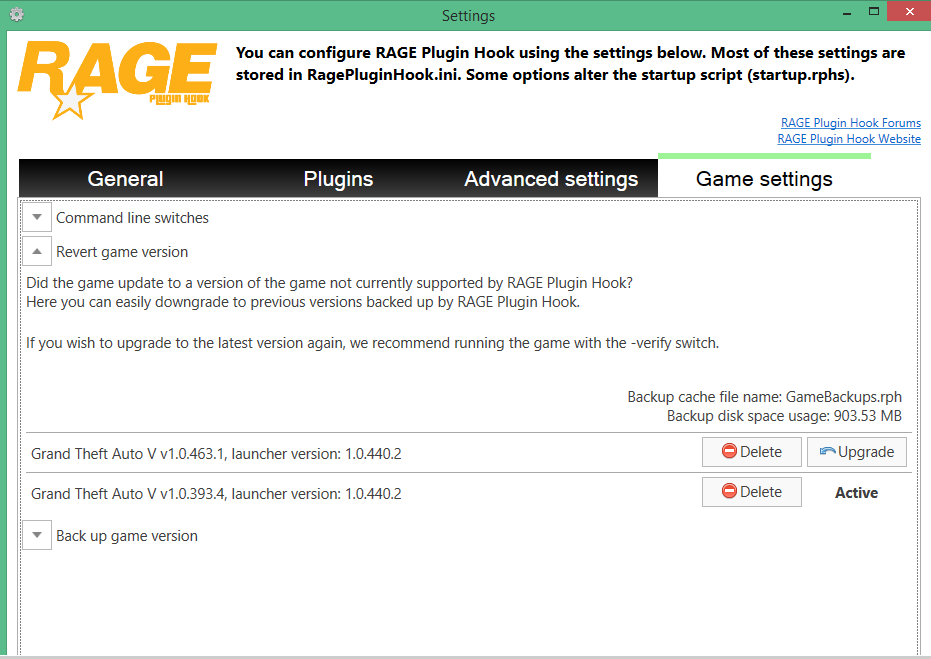
I even used RageHooks revert game version function, but it still attempts to update.. Well I saw this on Ragehooks website We're working on support for the latest GTA V patch v463 Apparently posts are popping up on RageHooks website.. So it looks like they are going to release an update soon which either means everything currently will continue to work or everything will need updating.



