


SuperPyroManiac
Community Team
-
Joined
-
Last visited
Everything posted by SuperPyroManiac
-
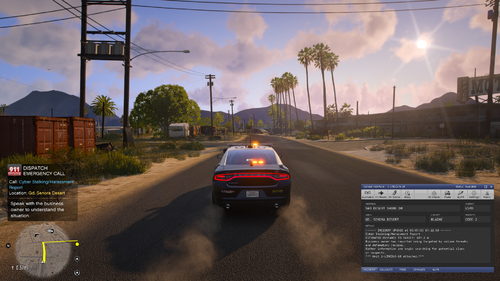 Please do understand that their comment was not rude. It is genuine feedback. This file is uploaded publicly on the site, and for that constructive criticism is valid. Personally, as someone, who goes over hundreds of files here I don't see "alpha" as an excuse to not receive feedback on broken or WIP features. Even when I upload early versions of my plugins, I expect feedback as well. It's part of the journey.
- 71 comments
- 8 reviews
-
-

-

- 3
-
-
We do not know yet, there is a lot that has to happen first. It is a huge undertaking so it'll take a while before we can really say much.
-
 I might do that in the future. Would just remove the panic feature if its not installed with LSPDFR
- 631 comments
- 56 reviews
-
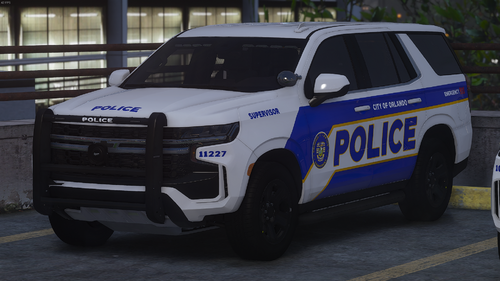 Almost all cars on this site are not to spec. But they work fine for GTA.
 -
This issue is always a pain to diagnose. For my own personal case it's because Windows Defender blocks the temp files from RPH. Check your recent protection history, if the time matches up at the same time as you tried to start RPH and it's in the temp folder, hit restore and allow. That is what fixed it for me at least.
-
I assume they are using Compulite, which has a setting in its .ini file to not pause the background.
-
You were uploading the models, not the liveries. You are free to upload the .png or .dds files that you created but cannot include the files from the car model itself as that belongs to someone else.
-
 It is time for everyone to learn some basic respect. I've removed 26 comments that are nothing but abusive. I am also handing out warnings for them. Further comments that exist only to bully users will incur further action. This is unacceptable, if you cannot speak without insulting others, do not comment.
 -
The biggest reason I've seen is that it becomes extremely difficult to provide support when there are a bunch of different LSPDFR / RPH / GTA versions being scattered around. It's fairly easy to just backup your game files and remain on an old version until you decide to update, and even updating is a very simple process. Providing old versions just creates more confusion for people, as well as for us who provide support.
-
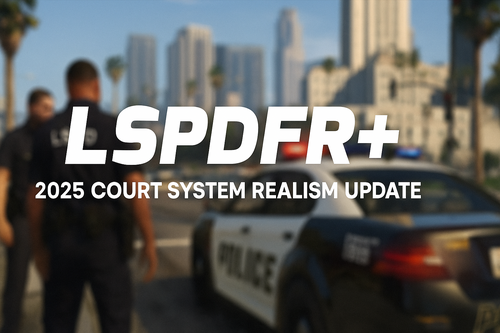 Please keep in mind that the original license on Albo's plugins is GNU GENERAL PUBLIC LICENSE V3. Open Source Redistribution If you distribute the software (or a modified version), you must provide the full source code under GPL-3.0. This applies to both original and derivative works (if based on GPL-3.0 code). Modifying the code: Your changes must be GPL-3.0. Distributing binaries: You must provide the full source code (or a written offer to supply it). Your current license is more restrictive, as well as you do not provide the source code. https://github.com/Sparky81x/LSPDFR-Plus-2025Update/blob/main/LICENSE You can see more info on the official repo license. https://github.com/Albo1125/LSPDFRPlus/blob/master/LICENSE.txt This is the case for all of Albo's mods.
 -
 Most plugins for LSPDFR are executable files, they tend to get flagged a lot. We verify all files uploaded here and ensure they are safe.
 -
 Glad to hear, the previous version was throwing this a lot, minor but still reported to me.
- 352 comments
- 25 reviews
-
I've been seeing a huge number of logs with this error: [4/9/2025 1:18:30 PM.869] [LOG]: Loading config file from JM Callouts Remastered. [4/9/2025 1:18:30 PM.869] LSPD First Response: Initializing Config for JMCalloutsRemastered.... [4/9/2025 1:18:30 PM.891] LSPD First Response: Error while initializing plugin: JMCalloutsRemastered.Main: String was not recognized as a valid Boolean. at System.Boolean.Parse(String value) [4/9/2025 1:18:30 PM.891] at Rage.InitializationFile.ReadBoolean(String sectionName, String keyName, Boolean defaultValue) [4/9/2025 1:18:30 PM.891] at JMCalloutsRemastered.Settings.LoadSettings() in E:\JMCalloutsRemasteredBackup\Stuff\Settings.cs:line 103 [4/9/2025 1:18:30 PM.891] at GGGgmqSptMDCWgeGXIYyYZkejcajA.yyAmRbIQDuPUMRnzgYvyxyhKLIzI() in D:\GTA V\LSPD First Response\LSPD First Response\Mod\Callouts\CalloutManager.cs:line 765
- 352 comments
- 25 reviews
-
 I understand the frustration, but this really does not have anything to do with this file. Best bet is to head to the support forums, or support Discords.
- 60 comments
- 23 reviews
-
 Forcing people to join your discord for the model is quite an annoying move.
 -
Trash plugin, terrible author. Consider it featured. ❤️ For real though, this is really impressive, great work!
- 60 comments
- 23 reviews
-
-

-
- 6
-
-
 Simple, you don't. It's a paid product unfortunately.
 -
 You need to progress further in the GTA story. This is not LSPDFR or my mods.
- 1,023 comments
- 63 reviews
-
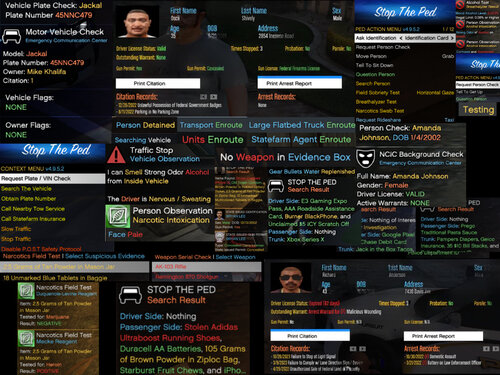 StopThePed is free, the authors website is just riddled with terrible ads. What you are claiming is untrue.
 -
-
No problem, even when they get stuck, they show up in my queue and I can manually push them through. Nobody will be forgotten!
-
You can hit the 3 dots at the bottom of the file and upload new version. You can hide a file and it has the option to mark for deletion. Takes 2 weeks but ultimately will. Second upload was awaiting manual review, which I have done. Just requires some patience is all.
-
 Why is everyone using iniparser, like where did this fad come from lol. RPH has a built-in system for ini file types.
- 91 comments
- 12 reviews
-
-

- 2
-
-
 I've brought this up with the site admin. We are looking into the download issues.
- 181 comments
- 4 reviews
-
-
- 1
-
-
Should really adjust your assembly info. Perhaps also your credits? [assembly: AssemblyTitle("LSPDFR API Guide")] [assembly: AssemblyDescription("LSPDFR API Guide by Albo1125")] [assembly: AssemblyConfiguration("")] [assembly: AssemblyCompany("Albo1125")] [assembly: AssemblyProduct("LSPDFR API Guide")] [assembly: AssemblyCopyright("Copyright © 2016 - Albo1125")]
- 91 comments
- 12 reviews
-
-
-
- 2
-


