




ScrimpyData
Members
-
Joined
-
Last visited
Everything posted by ScrimpyData
-
Great work! :)
-
I like it, your game looks nice, and I love that intro! Did you make it yourself?
-
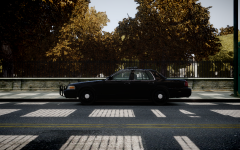
From the album: Scrimps Mods
Now it only needs a nice skin :P (And I know there isn't any interior equipment in the pics, but I added that after I made the pics) -
 I like that :D
 -
Yup, all of the above... Nemtan is a magician.
-
Damn, I'm late! Happy late birthday Jay! I hope you left some cake ;P
-
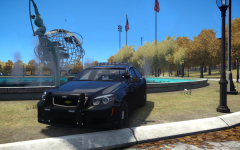
From the album: Scrimps Mods
Special thanks to him1250 for the model :D -
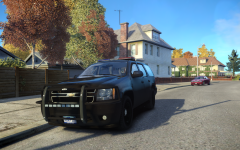 Ahh :) Thanks! I'll fix that
 -
Ah, I didn't really see anything wrong with the pushbar, but you might know more about it than me :)
-
Thank you! :D
-
From the album: Scrimps Mods
-
I goat to say, it's an amazing game! (It's going to the top of my wishlist)
-
I thought my laptop would do a bit better...
-
You don't need to merge anything :) The only thing you need to do is: - Select the three different parts -Right click on one of them (make sure they're still selected) - Click on "Extract (to blablabla)" And then you get the two .SCS files that you need to place in your mods folder :DThat Charger is private, I'm sorry And I just found a pic of another car I sometimes patrol with:I mostly use these two:This is at home, so like 100 times faster than my boarding school's internet (litterally)
![Caprice Console! [WIP]](//s3-gallery.int-cdn.lcpdfrusercontent.com/gallery/album_2718/sml_gallery_138650_2718_21828.png) That looks amazing :oHappy birthday ineseri! I hope you had a great day :DSunset in Germany What a view On top of the mountain And another amazing viewIt actually isn't, 2560x1440 is the size for a full-size banner, as shown on this pic from Google's support website:Just saying, a YT banner size is 2560x1440 pixels
That looks amazing :oHappy birthday ineseri! I hope you had a great day :DSunset in Germany What a view On top of the mountain And another amazing viewIt actually isn't, 2560x1440 is the size for a full-size banner, as shown on this pic from Google's support website:Just saying, a YT banner size is 2560x1440 pixels Wohoo! Another wallpaper xD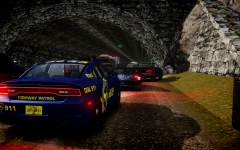
From the album: Scrimps Pics
Filled with accidents and traffic jams:


![Caprice Console! [WIP]](http://s3-gallery.int-cdn.lcpdfrusercontent.com/gallery/album_2718/sml_gallery_138650_2718_21828.png)
