



RestrictedArea
-
Joined
-
Last visited
Everything posted by RestrictedArea
-
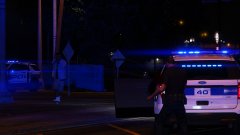
From the album: W.I.P.: White Plains P.D. > LSPD
I got bored and went on a rampage with franklin and it turned out my new creations came to stop me -
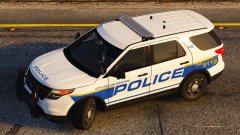
From the album: W.I.P.: White Plains P.D. > LSPD
Woah nice view -
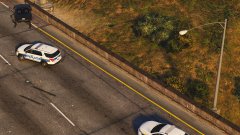
From the album: W.I.P.: White Plains P.D. > LSPD
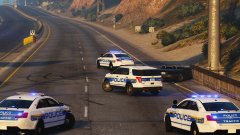
This scenario is a car crash. Traffic units block the road while two main units help at the scene -
From the album: W.I.P.: White Plains P.D. > LSPD
This scenario is a car crash. Traffic units block the road while two main units help at the scene -
From the album: W.I.P.: White Plains P.D. > LSPD
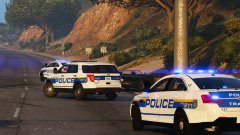
This scenario is a car crash. Traffic units block the road while two main units help at the scene -
From the album: W.I.P.: White Plains P.D. > LSPD
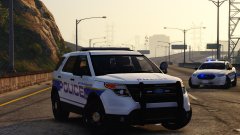
I know, I know. this is the third update I've done today. But anyway, here's the ford explorer or FPI utility based on the real ones. btw I believe the white plains pd is so small there aren't many vehicles so you can recognise each vehicle by it's number but I just use random numbers so it won't be the exact car. This scenario is a car crash. Traffic units block the road while two main units help at the scene -
 Haha you're right! Thanks for pointing out my mistake
 -
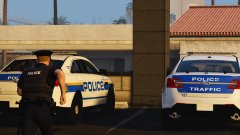
From the album: W.I.P.: White Plains P.D. > LSPD
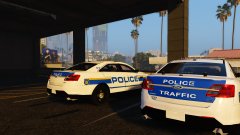
Okay both the sides of the fpi sedan are now fixed and I've added a traffic edition (based on the P.D.) Changed the back font a bit to make it more like the city it's based on. and I still have to say I just love the way the back of this car looks. -
From the album: W.I.P.: White Plains P.D. > LSPD
Both the sedans sitting next to eachother -
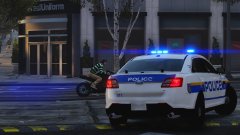
From the album: W.I.P.: White Plains P.D. > LSPD
Okay both the sides of the fpi sedan are now fixed and I've added a traffic edition (based on the P.D.) Changed the back font a bit to make it more like the city it's based on. and I still have to say I just love the way the back of this car looks. -
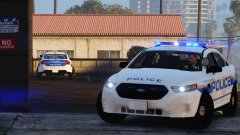
From the album: W.I.P.: White Plains P.D. > LSPD
Okay both the sides of the fpi sedan are now fixed and I've added a traffic edition (based on the P.D.) Changed the back font a bit to make it more like the city it's based on. and I still have to say I just love the way the back of this car looks. -
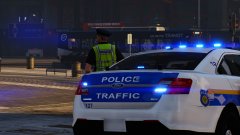
From the album: W.I.P.: White Plains P.D. > LSPD
Okay both the sides of the fpi sedan are now fixed and I've added a traffic edition (based on the P.D.) Changed the back font a bit to make it more like the city it's based on. and I still have to say I just love the way the back of this car looks. -
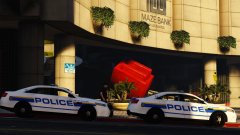
From the album: W.I.P.: White Plains P.D. > LSPD
Protecting and Serving the capitalistic system in our wonderful nation Okay both the sides of the fpi sedan are now fixed and I've added a traffic edition (based on the P.D.) Changed the back font a bit to make it more like the city it's based on. and I still have to say I just love the way the back of this car looks. -
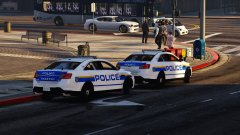
From the album: W.I.P.: White Plains P.D. > LSPD
Okay both the sides of the fpi sedan are now fixed and I've added a traffic edition (based on the P.D.) Changed the back font a bit to make it more like the city it's based on. and I still have to say I just love the way the back of this car looks. -
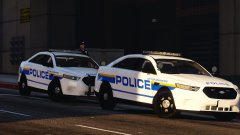
From the album: W.I.P.: White Plains P.D. > LSPD
Okay both the sides of the fpi sedan are now fixed and I've added a traffic edition (based on the P.D.) Changed the back font a bit to make it more like the city it's based on. and I still have to say I just love the way the back of this car looks. -
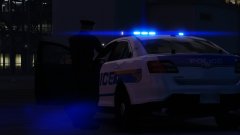
From the album: W.I.P.: White Plains P.D. > LSPD
I'm back after almost a year and god what has the GTA V modding improved since then. Great car, and I love the blue back (traffic version is even more cool) But it's bugging me that the templates are slightly off the doors and the rest of the car don't completely line up perfect so it's a bit off for now. -
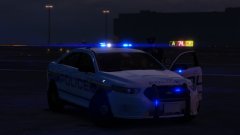
From the album: W.I.P.: White Plains P.D. > LSPD
I'm back after almost a year and god what has the GTA V modding improved since then. Great car, and I love the blue back (traffic version is even more cool) But it's bugging me that the templates are slightly off the doors and the rest of the car don't completely line up perfect so it's a bit off for now. -
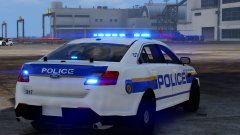
From the album: W.I.P.: White Plains P.D. > LSPD
I'm back after almost a year and god what has the GTA V modding improved since then. Great car, and I love the blue back (traffic version is even more cool) But it's bugging me that the templates are slightly off the doors and the rest of the car don't completely line up perfect so it's a bit off for now. -
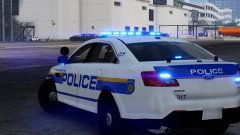
From the album: W.I.P.: White Plains P.D. > LSPD
I've already fixed this side of the car, as you can see the stripes line up with one another now Great car, and I love the blue back (traffic version is even more cool) But it's bugging me that the templates are slightly off the doors and the rest of the car don't completely line up perfect so it's a bit off for now. -
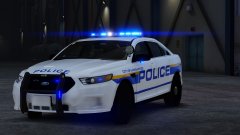
From the album: W.I.P.: White Plains P.D. > LSPD
I'm back after almost a year and god what has the GTA V modding improved since then. Great car, and I love the blue back (traffic version is even more cool) But it's bugging me that the templates are slightly off the doors and the rest of the car don't completely line up perfect so it's a bit off for now. -
 Yeah, it's hard to get the dog to follow you. If I do a K9 patrol I often keep pressing g until it follows me. You have to be very close to the dog and it's easier when you break its house. (Oh and please update this mod, the partner bug is annoying as fuck: chasing a suspect doing 90 mph and having to wait for your partner to get in after he randomly gets out)
- 542 comments
- 98 reviews
-
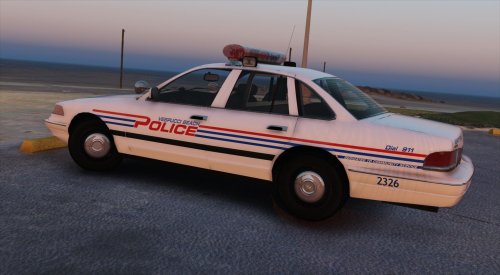 I love these skins. It gives me the same feeling 90's movies give me. Just hope you make this into a vehicle pack (with more vehicles using these skins)
- 12 comments
- 2 reviews
-
-

- 1
-
-
 It's great and easy to install. Hope there will be even more cars in this pack later on
- 445 comments
- 108 reviews
-
 Great models and nice skins (i just hope the 2013 charger and the taurus will be added) AND ITS THE MOST EASY INSTALL EVER!!! I hope this will be the future for lspdfr vehicle mods. Car packs like you had in gta iv
- 779 comments
- 187 reviews
-
If it does, do you ever click out of the launcher before the game starts? I've the same problem if I click out of the launcher before GTA V is opened the game starts in windowed mode.

