Skip to content
View in the app

A better way to browse. Learn more.

LCPDFR.com

A full-screen app on your home screen with push notifications, badges and more.

To install this app on iOS and iPadOS
  1. Tap the Share icon in Safari
  2. Scroll the menu and tap Add to Home Screen.
  3. Tap Add in the top-right corner.
To install this app on Android
  1. Tap the 3-dot menu (⋮) in the top-right corner of the browser.
  2. Tap Add to Home screen or Install app.
  3. Confirm by tapping Install.

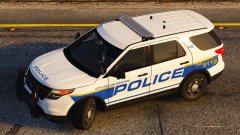
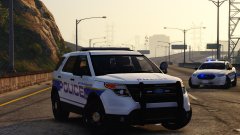
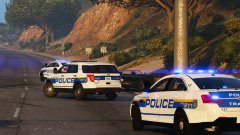
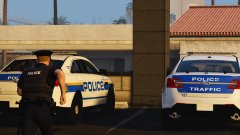
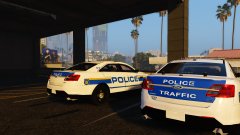
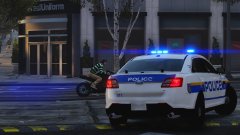
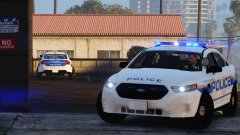
W.I.P.: LSPD skins for Captain14's pack - FPIU #1

I know, I know. this is the third update I've done today. But anyway, here's the ford explorer or FPI utility based on the real ones. btw I believe the white plains pd is so small there aren't many vehicles so you can recognise each vehicle by it's number but I just use random numbers so it won't be the exact car.

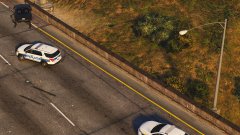
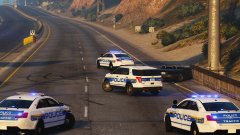
This scenario is a car crash. Traffic units block the road while two main units help at the scene

  • Account

    Navigation

    Search

    Search

    Configure browser push notifications

    Chrome (Android)
    1. Tap the lock icon next to the address bar.
    2. Tap Permissions → Notifications.
    3. Adjust your preference.
    Chrome (Desktop)
    1. Click the padlock icon in the address bar.
    2. Select Site settings.
    3. Find Notifications and adjust your preference.