


.jpg.6560a2901f1c2dd11dcd77a6a554cee7.jpg)

Frosty19
Members
-
Joined
-
Last visited
Everything posted by Frosty19
-
-
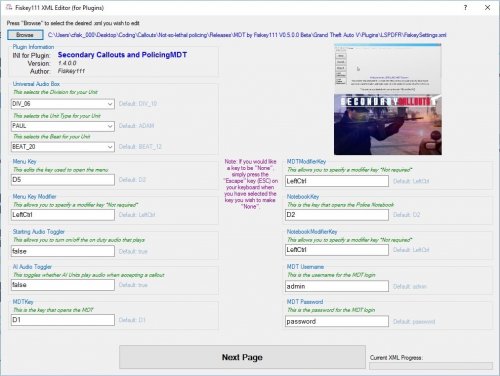 This looks pretty interesting an easy editor for new modders and .xml editors, should push it to integrate with other developers would be very useful :)
- 4 comments
- 2 reviews
-
-
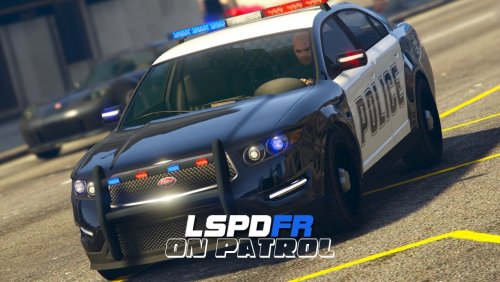 Im gonna have to stop using this more police involved now like 5 cop cars on every street where do you see this? No where in real life this is just taking realism out and the fact you added the ranger vehicles doesn't make any sense los santos isn't North Yankton just dosnt make complete sense and the other thing is you have multiple cars with turrets along streets like what!?!? Im sorry but until this is fixed im gonna have to revert back to someone elses
- 39 comments
- 4 reviews
-
-
-
Some things i found: - Too many money transfer vans around need to limit them more (Stockade) - Too many utility vehicles around need to limit them more
- 39 comments
- 4 reviews
-
Thank you for this i know there are some out there already but your adding so much more potential to it such as taxi routes, hearses ETC. Great Work :)
- 39 comments
- 4 reviews
-
 A great new way to call EMS units to your scenes now, had a lot of fun BETA testing this and this is a must have for anyone wanting to play as realistic as they can! Great Job! :)
- 781 comments
- 85 reviews
-
Yo wassup guys only just got round to sorting GTA out and its not downloading the new update what it did was download a 9mb patch or whatever then loaded the game normally with no Finance and Felony i am very confused as to how to get it to download
-
You need to edit the popgroup.yml i think :/ Not too sure i dont really mess with it
-
Can you post the log it would be helpful :)
-
Search it and try some fixes like this https://support.rockstargames.com/hc/en-us/community/posts/203396278-Rockstar-activation-code-already-in-use-fix-
-
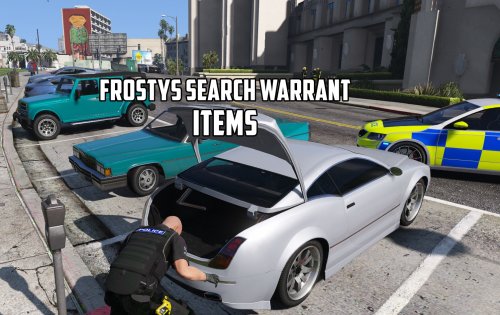 Hmmm, reviewing your own stuff, surely this is illegal i blame......... I believe the reviews were broke? :D
- 4 comments
- 4 reviews
-
This is the description the dev said, cant really explain myself :D Customizing Items ================= All of the items used by this plugin can be located in Plugins/Darkmyre.Common/Search/. You can either edit the provided XML files, or create a new XML file using an existing file as a template. Each item should have an entry as follows, with all fields being mandatory: <SearchItem> <item>a passport</item> <size>small</size> <status>mundane</status> </SearchItem> An items size determines where it can be found. Small and medium items can be found on peds or in any vehicle location, however peds can only carry a maximum of 1 medium item. Large items can only be found in vehicle trunks. An items status determines if it should be highlighted in the search results screen: illegal/narcotics items are highlighted red, suspicious items are highlighted yellow, and all other items are currently unhighlighted.
- 4 comments
- 4 reviews
-
-

- 1
-
-
New items from Finance and Felony DLC will be being added! :) What is Frostys Search Warrant Items? This is a Edit of the Files given by Search Warrant to add a whole new range of items into the mod and game! These items are being taken from my Vehicle Search Edit so you will have the best and most realistic items out there! If you are looking for real branded items, more weapons, popular devices and such, these will be added in the future along with your suggestions and items that pop into my head! Why Choose Frostys Search Warrant Items? I am planning to keep expanding this mod with as much items as i can but i cant do it by myself i will need help from you guys who use it with more ideas to include and to let me know if i ever have any duplicates, colour or spelling mistakes!! This is the most realistic and best Items Mod out there! This is the most Realistic and most up to date with current items and updates! Many other modifications for vehicle search may include items which are unrealistic, incorrect spellings and repeated words. We try to aim to keep that to a minimal here so any problems let us know! Requirements: You need to have the Search Warrant installed for this to work. Latest Version of RAGE Hook. Installation: 1. Download Search Warrant Mod and Install Accordingly 2. Replace the original "Search" folder in the Darkmyre.Common folder. Colour Codes: Red - Bad Items/Dangerous Yellow - Can be Bad but Debatable Items Uncoloured Items - Normal/General Items Accurate Amount of Items In Violent Pack: 401/700 (Original Vehicle Search Mod) Items included will be uploaded here shortly for you to see! Credits: Darkmyre - Search Warrant Mod Frosty19 (Me) - Vehicle Search Mod Items @ScottehBoyy - For letting me using his items NONE OF THE ITEMS FROM THE OLD FROSTY VEHICLE SEARCH ITEMS ARE TO BE USED BY ANYONE FOR THE NEW MOD! ANYONE WHO DOES WILL BE REPORTED!
- 4 comments
- 4 reviews
-
-
- 1
-
-
Make sure to have this installed http://www.microsoft.com/en-us/download/details.aspx?id=35 DirectX comes in windows updates so it could be a case of you need to update your pc
-
Have you got any plugins installed or opening with RAGE, might be a plugin issue rather than graphical
-
Try these now carvariations.meta vehicles.meta
-
What is your root GTA folder called?
-
Any modders know how to keep cars low to the ground because they are very light, is this done within the coding .metas or the actual model itself?
-
What is your postFX settings? Make them high if they are low
-
I like the idea of helicopters but i can see them glitching out so much when they land like it would be pretty hard for it to land with the AI in GTA as we know it :D
-
-


