


sloosecannon
Members
-
Joined
-
Last visited
Everything posted by sloosecannon
-
 Do you get callout notifications? Those technically put you in a callout, even if you don't take them, and if it happens often enough, you might get a check because of it
- 82 comments
- 22 reviews
-
Right, I understand that. I'm not running on port 80 though (that would be a terrible idea!) and I've got mostly GET for the time being, with POST being used for a few requests. Plus the application design means it's designed to be running behind a NAT or similar, so the computer shouldn't even be directly routable. I'm considering adding websockets as an option for other things, but for now, since the actions are all user-initiated, it works fine. My other issue with websockets is that they've got an obnoxious tendency to disconnect and not reconnect easily, at least IME. Honestly, I wish there was a better way to do this than just opening a webserver on the computer. It's gonna be tough to teach people how to find their IP address, and there are all sorts of other difficulties about opening ports. But there's no easy to access network discovery protocol that I could find that would work in this situation...
-
Well, websockets go over HTTP AFAIK, so the overhead would be about the same... There is a fair bit of overhead, but I'm intentionally limiting what it's doing. I'm also using the most lightweight lib I could find to run the "server". It doesn't seem to affect anything ingame, even when I iterate over all peds/vehicles searching for a name.
-
Yep, shortcuts are coming for all the actions (except send backup, cause there's a whole menu to do that...) in the next version :)
- 82 comments
- 22 reviews
-
-

- 1
-
-
Gah, yeah, I know what's causing that. It'll be fixed in the next version of the plugin. Should be done a little later today...
- 82 comments
- 22 reviews
-
I just checked, there is.... did you download the latest 1.1? (after I made it 1.1.0a, I did forget it before...)
- 82 comments
- 22 reviews
-
I'm gonna have to guess that's caused by a bug in your backup.xml? All that the plugin does is call for backup via that, so... If you've got a log file though, I'd be curious about what it says..
- 82 comments
- 22 reviews
-
Yeah, that was Code 3 Callouts by Stealth22. That's actually what inspired me to do this - I liked that one, I just wanted to make it better ;) Yeah, that's because of how I'm doing the check for if you're in a callout, because technically, at that point, you are in a callout. *theoretically*, it will detect that you're out of the call (if you don't take it) before sending the check, so it won't make a difference. I'll look into maybe making that code a little better, I'll poke around in the API and see if there's a "accepted callout" value somewhere. Didn't know that about the ambient events, that's good to know. I'll see if there's a way to handle that too. I believe the INI file was not getting read properly before, try with latest...
- 82 comments
- 22 reviews
-
You know, I really shouldn't update things after 2AM. I don't brain so good. I probably forgot to update the ini... ------------------------- everyone who reported the key change issue - 1.1.0a now has the corrected INI file that lets you change the key. Alternatively, if you don't want to download the plugin again, you can add this //-------------------------------------------------------------------------- //Settings related to keyboard shortcuts //-------------------------------------------------------------------------- [Keyboard settings] //Response menu key //Default: //menuKey=F3 menuKey=F3 to the bottom of the ini file to change it on version 1.1 or higher. Sorry for the trouble, and thanks for reporting it :)
- 82 comments
- 22 reviews
-
-
Yea, apparently I forgot to add that to this plugin. Give me 5 minutes, I'll have a new version with it...
- 82 comments
- 22 reviews
-
-
- 1
-
-
Should be, that should be configurable EDIT: Unless it's not because I didn't actually code that feature. One sec...
- 82 comments
- 22 reviews
-
-
- 1
-
-
Oh, probably should've put that in the description, although it is in the Readme. F3
- 82 comments
- 22 reviews
-
-
- 1
-
-
I need a toughbook for programming radios, since they're one of the few laptops with modern-ish specs that come with an RS232/DB9 serial port. Stupid mobile radios are picky and won't even accept a USB-serial cable.
-
As I upload the same version. $%&#. Really fixed this time. Really, truly, actually, no kidding fixed.
- 82 comments
- 22 reviews
-
-
- 3
-
-
-
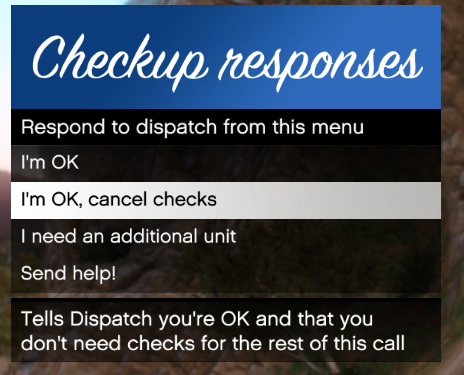
Hello LSPDFR community! Today I'm presenting a small little plugin I created to make your policing career just a little more realistic. This plugin replicates the "Checkups" performed by dispatchers when officers are in dangerous situations. Whenever you start a callout or a traffic stop, dispatch will start periodically checking your status. If you feel safe, you can tell dispatch to cancel checkups, and they'll stop bugging you till your next callout. You can also ask dispatch to send you backup, or, if you're in major trouble, you can scream "Send help!". This will send in the cavalry, with an impressive response of officers closing in, complete with custom "responding" audio. If, for some reason, you've become incapacitated, or cannot respond (or maybe you just turned your volume down...), Dispatch will try several times to contact you. When unsuccessful, they'll call in a slightly smaller set of cavalry than the "send help" request. All of these times and responses are configurable, as is your callsign and name. Planned integration with CustomBackup and the upcoming Police SmartRadio modification as well! Built against RPH 0.50
- 82 comments
- 22 reviews
-
-
- 23
-
-
Very soon. Probably within a week or so, if nothing goes wrong.
-
I actually did think about using it for that - there's really no reason that wouldn't work, although the "server" would probably be something run by the clan. I may look into making a standalone server for precisely that purpose at some point.
-
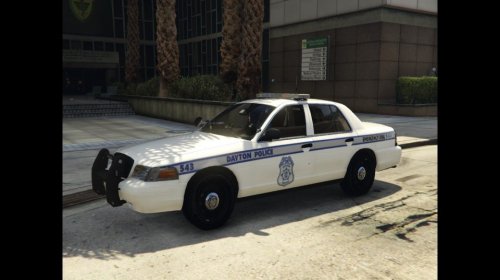 Looks pretty cool, I'll have try these out ingame :) I wish we could texture the lightbar edges like they have IRL though...
- 3 comments
- 1 review
-
-
- 2
-
-
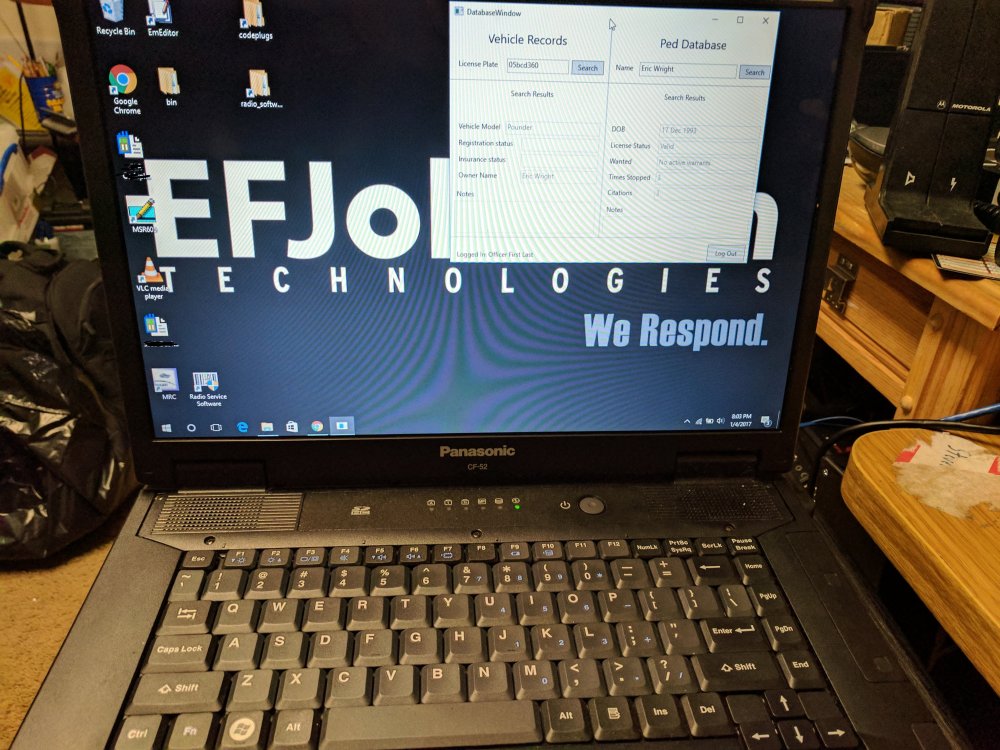
Yeah, mine is a spare computer I use to program radios (hence the radio-related things on the desktop :P) but I figured why not use my toughbook to do the database searches? Development is going swimmingly, I've actually gotten a chance to refactor some of my...... less than ideal code I wrote at the start :) I may be releasing it sooner than I anticipated though - keep an eye out!
-
That's true, but it's more convenient to me to have it on another screen entirely. If you've got a random computer lying around or something, it's really no harm to run it. Plus I'm planning on having more functionality than just the records check. That's just version 1.0!
-
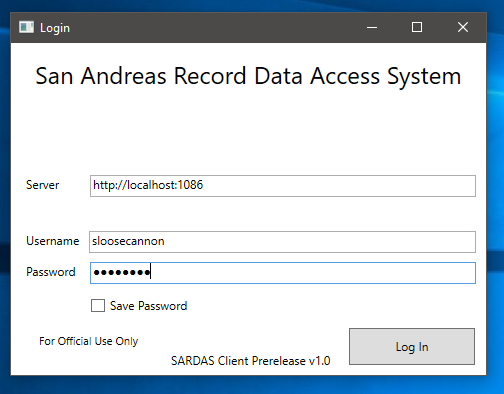
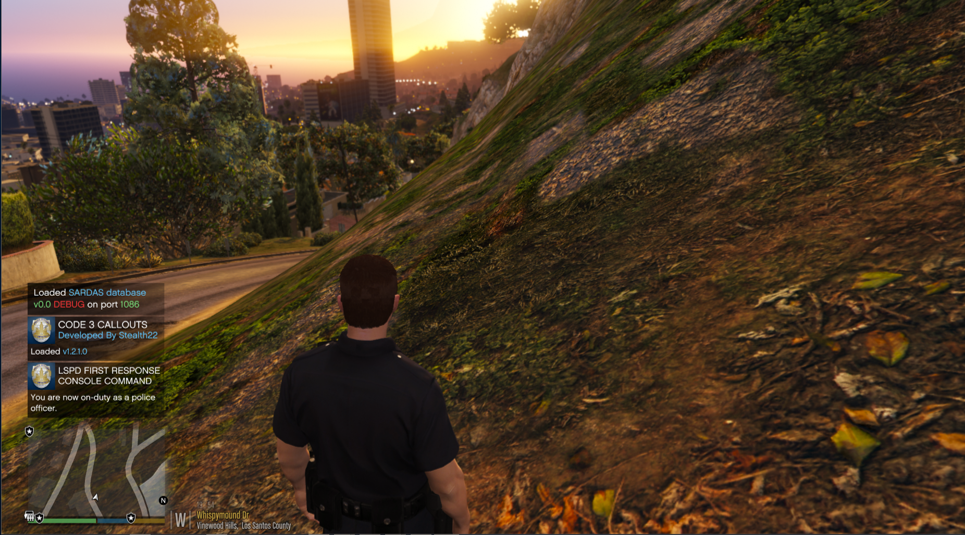
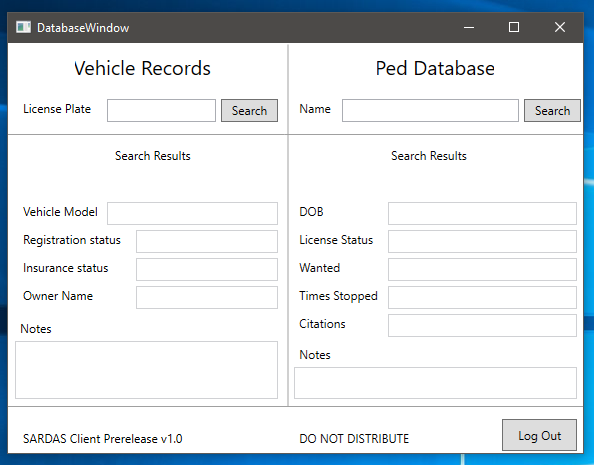
Hello LSPDFR community! Today I'm announcing a new plugin/application that I'm hoping to release in the next few weeks. This is the San Andreas Record Data Access System - SARDAS for short. It's a Windows application you can run on a computer in real-life that will allow full access to ped/vehicle records, IN GAME! Here are some screenshots of it in action: Login screen The database screen: The database, after searching for a vehicle: It automatically searches for the owner of a vehicle, much like Computer+ does with its vehicle records search. In-game at launch: The client app running on my Toughbook, while LSPDFR runs on my main PC! This plugin will require a little bit of technical skill to run - namely, you'll need to be able to open the required ports in the firewall and figure out the IP address of your "server" machine. I'm also planning on integrating other mods, and additional features, similar to the callout management of Computer+. In the future, I'd like to add the ability for mods to create windows and notifications on the client computer, making it truly act like a police "MDT". I'll keep this thread updated as I progress, and I'll try to add what features I can. Thanks for reading, and stay safe out there! I've now released a RC (Release Candidate) version of the app here: It's still in early stages, and may be buggy - don't blame me if it crashes your game!

-
FWIW, I had lag until I overclocked my i7 to 4.9 ghz. It's just a thing that happens when you install a lot of callouts.
-
Use OpenIV. That model is pretty complex, but you can toggle the sirens using OpenIV to figure out which is which. EDIT: So 65535 is definitely too big. Trying 32767... EDIT EDIT: So, the limit on the max sirensettings values is very strange. It's somewhere between 10000 and 32767. So anything less than 10000 should work without problems.

